32
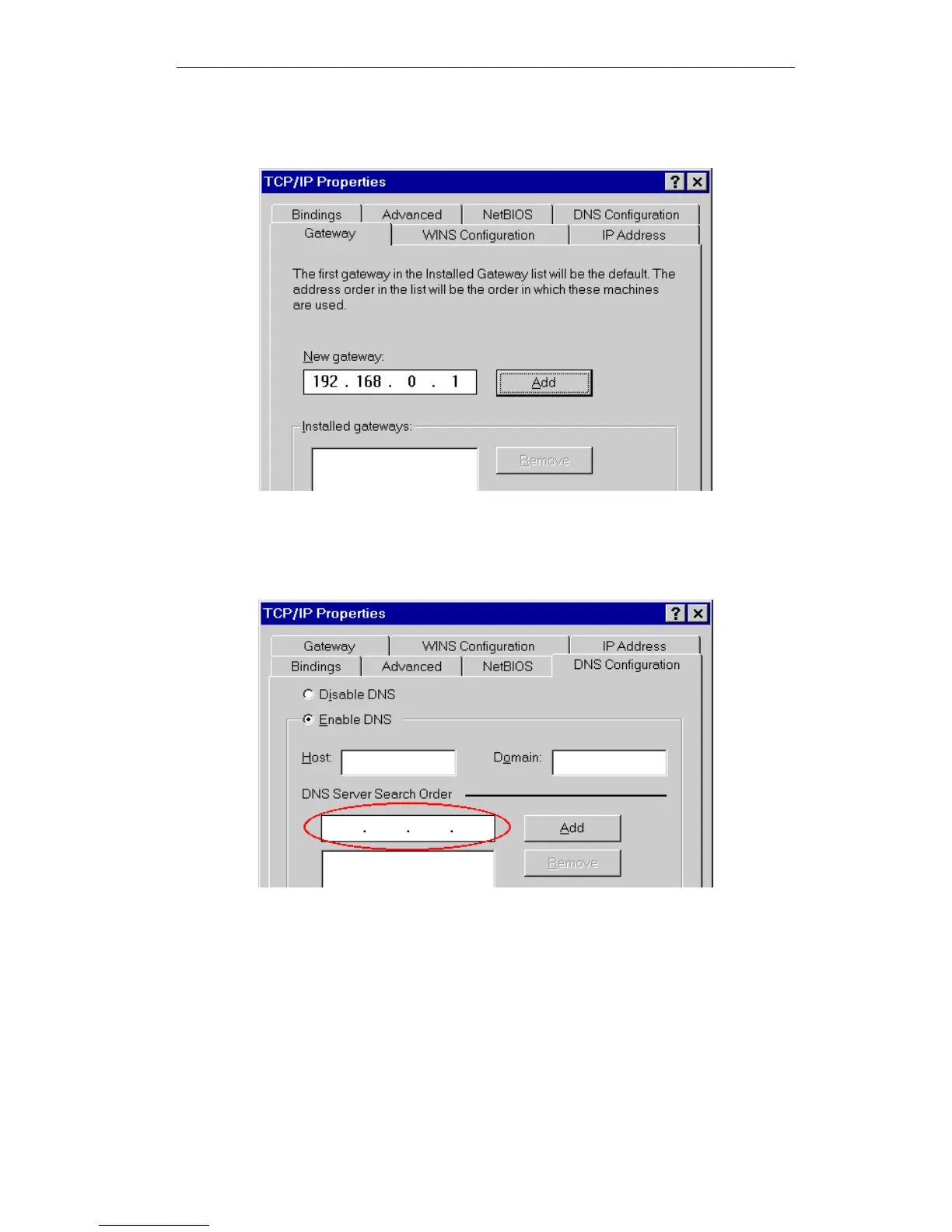
On the Gateway tab, enter the Wireless ADSL Router's IP address in the New Gateway
field and click Add, as shown below. Your LAN administrator can advise you of the IP
Address they assigned to the Wireless ADSL Router.
Figure 22: Gateway Tab (Win 95/98)
On the DNS Configuration tab, ensure Enable DNS is selected. If the DNS Server Search
Order list is empty, enter the DNS address provided by your ISP in the fields beside the
Add button, then click Add.
Figure 23: DNS Tab (Win 95/98)















 To Next Page