Lexmark C925/X925 Color Product Study Guide Rev 2.3
For Training Purposes Only 6/21/2011
45
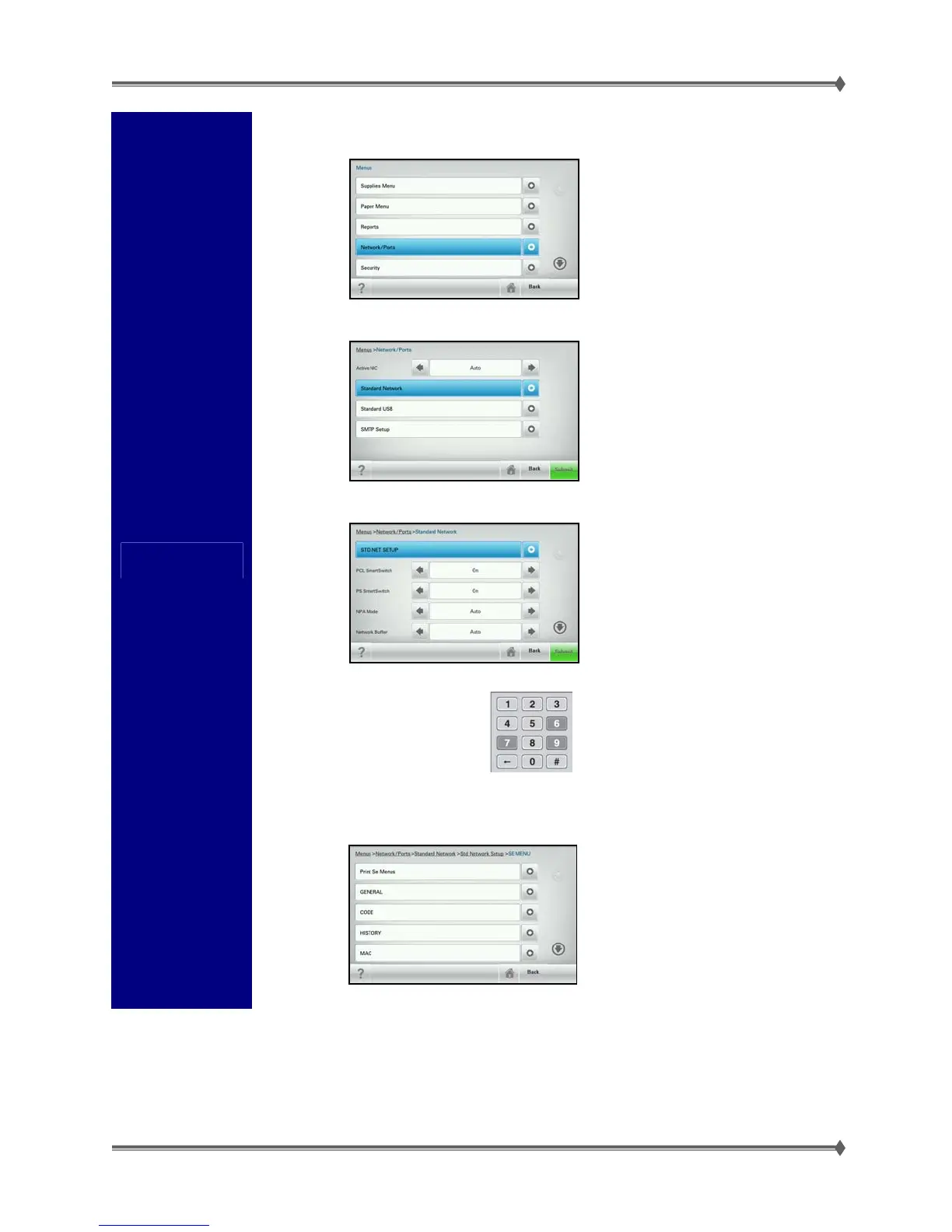
Network SE
Menu
1. In the Administration (Customer) Menu, select
the Network/Ports Menu.
2. Select Standard Network.
3. Select STD NET SETUP.
4. Once in the Standard
Network Setup page, press
9, 7 and 6 at the same time.
5. Once you press the buttons, you should be in
the Network SE Menu.
The Network SE menu contains
advanced network menu tools.
Warning: Changing the settings within
this menu may cause the printer not to
function properly.



 To Next Page