70
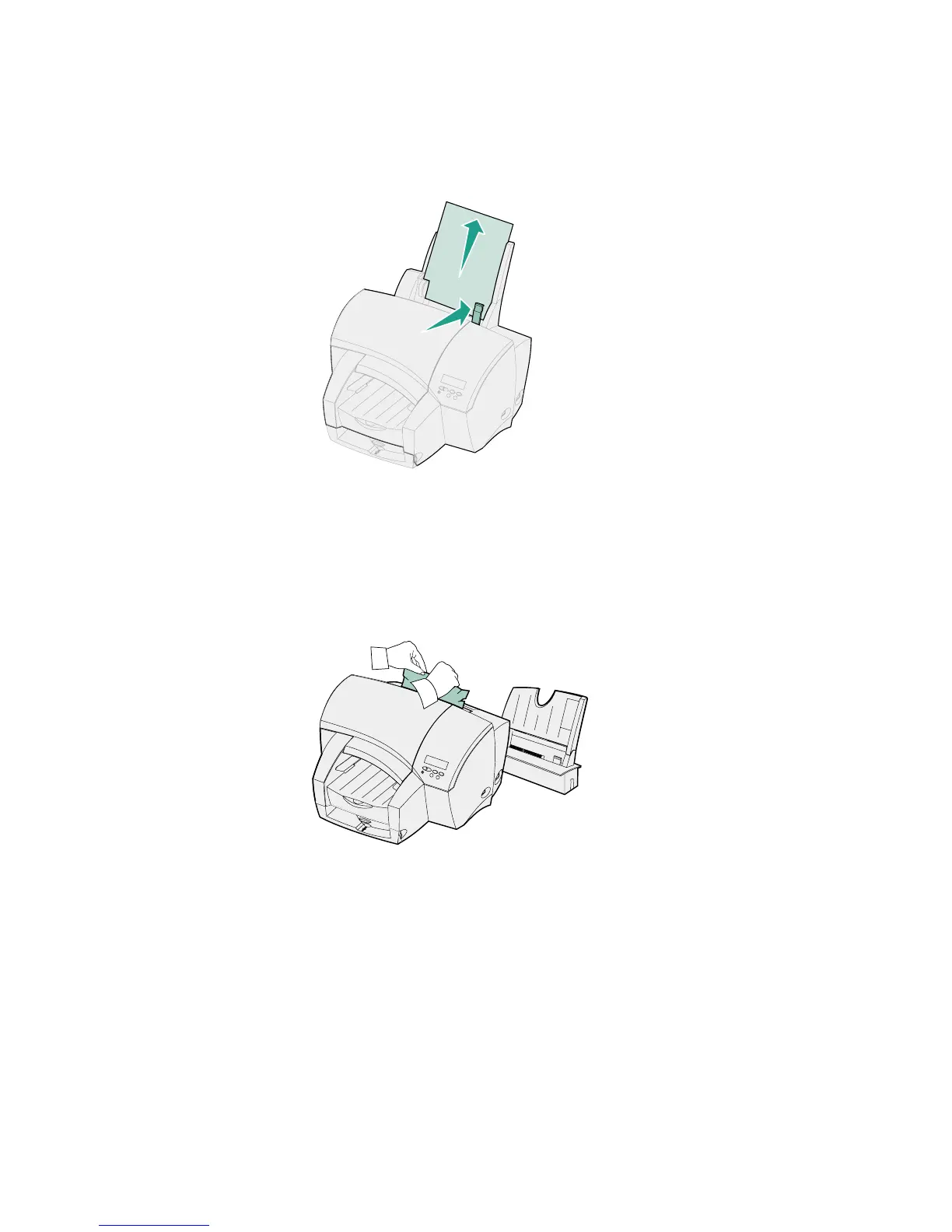
A 250 Paper Jam indicates a jam in the multipurpose feeder.
1 Push the paper release lever toward the media and hold it.
2 Pull the media straight up.
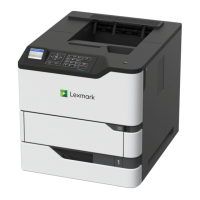
If that does not clear the jam:
1 Remove the multipurpose feeder.
2 Pull out the jammed paper.
3 Reinstall the multipurpose feeder and press Go to resume printing.


 To Next Page