EasyManua.ls Logo

Lexmark MX910 Series - User Manual

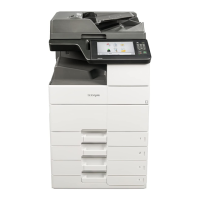
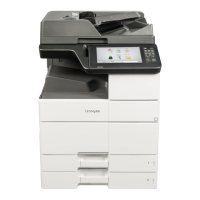
Lexmark MX910 Series
363 pages
Print Icon
To Next Page IconTo Next Page
Loading...
MX910 Series
User's Guide
June 2014 www.lexmark.com
Machine type(s):
7421
Model(s):
036, 236, 436

Table of Contents

Questions and Answers

  • D
    Dr. Amy WardSep 23, 2025
    What to do if Lexmark All in One Printer says weblink server not set up?
    • M
      Mary VegaSep 23, 2025
      If your Lexmark All in One Printer displays a 'Weblink server not set up' message, touch 'Continue' from the printer control panel to clear the message.
  • M
    Mary MurphyAug 31, 2025
    How to continue printing when Lexmark All in One Printer says cartridge low?
    • K
      kristayoungAug 31, 2025
      If your Lexmark All in One Printer displays a 'Cartridge Low' message, you might need to order a replacement toner cartridge soon. If you want to temporarily clear the message and continue printing, touch 'Continue' on the printer's control panel.
  • S
    Shelley MosesAug 25, 2025
    Why does my Lexmark All in One Printer say incorrect paper size?
    • S
      Sara WilliamsAug 25, 2025
      This message appears because the paper loaded in the tray or feeder does not match the size specified in the printer settings. To resolve this, load the correct paper size and type in the tray or feeder, and then specify the paper size and type in the Paper menu on the control panel. Also, ensure that the correct paper size and type are specified in Print Properties or the Print dialog settings. Check the length and width guides and make sure that the paper is loaded properly in the tray or feeder. Alternatively, from the control panel, touch Continue to clear the message and then print using a different tray, touch Reset active bin to reset the active bin for a linked set of bins, or cancel the print job.
  • A
    Adam HamiltonAug 25, 2025
    What does complex page error mean on Lexmark All in One Printer?
    • J
      jennifercharlesAug 26, 2025
      If your Lexmark All in One Printer displays a 'Complex Page' error, some data may not have printed. From the control panel, touch 'Continue' to clear the message and continue printing, touch 'Reset active bin' to reset the active bin for a linked set of bins, cancel the print job, or install additional printer memory.
  • W
    William StevensAug 26, 2025
    How to resolve 'Remove paper from all bins' message on Lexmark All in One Printer?
    • P
      Paula CombsAug 26, 2025
      To address the 'Remove paper from all bins' message on your Lexmark All in One Printer, remove the paper from all of the bins. The printer automatically senses paper removal and resumes printing. If removing the paper does not clear the message, then touch 'Continue'.
  • C
    carolynclarkeAug 27, 2025
    What to do if Lexmark All in One Printer says defective flash detected?
    • C
      Carrie DuncanAug 27, 2025
      If your Lexmark All in One Printer displays a 'Defective flash detected' message, replace the defective flash memory card. Alternatively, from the printer control panel, touch 'Continue' to ignore the message and continue printing, or cancel the current print job.
  • M
    mitchellbrianAug 27, 2025
    What does scanner disabled mean on Lexmark All in One Printer?
    • J
      John FrancoAug 27, 2025
      If your Lexmark All in One Printer displays a 'Scanner disabled' message, touch 'Continue with scanner disabled' to return to the home screen. Alternatively, touch 'Reboot and automatically enable scanner' to cancel the job.
  • A
    April SellersAug 28, 2025
    What to do if Lexmark All in One Printer shows insufficient memory for Flash Memory Defragment operation?
    • V
      valenciataylorAug 28, 2025
      If your Lexmark All in One Printer displays an 'Insufficient memory for Flash Memory Defragment operation' message, touch 'Continue' to stop the defragmentation and continue printing. You can also delete fonts, macros, and other data in the printer memory, or install additional printer memory.
  • T
    Tony BullockAug 29, 2025
    What to do if Lexmark All in One Printer says configuration change, some held jobs were not restored?
    • P
      Paul HartAug 29, 2025
      If your Lexmark All in One Printer displays a 'Configuration change, some held jobs were not restored' message, touch 'Continue' from the printer control panel to clear the message.
  • P
    Patrick NelsonAug 29, 2025
    What to do if Lexmark All in One Printer says some held jobs were not restored?
    • B
      Beth StarkAug 29, 2025
      If your Lexmark All in One Printer displays a message indicating that some held jobs were not restored, touch 'Continue' on the printer control panel to delete the indicated job.

Lexmark MX910 Series Specifications

General IconGeneral
Print TechnologyLaser
Print Speed (Black)55 ppm
Print Resolution1200 x 1200 dpi
Monthly Duty CycleUp to 300, 000 pages
Duplex PrintingYes
Scan Resolution600 x 600 dpi
Scan Speed (Black)Up to 70 ipm
Scan Speed (Color)Up to 70 ipm
Fax Speed33.6 Kbps
Copy Speed (Black)55 cpm
Copy Resolution600 x 600 dpi
Fax Resolution300 x 300 dpi
Operating System CompatibilityWindows, Mac, Linux
FunctionalityCopier, Fax, Printer, Scanner
ConnectivityUSB, Ethernet
Memory (Standard)4 GB
Media Sizes SupportedLetter, Legal, Executive, Ledger, A4, A5

Related product manuals