114
3-4. Setup
Select to set automatic destination list
information on/off. When set to on, the
estimated time of arrival to the registered
home and preset destinations from the cur-
rent position will be displayed.
“Intersection Zoom Map”
Select to set display of a guidance screen
on/off.
“Automatic Zoom”
Select to set automatic zoom function
on/off. When it is enabled, as the vehicle
approaches a guidance point, the map will
change to a detailed map automatically.
“Automatic Freeway Exit List”
Select to set display of a freeway informa-
tion screen on/off. (P.103)
“State border guidance”
Select to set cross-border guidance on/off.
“Map Color Customization”
Select to set the map display color.
“Map Animation”
Select to set map animation on/off.
“Map Flick”
Select to set drag/flick operation on the
map screen on/off. (P.84)
“Weather Incident Warnings”
Select to set weather incident warnings
on/off. (P.195)
“Dynamic Route”
*
Select to enable/disable routes sourced
from the Lexus Enform center. (P.101)
“Restore the default settings”
Select to reset all setup items.
*
: This function is not available in some
countries or areas.
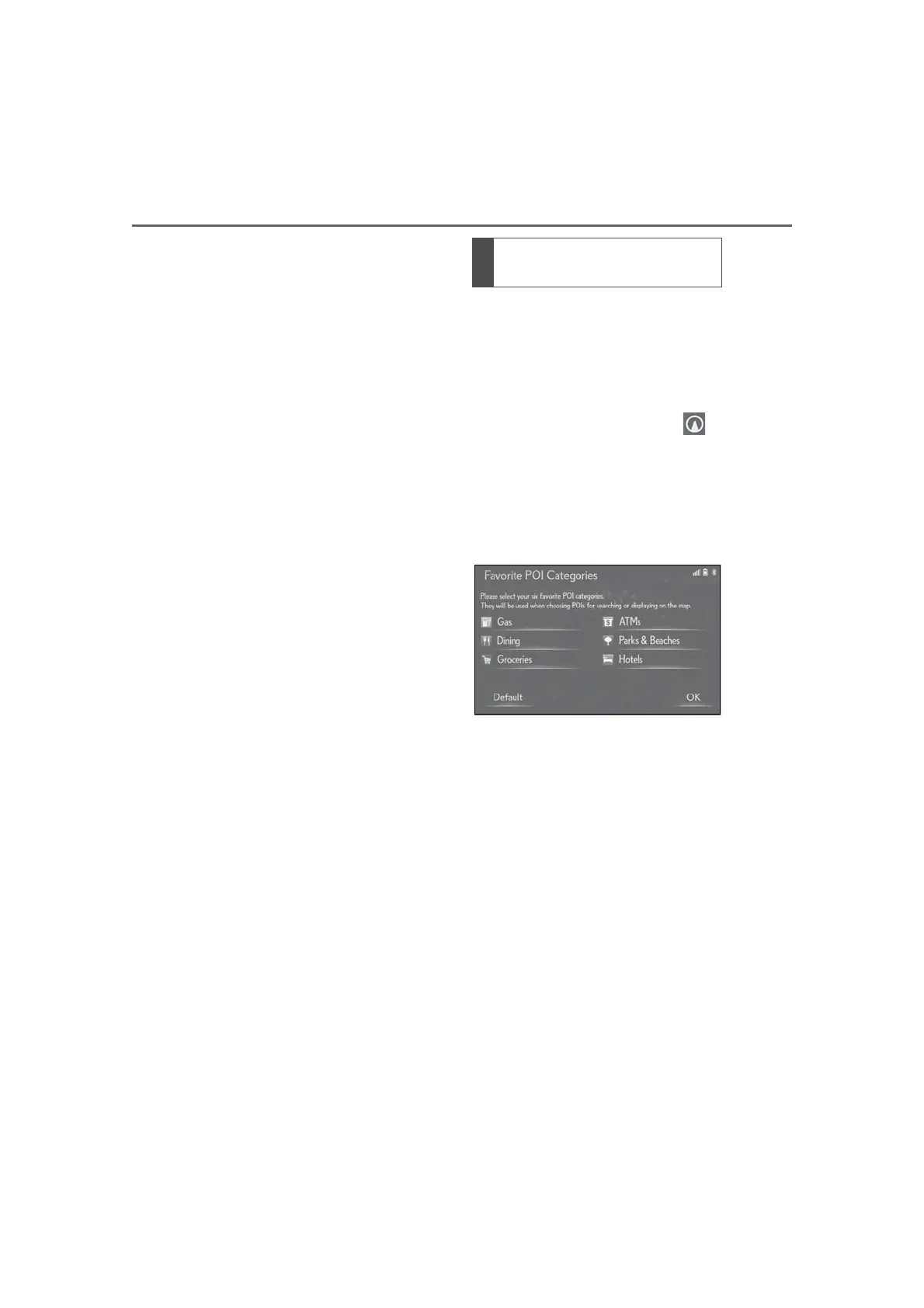
Up to 6 POI icons, which are used for
selecting POIs on the map screen, can
be selected as favorites.
1 Display the detailed navigation set-
tings screen:
“MENU” button “Setup”
“Navigation” “Detailed Navi. Set-
tings”
2 Select “Favorite POI Categories”.
3 Select the desired category to be
changed.
“Default”: Select to set the default catego-
ries.
4 Select the desired POI category.
“List All Categories”: Select to display all
POI categories.
5 Select the desired POI icon.
6 Select “OK”.
Favorite POI categories (Select
POI icons)



 To Next Page