131
4-1. Basic operation
4
Audio/visual system
Select to adjust the sound balance
between the left and right speakers.
■ Automatic sound levelizer
The system adjusts to the optimum vol-
ume and tone quality according to
vehicle speed to compensate for
increased vehicle noise.
1 Select to set the automatic sound
levelizer on/off.
■ Surround
This function can create a feeling of
presence.
1 Select to set the surround on/off.
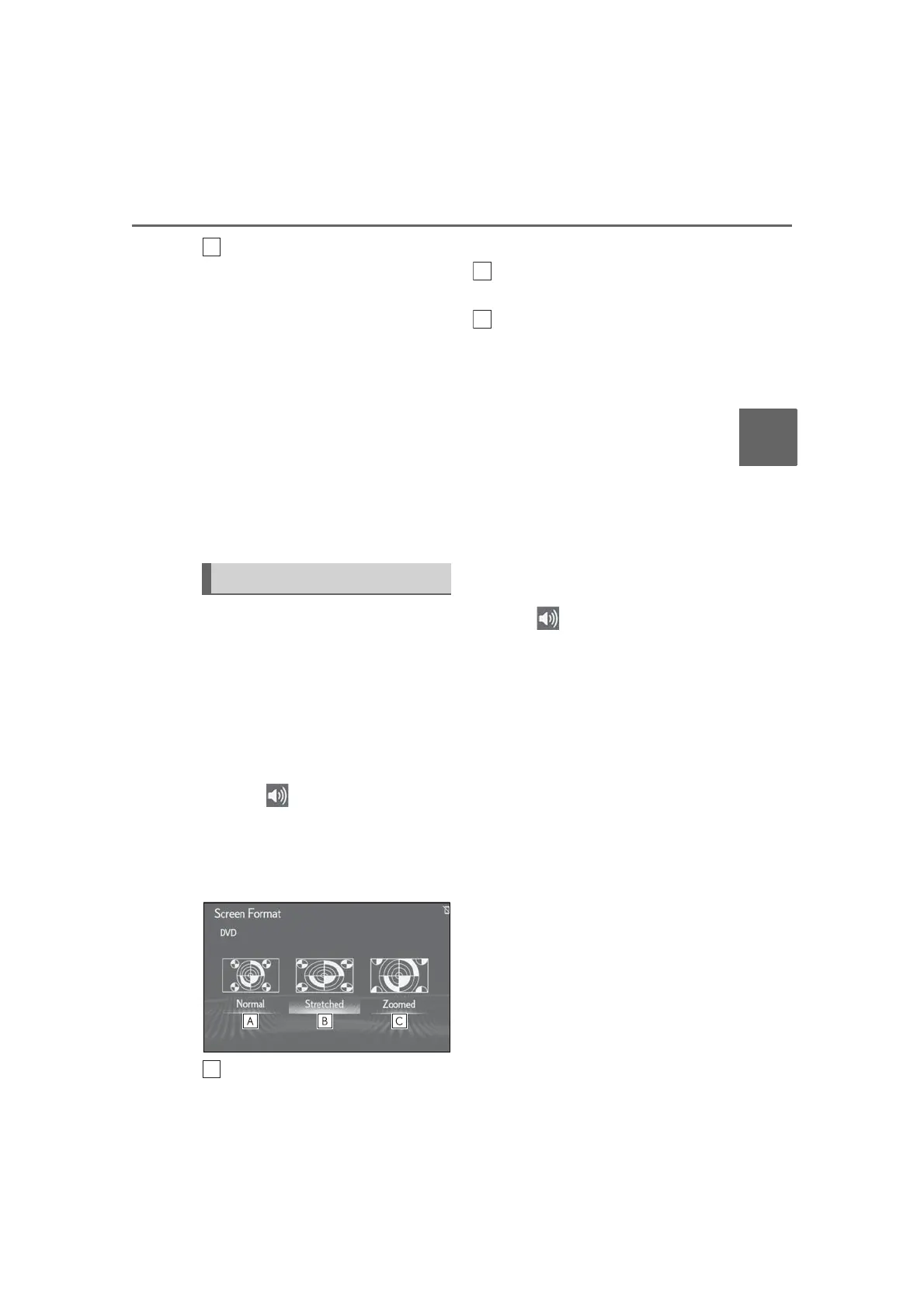
■ Screen size settings
The screen size can be selected for
each type of media.
DVD video
*
/USB video
1 Press the “MENU” button on the
Remote Touch.
2 Select “Setup”.
3 Select “Audio” on the sub menu.
4 Select “Common”.
5 Select “Screen Format”.
6 Select the desired item to be set.
Select to display a 4 : 3 screen, with
either side in black.
Select to enlarge the image hori-
zontally and vertically to full screen.
Select to enlarge the image by the
same ratio horizontally and verti-
cally.
*
: 12.3-inch display model
■ Color, tone, contrast and bright-
ness adjustment
The color, tone, contrast and bright-
ness of the screen can be adjusted.
DVD video
*
/USB video
1 Press the “MENU” button on the
Remote Touch.
2 Select “Setup”.
3 Select “Audio” on the sub menu.
4 Select “Common”.
5 Select “Display”.
6 Select the desired item to be set.
“Color”
“R”: Select to strengthen the red color of
the screen.
“G”: Select to strengthen the green color
of the screen.
“Tone”
“+”: Select to strengthen the tone of the
screen.
“-”: Select to weaken the tone of the
screen.
“Contrast”
“+”: Select to strengthen the contrast of the
screen.
“-”: Select to weaken the contrast of the
screen.
“Brightness”
Audio screen adjustment



 To Next Page