130
4-1. Basic operation
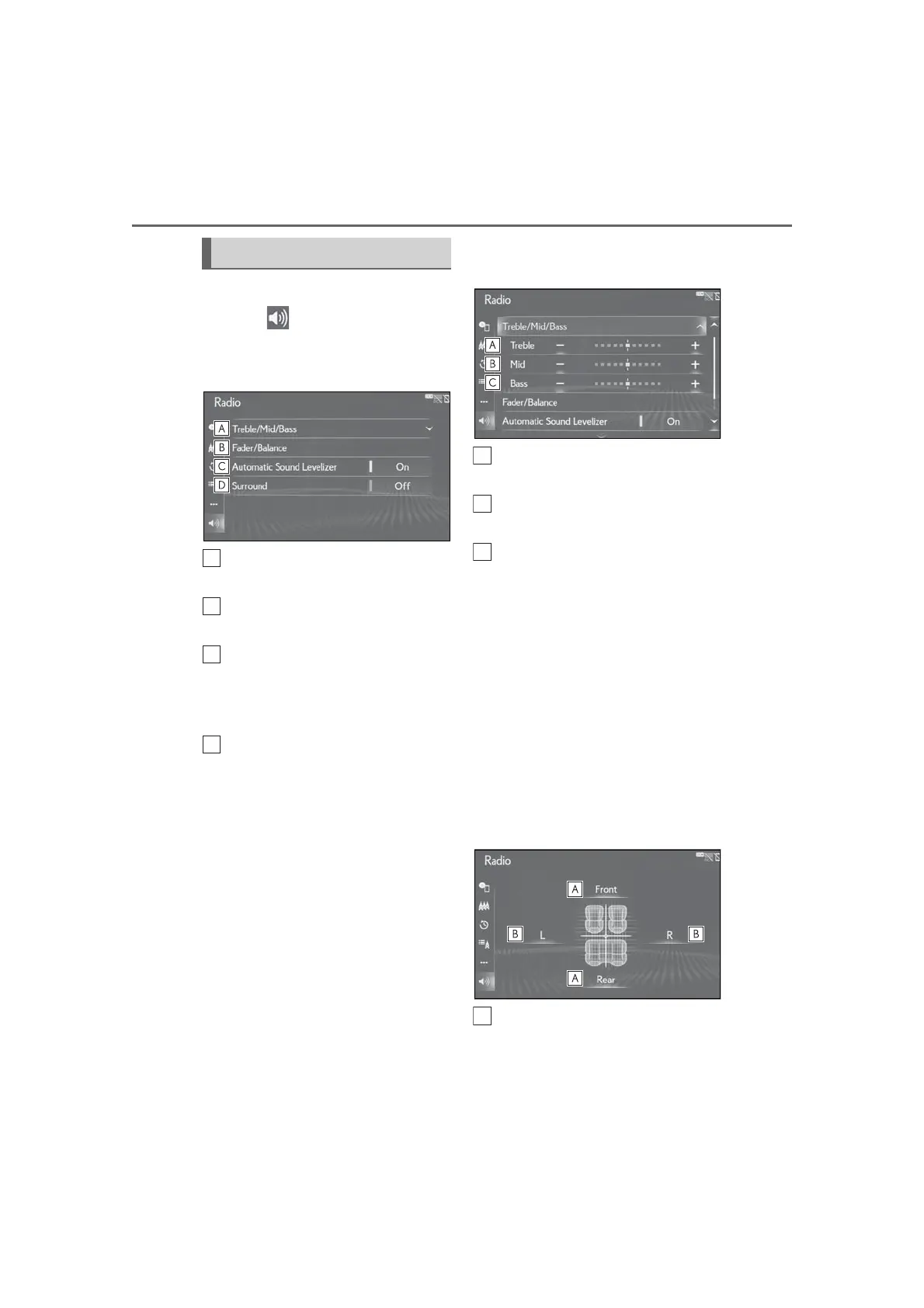
1 Display the audio control screen.
2 Select “Sound” on the sub
menu.
3 Select the desired item to be set.
Select to set the treble/mid/bass.
(P.130)
Select to set the fader/balance.
(P.130)
The system adjusts to the optimum
volume and tone quality according
to vehicle speed to compensate for
increased vehicle noise. (P.131)
This function can create a feeling of
presence. (P.131)
■ Treble/Mid/Bass
How good an audio program sounds is
largely determined by the mix of the
treble, mid and bass levels. In fact, dif-
ferent kinds of music and vocal pro-
grams usually sound better with
different mixes of treble, mid and bass.
1 Select “Treble/Mid/Bass” and
select the desired item to be set.
Select “+” or “-” to adjust
high-pitched tones.
Select “+” or “-” to adjust
mid-pitched tones.
Select “+” or “-” to adjust
low-pitched tones.
■ Fader/Balance
A good balance of the left and right
stereo channels and of the front and
rear sound levels is also important.
Keep in mind that when listening to a
stereo recording or broadcast, chang-
ing the right/left balance will increase
the volume of 1 group of sounds while
decreasing the volume of another.
1 Select “Fader/Balance” and select
the desired item to be set.
Select to adjust the sound balance
between the front and rear speak-
ers.
Sound settings



 To Next Page