228
7-2. Panoramic view monitor
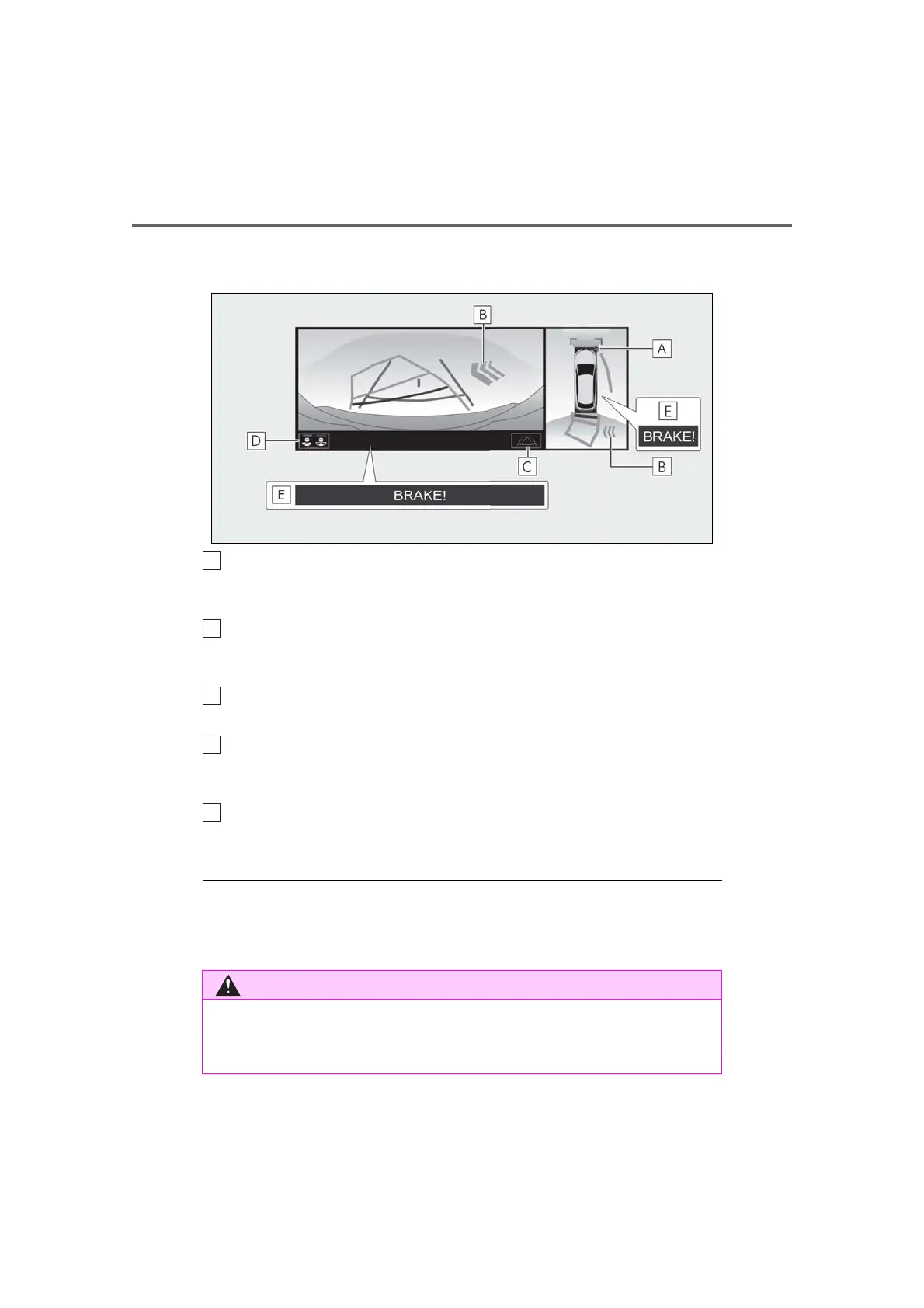
a warning message is displayed.
Wide rear view & panoramic view
Intuitive parking assist
When a sensor detects an obstacle, the direction of and the approximate distance to the
obstacle are displayed and the buzzer sounds.
Rear Cross Traffic Alert
When a sensor detects an obstacle, the direction of obstacle is displayed and the buzzer
sounds.
Guide line switching button
Select to switch the guide line mode. (P.229)
Display mode switching button
Each time the display mode switching button is selected, the mode will change between the
rear view & panoramic view mode and the wide rear view & panoramic view mode.
Parking Support Brake
When the system determines that the possibility of a collision with a detected object is high,
a warning message is displayed.
● The monitor is cancelled when the shift lever is shifted into any position other than the “R”
position.
● For details about the intuitive parking assist, Rear Cross Traffic Alert function and Parking
Support Brake function, refer to the “OWNER’S MANUAL”.
● When a sensor indicator on the intuitive parking assist display illuminates in red or a
buzzer sounds continuously, be sure to check the area around the vehicle immediately
and do not proceed any further until safety has been ensured, otherwise an unex-
pected accident may occur.



 To Next Page