229
7-2. Panoramic view monitor
7
Peripheral monitoring system
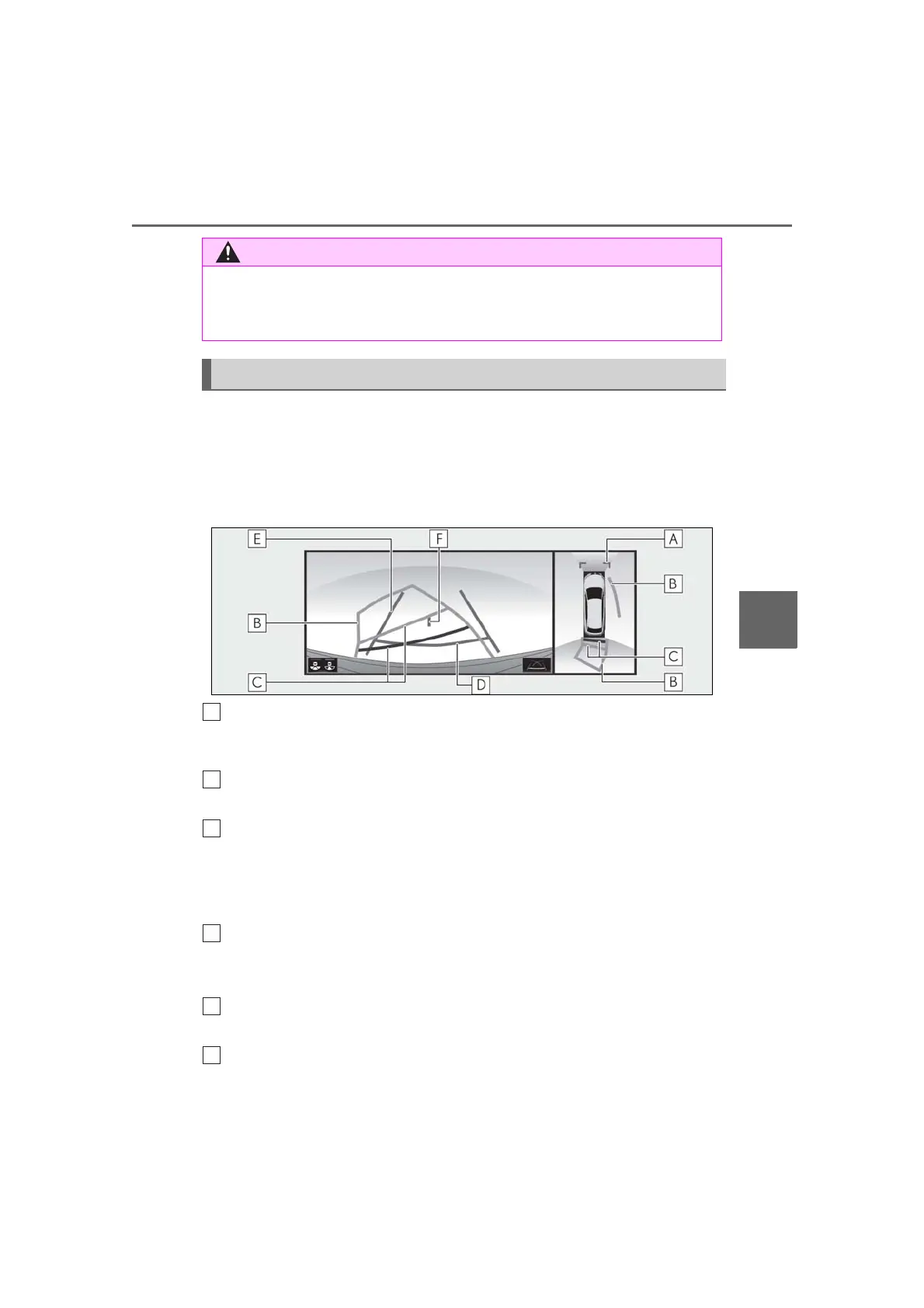
Each time the guide line switching button is selected, the mode will change as fol-
lows:
Estimated course line
Estimated course lines are displayed which move in accordance with the operation
of the steering wheel.
Distance guide lines
Shows distance in front of the vehicle.
• Display points approximately 3 ft. (1 m) from the edge of the vehicle.
Estimated course lines
Shows an estimated course when the steering wheel is turned.
Distance guide lines
Shows the distance behind the vehicle when the steering wheel is turned.
• The guide lines move in conjunction with the estimated course lines.
• The guide lines display points approximately 1.5 ft. (0.5 m) (red) and approximately 3 ft.
(1 m) (yellow) from the center of the edge of the vehicle.
Distance guide line
Shows the distance behind the vehicle.
• Displays a point approximately 1.5 ft. (0.5 m) (red
*
) from the edge of the vehicle.
Vehicle width guide lines
Displays a guide path when the vehicle is being backed straight up.
Vehicle center guide line
● As the intuitive parking assist display and Rear Cross Traffic Alert display are displayed
over the camera view, it may be difficult to see the intuitive parking assist display and
Rear Cross Traffic Alert display depending on the color and brightness of the sur-
rounding area.
Guide lines displayed on the screen



 To Next Page