261
8-1. Phone operation (Hands-free system for cellular phones)
8
Phone
Main display
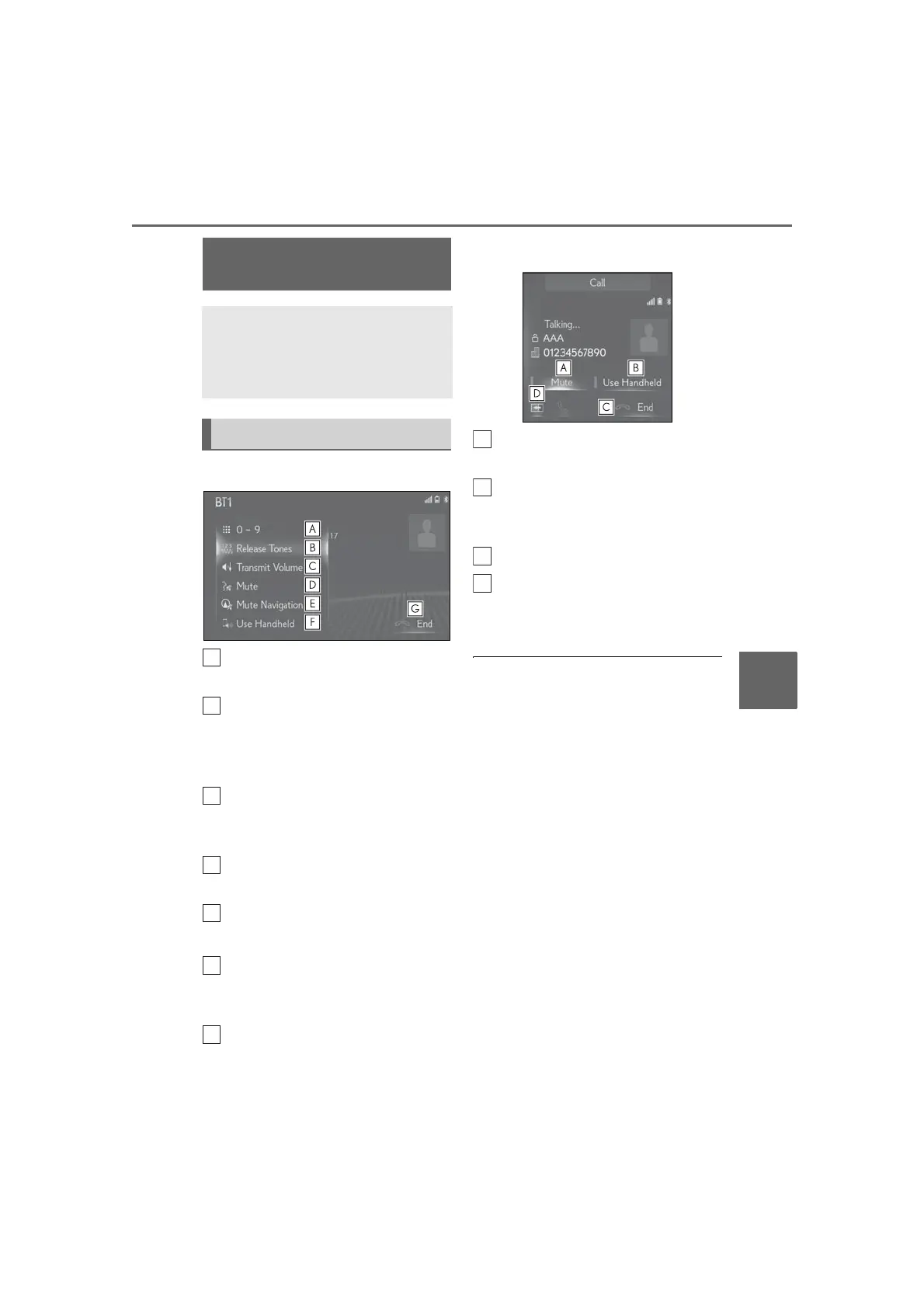
Select to display the keypad to send
tones. (P.262)
Select to send tones. This button
only appears when a number that
contains a (w) is dialed in
hands-free mode. (P.262)
Select to adjust your voice volume
that the other party hears from their
speaker. (P.262)
Select to mute your voice to the
other party.
Select to mute the navigation route
guidance during a phone call.
*
Select “Use Handheld” to change
modes between hands-free and
cellular phone.
Select to hang up the phone.
*
: With navigation function
Side display
*
Select to mute your voice to the
other party.
Select “Use Handheld” to change
modes between hands-free and
cellular phone.
Select to hang up the phone.
Select to switch the displayed cur-
rent screen to the main display.
*
: 12.3-inch display model
● Only when the vehicle is not moving, the
contact image can be displayed.
● When cellular phone call is changed to
hands-free call, the hands-free screen will
be displayed and its functions can be
operated on the screen.
● Changing between cellular phone call
and hands-free call can be performed by
operating the cellular phone directly.
● Transferring methods and operations will
be different depending on the type of
Bluetooth
®
phone you have.
● For the operation of the cellular phone,
see the manual that comes with it.
● 12.3-inch display model: This screen can
be displayed on the main display or side
display.
Talking on the Bluetooth
®
hands-free system
While talking on the phone, the fol-
lowing screen is displayed. The
operations outlined below can be
performed on this screen.
Call screen operation



 To Next Page