32
2-1. Basic information before operation
*1
:With navigation function
*2
: The Apple CarPlay Maps app is not
compatible with pinch multi-touch ges-
tures.
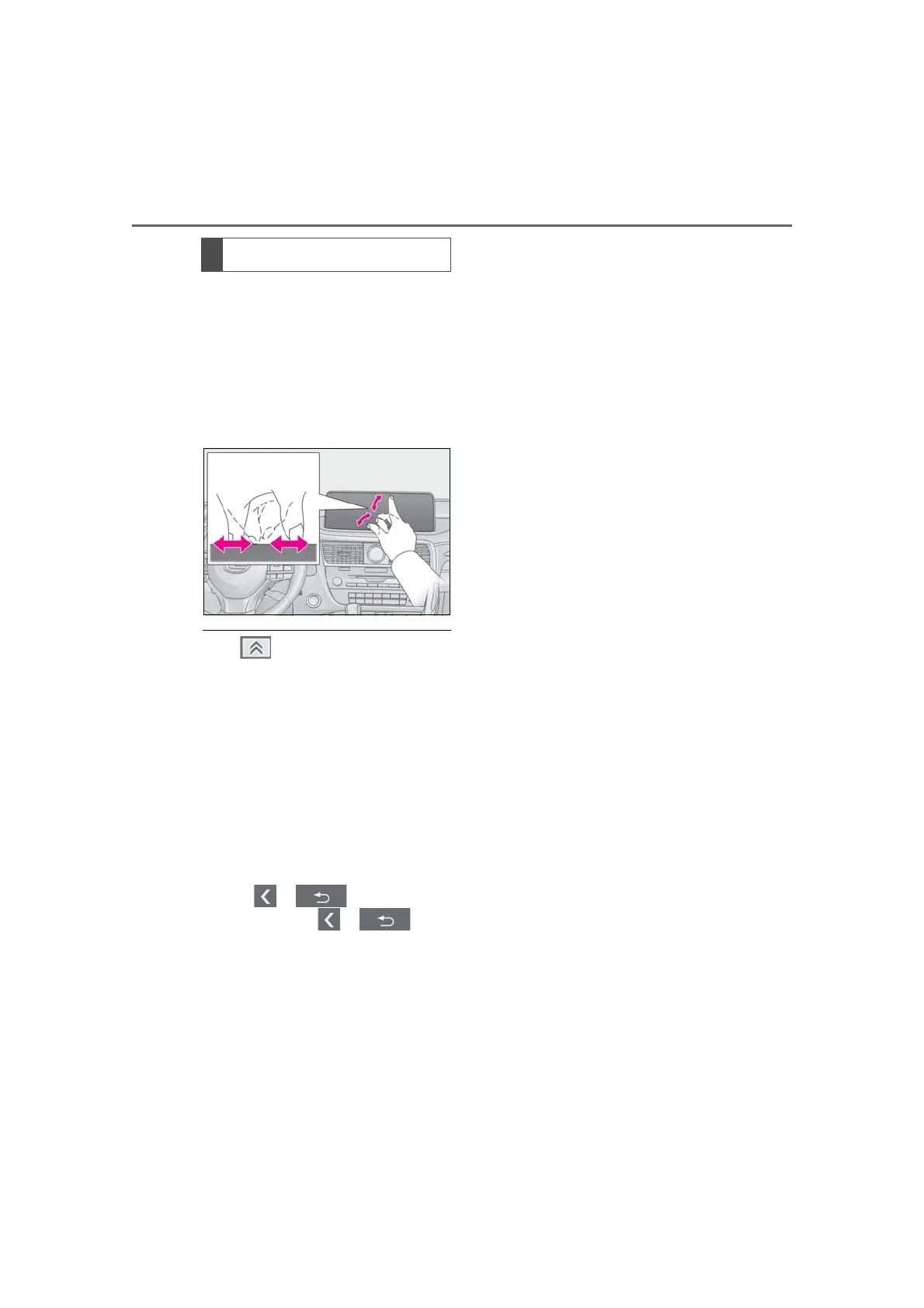
Slide fingers toward each other or
apart on the screen.
Changing the scale of the map.
● The button (P.15) and on cursor
shortcut button (P.18) cannot be oper-
ated by touching them. Additionally, the
hand written entry operation (P.41),
trace and flick operations cannot be used
on the touch screen.
● To prevent damaging the screen, lightly
touch the screen buttons with your finger.
● Do not use objects other than your finger
to touch the screen.
● If the system does not respond to touch-
ing a screen button, move your finger
away from the screen and then touch it
again.
● When or is displayed on
the screen, select or to
return to the previous screen.
● In the following situations, the touch
screen may become unresponsive or
may not function properly:
• When wearing gloves, etc.
• If the screen is touched by a fingernail
• If your palm touches the operable area of
another button during operation
• If a screen cover or coating has been
applied to the screen
• If the screen is dirty or wet
• Near a TV tower, electrical power plant,
gas station, large display, airport or other
facility that generates strong radio waves
or electrical noise.
• When wireless devices, such as portable
radios and mobile phones are nearby.
• If the operable part of a touch screen but-
ton is touched by or covered with a metal
object, such as the following, it may not
operate properly:
Coins
Keys
Metal parts of a wallet or purse
A card in which aluminum foil, etc., is
attached
A box of cigarettes that uses aluminum
foil
Disposable hand warmers
Media such as CD/DVDs, USB cables,
etc.
• When the temperature is -4 °F (-20°C)
or less
● If the operable part of a touch screen but-
ton is wiped, it may operate unintention-
ally.
● Cleaning detergents
• Do not use the following liquids, as they
may discolor the touch screen.
Organic substances such as benzine or
gasoline, alkaline solutions, and alcohol.
● If a touch screen button is being touched
when the engine switch <power switch> is
changed to ACCESSORY or IGNI-
TION ON mode <ON mode>, the button
may not operate properly. In this case,
remove anything touching the button,
turn the engine switch <power switch> to
OFF and then turn it to ACCESSORY or
IGNITION ON mode <ON mode>, or
restart the system by press and hold the
“PWR•VOL” knob for 3 seconds or
more.
Pinch in/Pinch out
*1, 2



 To Next Page