12
ENG
ENGLISH
ASSEMBLING AND PREPARING
How to Join Sets - Installing Set 1
Tiling Displays
*Example of 2 x 2 tiling
* The numbers assigned in this example (#1, #2, #3, #4) are used to demonstrate the installation procedure
to ensure it is easy to follow. These numbers have nothing to do with the Set ID that is used to operate the
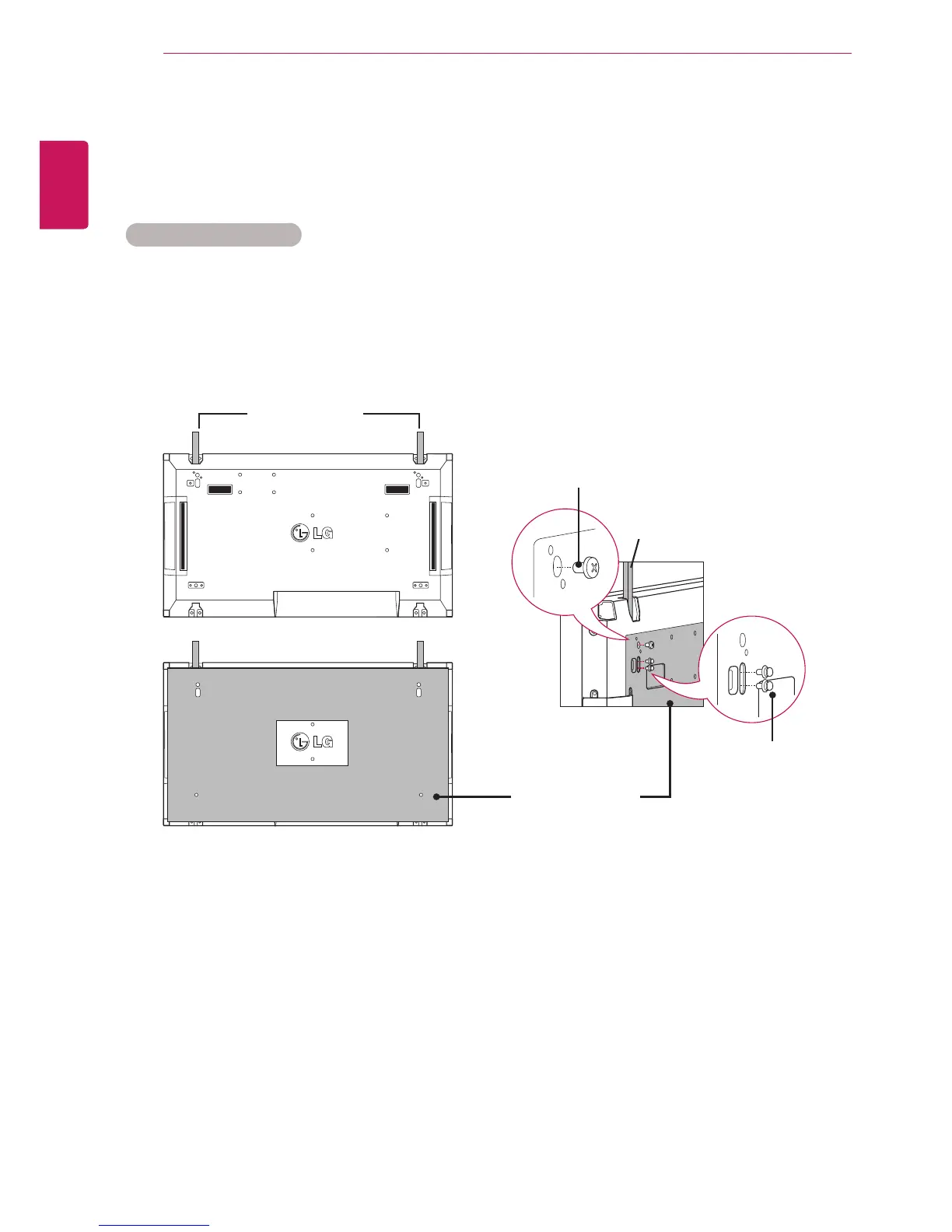
remote control. Set the guide bracket into the bracket groove using screws and mount the set to the wall
mount plate or the wall.
* The wall mount plate is shaded in gray in the illustration to help you see it.
Guide bracket
Guide bracket
Screws for xing the
VESA wall mount
Wall mount plate
Screws for fixing
the guide bracket
<Rear view of the set with the wall mount plate>



 To Next Page