EasyManua.ls Logo

LG 47WV30MS - LAN Network Connectivity; USB Device Connectivity

LG 47WV30MS
80 pages
Print Icon
To Next Page IconTo Next Page
To Previous Page IconTo Previous Page
Loading...
57
ENG
ENGLISH
MAKING CONNECTIONS
Connecting to the LAN
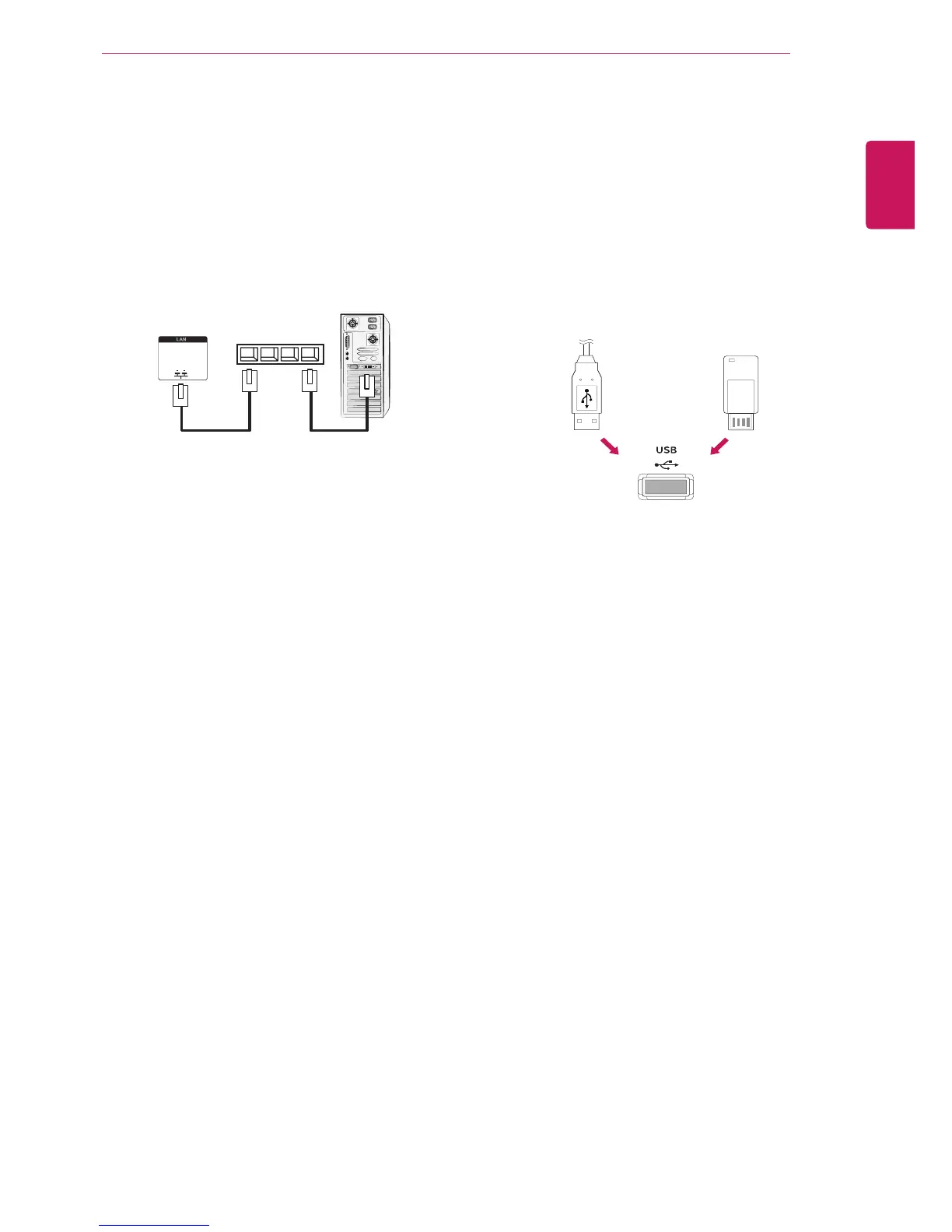
LAN connection
Connect the LAN cable.
A
Using a router(Switching Hub)
Network
PC
Product
LAN
Switching Hub
B
Using the Internet.
Connecting to a USB
Connect a USB storage device such as s USB
flash memory, external hard drive, MP3 player or
a USB memory card reader to the Monitor set and
access the USB menu to use various multimedia
files. "Connecting USB storage devices" on See
p.30 and ā€œBrowsing filesā€ on See p.31
or

Table of Contents