EasyManua.ls Logo

LG 47WV30MS - Making Connections; External Device Connection Overview

LG 47WV30MS
80 pages
Print Icon
To Next Page IconTo Next Page
To Previous Page IconTo Previous Page
Loading...
54
ENG
ENGLISH
MAKING CONNECTIONS
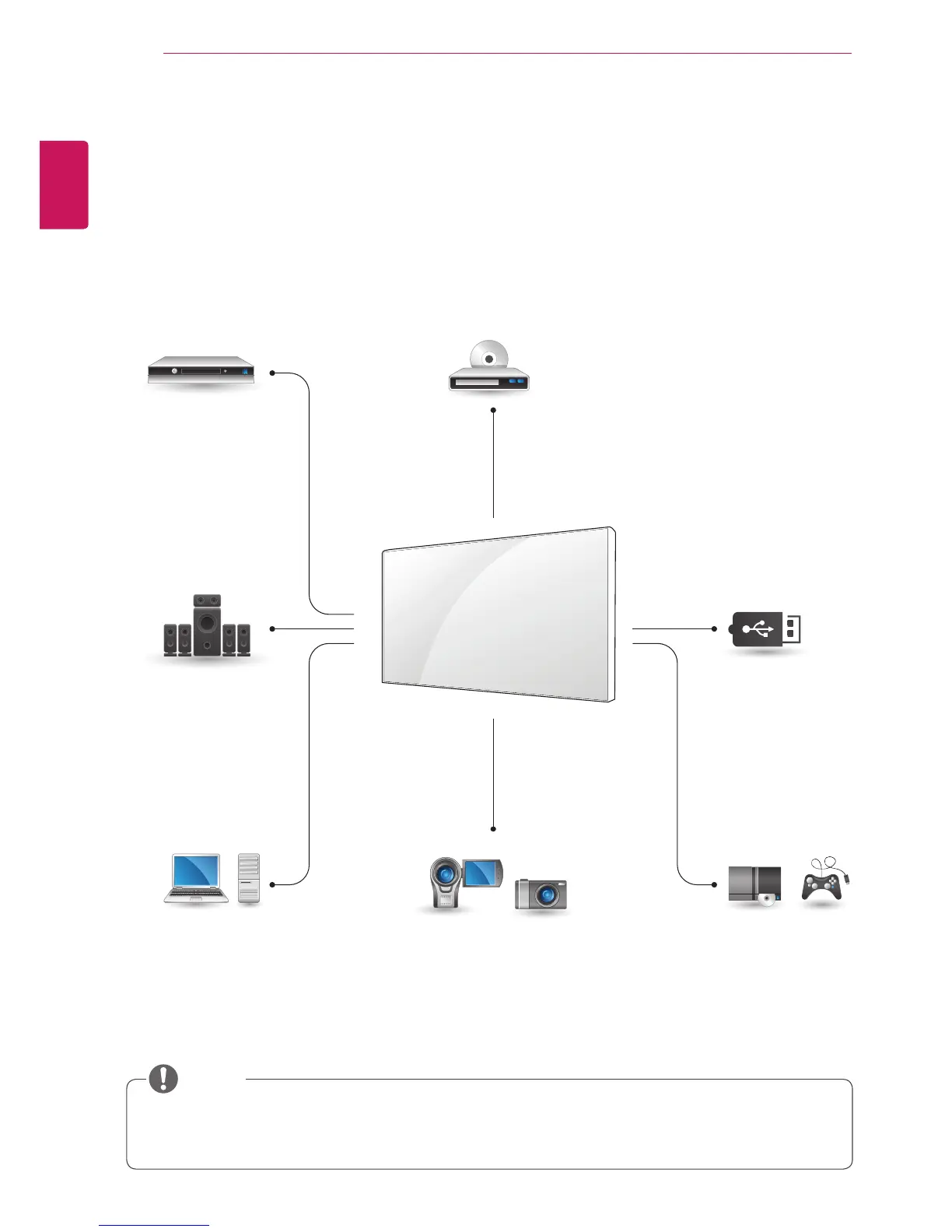
y If you connect a gaming device to the Monitor set, use the cable supplied with the gaming device.
y AV(CVBS) can be supported only in 47WV30BR and 47WV30MS models.
HD Receiver
Speaker
PC
Gaming device
USB
Camcorder/Camera
DVD
HDMI - (See p.55)
Component - (See p.56)
AV - (See p.56)
HDMI - (See p.22)
DVI - (See p.22)
RGB - (See p.21)
HDMI - (See p.55)
Component - (See p.56)
AV - (See p.56)
HDMI - (See p.55)
Component - (See p.56)
AV - (See p.56)
Memory storage
- (See p.57)
HDMI - (See p.55)
Component - (See p.56)
AV - (See p.56)
MAKING CONNECTIONS
Connect various external devices to the ports on the Monitor set’s back panel.
1
Find an external device you want to connect to your Monitor set shown in the following illustration.
2
Check the connection type of the external device.
3
Go to the appropriate illustration and check the connection details.
NOTE

Table of Contents