y
If you do not use an optional external
speaker, connect the PC to the Monitor set
with audio cable.
y
Use a shielded signal interface cable, such
as D-sub 15 pin signal cable and DVI to
HDMI cable, with a ferrite core to maintain
standard compliance for the product.
y
If you want to use HDMI-PC mode, you must
set the input label to PC mode.
NOTE
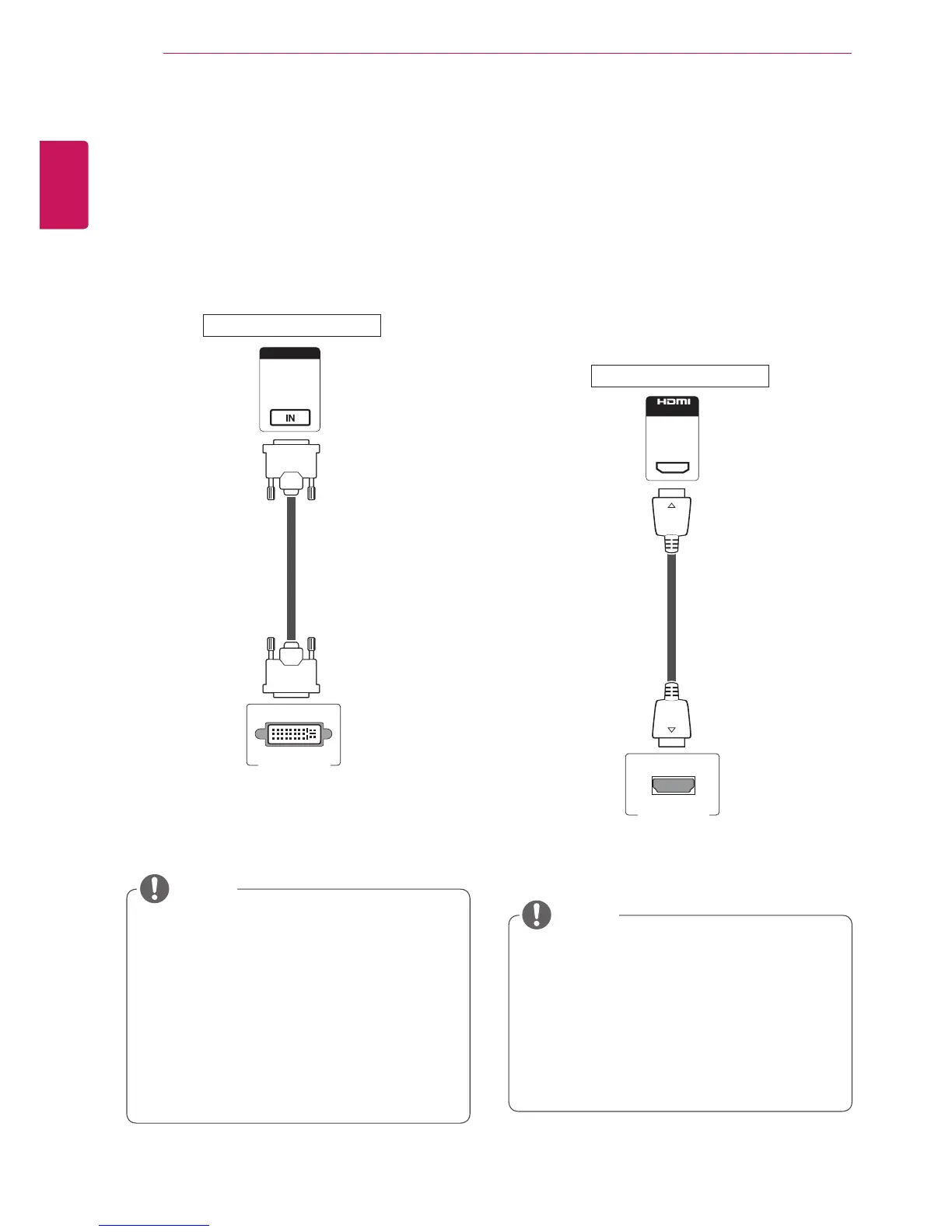
HDMI connection
Transmits the digital video and audio signals from
your PC to the Monitor set. Connect the PC and
the Monitor set with the HDMI cable as shown
in the following illustrations. Select HDMI input
source on the monitor.
DVI connection
Transmits the digital video signal from your PC to
the Monitor set. Connect the PC and the Monitor
set with the DVI cable as shown the following
illustrations.
Select DVI-D input source on the monitor.
y
Use a High Speed HDMI™ Cable.
y
Please check the PC environment if you
cannot hear the sound in HDMI mode.
y
If you want to use HDMI-PC mode, you must
set the input label to PC mode.
y
It may not be compatible if you use HDMI-PC
mode.
NOTE
PC



 To Next Page