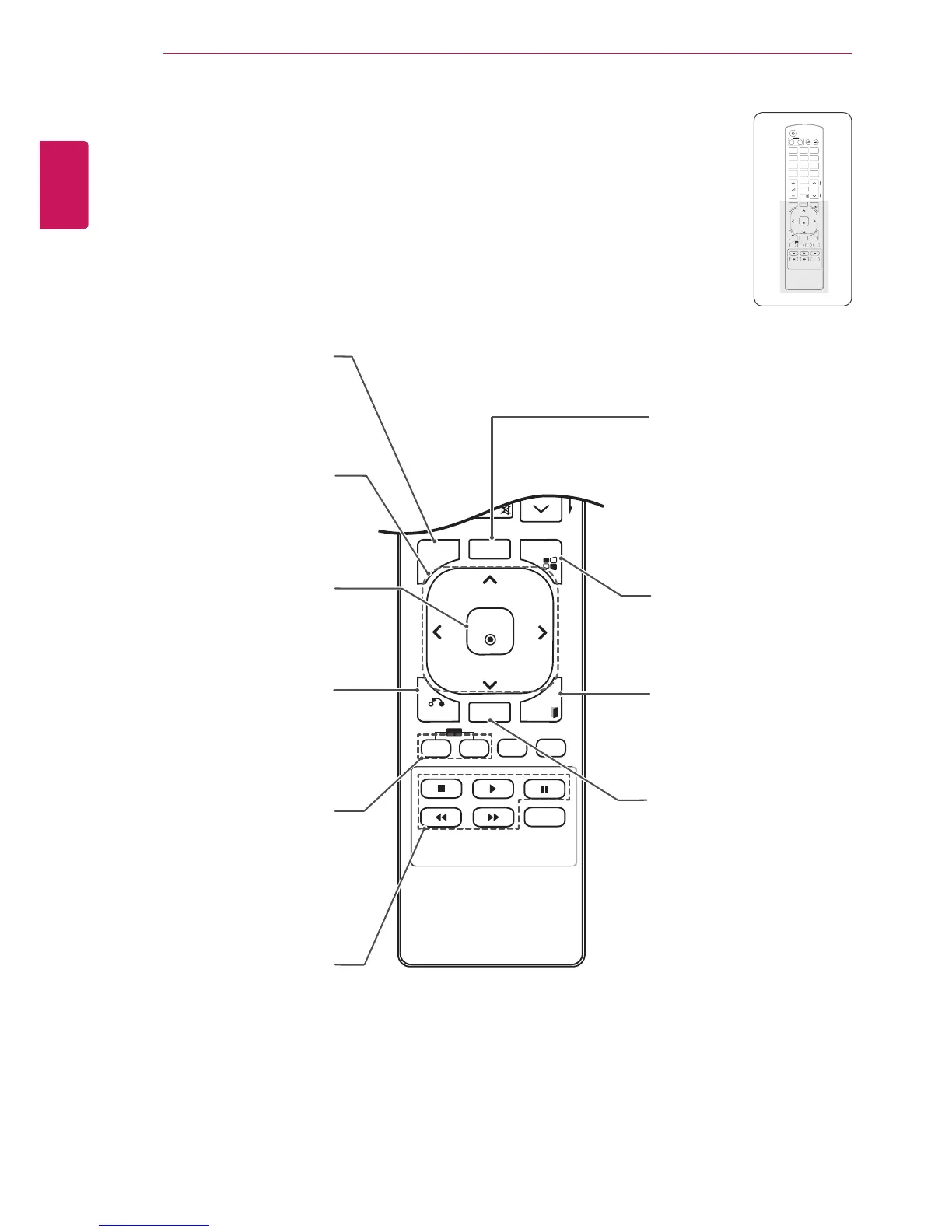
S.MENU
(SuperSign Menu Key)
This button selection is not
applicable.
EXIT
Clears all on-screen displays
and returns to Monitor set
viewing.
TILE
Selects the TILE Mode.
MENU(See p.43)
Selects a menu.
Clears all on-screen displays
and returns to Set viewing
from any menu.
Up/Down/Left/Right
Allows you to navigate the
on-screen menus and adjust
the system settings to your
preference.
OK
Accepts your selection or
displays the current mode.
BACK
Allows the user to move
back one step in an interactive
application.
USB Menu control
Controls media playback.
ID ON/OFF
Allows you to set the Picture
ID or turn it off. Use this
button to control the individual
monitors connected in RS-
232C mode. (It works properly
only when Set IDs are
assigned.)
AUTO
Automatically adjusts picture
position and minimizes image
instability.(RGB input only)



 To Next Page