EasyManua.ls Logo

LG 47WV30MS - Tile Mode Layout Options

LG 47WV30MS
80 pages
Print Icon
To Next Page IconTo Next Page
To Previous Page IconTo Previous Page
Loading...
52
ENG
ENGLISH
CUSTOMIZING SETTINGS
Tile Mode
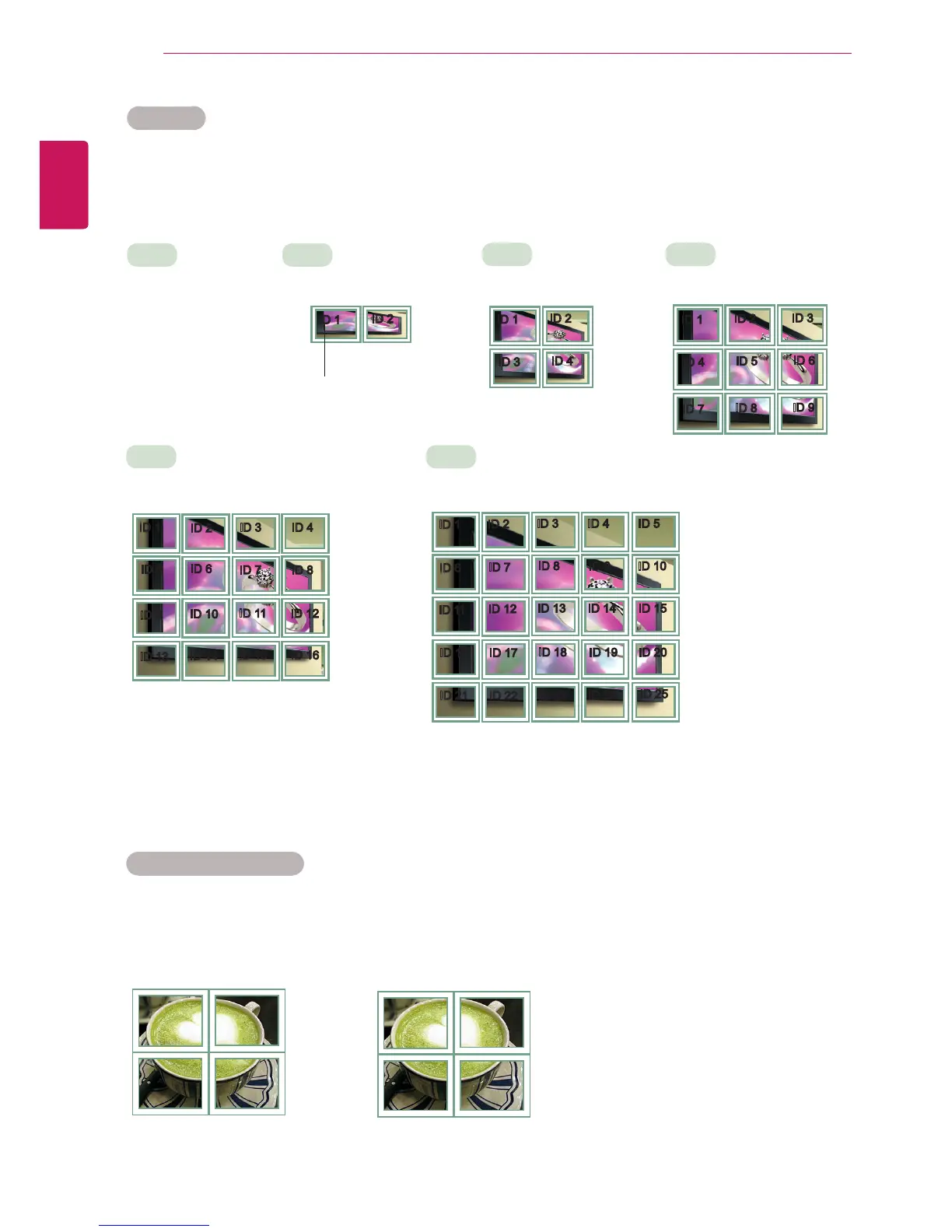
This monitor can be tiled with additional monitors to create a large tiled display.
Tile Mode - Natural mode
When active, the part of the image that would normally be displayed in the gap between the monitors is
omitted.
ID 1
ID 2
ID 3
ID 4
ID 1
ID 2
ID 4
ID 5
ID 3
ID 6
ID 7
ID 8
ID 9
3X3
When using 9 monitors
ID 1
ID 2
ID 5
ID 6
ID 3
ID 7
ID 9
ID 10
ID 11
ID 4
ID 8
ID 12
ID 13
ID 14
ID 15
ID 16
ID 1
ID 2
ID 6
ID 7
ID 3
ID 8
ID 11
ID 12
ID 13
ID 4 ID 5
ID 9 ID 10
ID 14 ID 15
ID 16
ID 21
ID 17
ID 22
ID 18
ID 23
ID 19
ID 24
ID 20
ID 25
Off
When the Tile Mode
option is disabled
2X1
When using 2 monitors
2X2
When using 4 monitors
5X5
When using 25 monitors
4X4
When using 16 monitors
ID 1
ID 2
Tile ID
Before After

Table of Contents

Other manuals for LG 47WV30MS

Related product manuals