15
PREPARATION
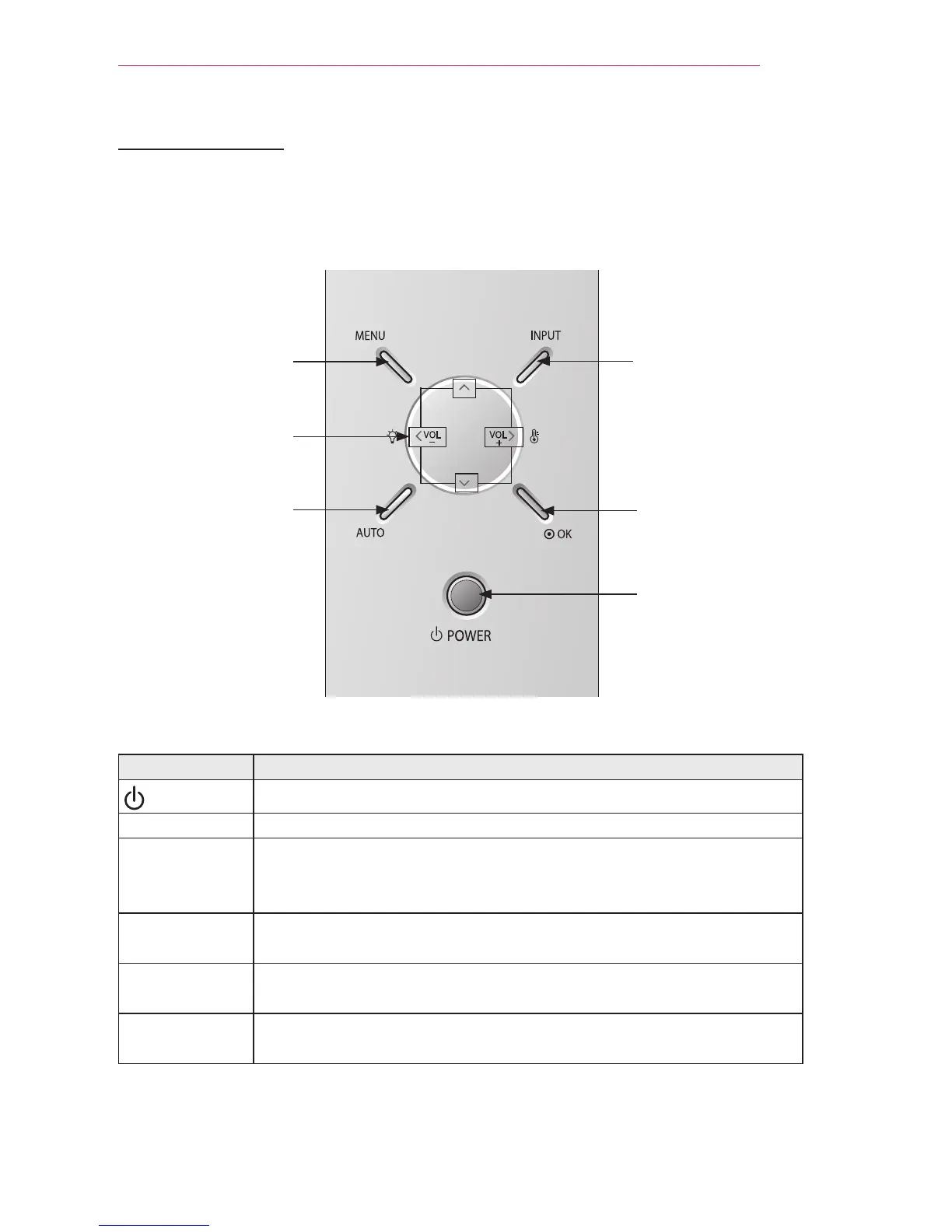
Control Panel
OK button
AUTO
button
INPUT
button
MENU
button
button
POWER
button
Button Description
POWER
Turns the projector on or off.
MENU Selects or closes menus.
∧/∨/</>
Moves between menus and changes the settings.
(<, > button: The volume can be adjusted according
to the input mode.)
OK
Shows the current mode and saves changes to the
settings.
AUTO
Automatically adjusts the picture position and minimizes image
shaking in RGB mode.
INPUT
Toggles between RGB1 (Component 1),
RGB2 (Component 1), HDMI, and External Input.



 To Next Page