57
MAINTENANCE
4
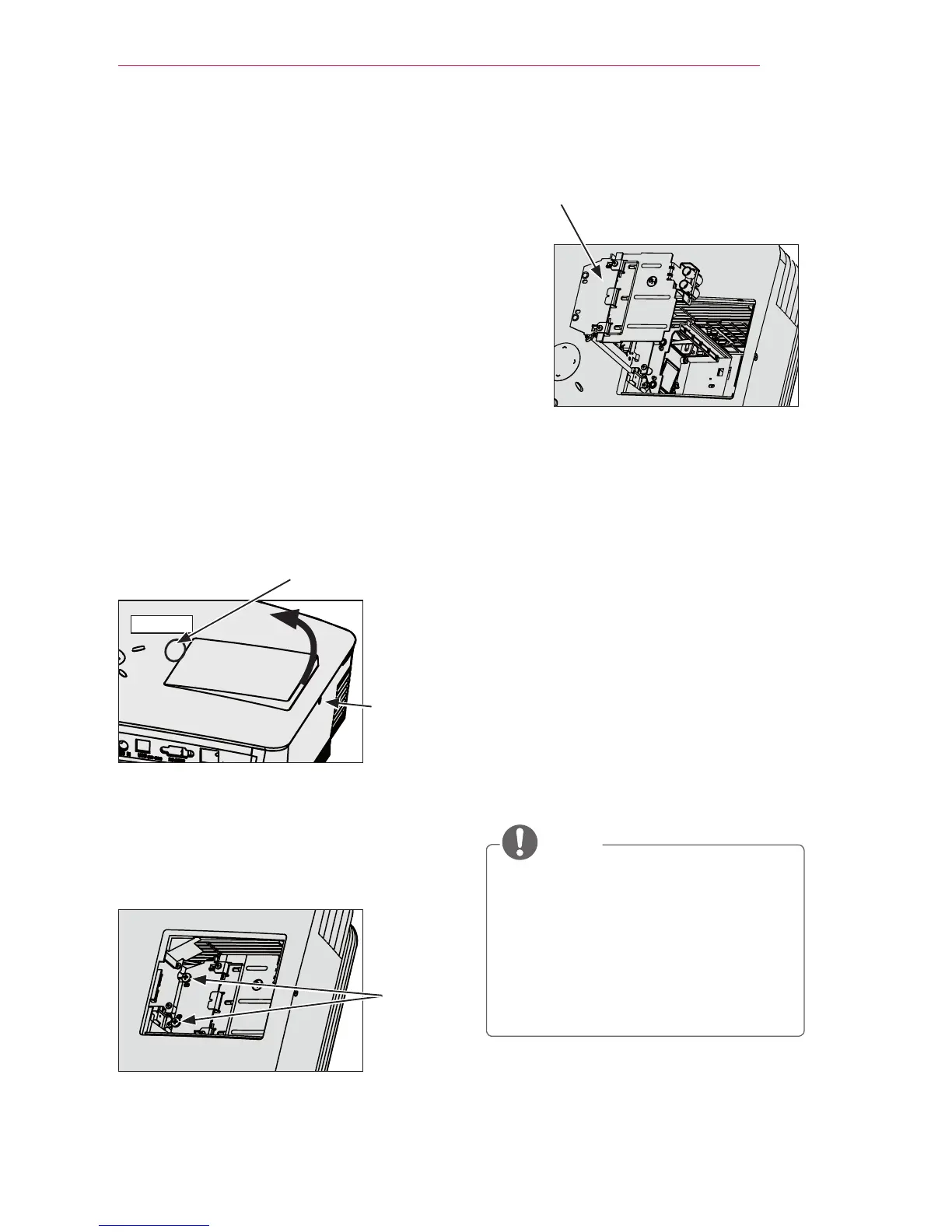
Pull out the lamp knob from the hitch.
Lamp knob
5
Hold the lamp and pull it out slowly to
remove the lamp case.
6
Carefully insert the new lamp case into
the correct position. (Check to see that
it is correctly positioned.)
7
Tighten the screws you removed in step
3. (Check to see that the lamp is
securely fixed.)
8
Close the lamp cover and tighten the
screw loosened in step 2 to fix the
cover.
- If you turn on the projector while the
lamp cover is open, the lamp warn-
ing indicator ashes green and the
projector does not turn on.
NOTE
y
Make sure to use the same type of
lamp for replacement. If the lamp
cover is not closed correctly, the
projector does not turn on. In this
case, check that the lamp is correct-
ly mounted. If the problem persists,
contact the LG Electronics Service
Center.
Replacing the lamp
1 Turn off the projector, unplug the
power cable from the outlet, and then
place the projector onto a table or at
surface.
- Allow the lamp to cool for 1 hour
before removing the used lamp from
the projector; it is very hot.
2 Use a screwdriver or similar object
to remove the screw from the side.
After removing the screw, tilt the lamp
cover upward in the direction of the
arrow. Do not pull the cover vertically.
If the lamp cover cannot be lifted,
press part “A.”
Lamp
cover
Mounting
screw
Press here.
Part "A"
3 After opening the lamp cover, un-
screw the 3 screws that hold the lamp
using a screwdriver or its equivalent.
Screw



 To Next Page