52
CONNECTING EXTERNAL DEVICES
Connecting an HD
Receiver, DVD Player,
or VCR
Connect an HD receiver, DVD Player or
VCR, then select an appropriate input
mode.
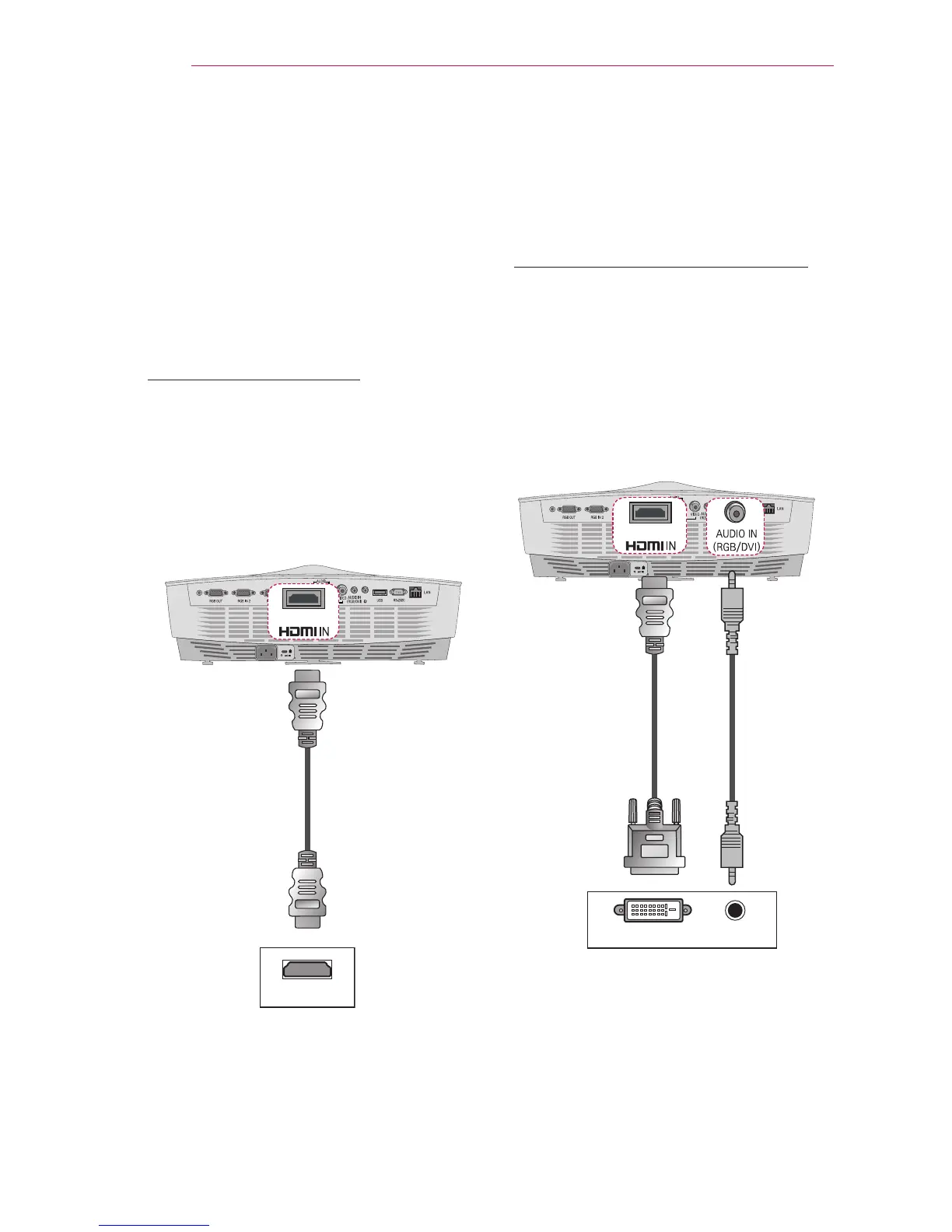
HDMI Connection
With an HDMI cable, you can enjoy
high-quality picture and sound. Connect
the HDMI/DVI connector of a projector to
the HDMI output connector.
Press the INPUT button on the remote
control to select HDMI.
+'0,
HDMI to DVI Connection
Connect the HDMI/DVI connector of a
projector to the DVI output connector us-
ing a HDMI-to-DVI cable. For the audio
signal, connect using an audio cable.
Press the INPUT button on the remote
control to select HDMI.
DVI OUT AUDIO OUT
Optional
Accessories
Optional
Accessories
Optional
Accessories



 To Next Page