33
ENTERTAINMENT
Browsing Movie List
Play a video le stored in the connected
device.
1 Connect a USB storage device.
2 Press the USB button.
3 Press the , , , or button to
select Movie List, then press the OK
button.
4 Use the , , , or button to se-
lect a le, then press the OK button.
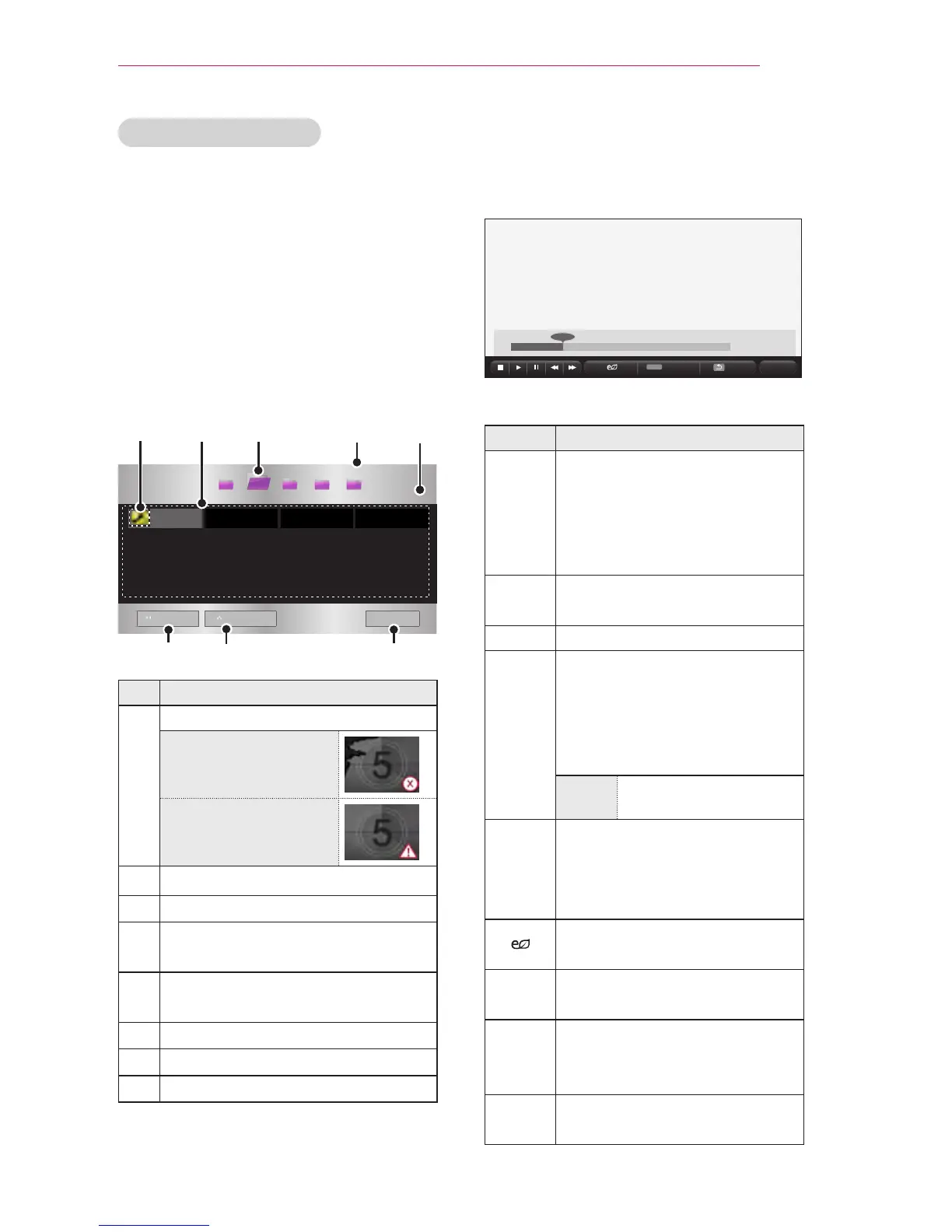
Movie List
USB STORAGE DEVICE
Buttery_...
d
01:34:33
page 1/1
page 1/1
ꔅ
Go to root folder
ꔅ
Go to upper folder
Exit
All Media Photo List Music List File ListMovie List
Description
Thumbnails
Abnormal le
File not supported
File list
Moves to the upper-level folder.
Current page/Total no. of folder
pages
Current page/Total no. of le
pages
Moves to the top-level folder.
Moves to the upper-level folder.
Exit movie list.
5 Use the following buttons to control
playback:
01:02:30 / 02:30:25
Q.MENU
Option
Hide
Exit
Item Description
Shows the current playback
position. You can use the
or button to move the
playback position forward or
backward.
ꕗ
Stops playback and returns to
Movie List.
ꕖ
Resumes normal playback.
ꕘ
Pauses the media player.
If no button is pressed on the
remote control for 10 minutes
after pausing, playback
resumes automatically.
ꕘ ꕙ
Displays in slow
motion.
ꕎ
Whenever this button is
pressed, the playback speed
is changed.
: x2, x4, x8, x16, x32
You can use Energy Saving
mode.
Option
A settings pop-up window
appears.
Hide Hides the playback bar. Press
the OK button to make it
appear.
Exit Returns to the Movie List
screen.



 To Next Page