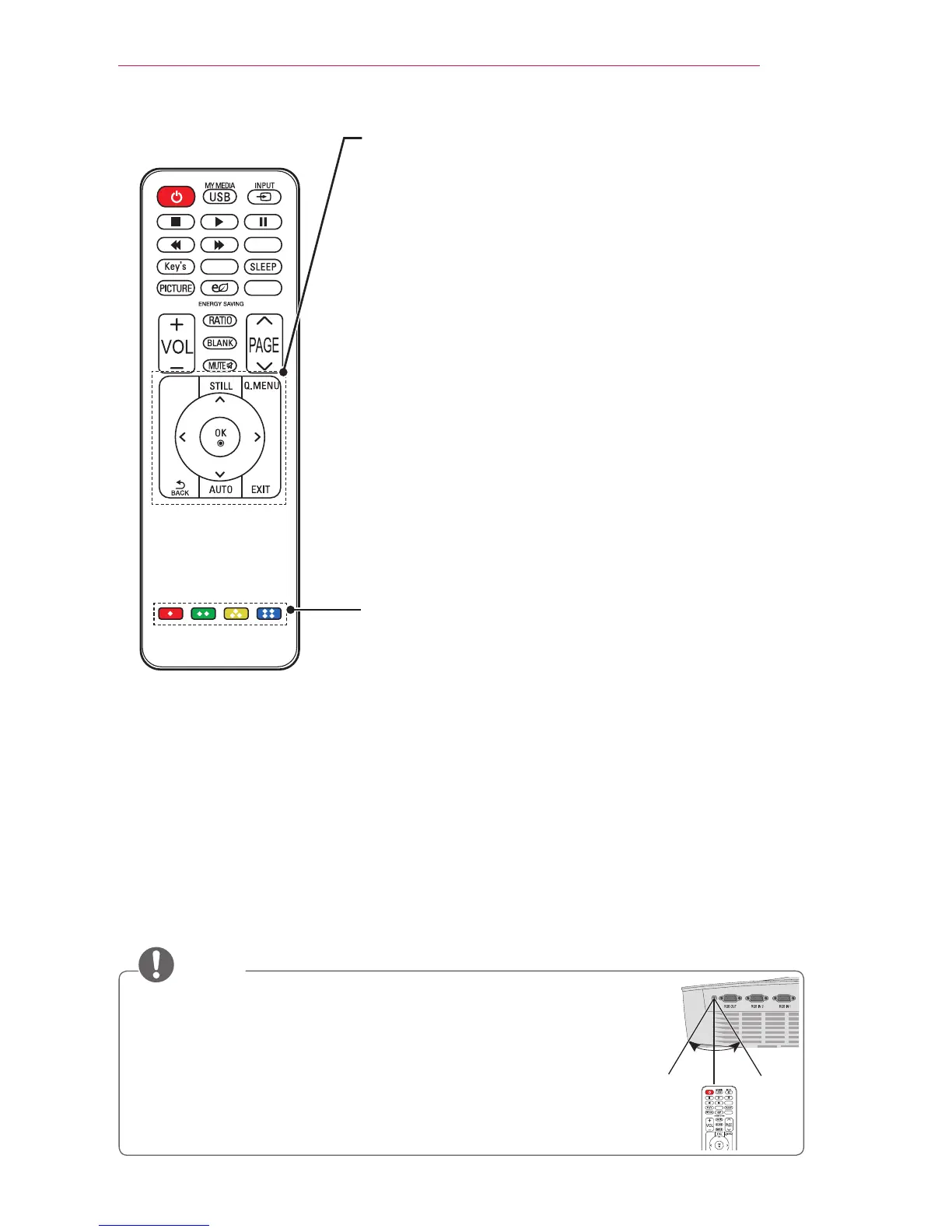
SETTINGS
Selects or closes menus.
STILL
Freezes the moving image.
(The STILL function works in all modes, except USB mode.)
Q.MENU
Enters the quick menu.
Up/Down/Left/Right buttons
Sets the function or moves the cursor.
OK ꔉ
Shows the current mode and saves changes to the
settings.
ꕣ BACK
Returns to the previous screen.
AUTO
Optimizes the screen automatically in RGB-PC input mode.
EXIT
Closes the settings window.
Color buttons
Sets detailed settings or gestures for each menu.
* MARK button is used when a software update is required.
(MARK button is not available for a user.)
NOTE
y
When using the remote control, the optimal operation range is 6 m or
less (left/right) and within a 30 degree arc of the remote control infrared
receiver.
y
If a cable is connected to the back port, the optimal operating range is
3 m or less (left/right) and within a 30 degree arc of the remote control
infrared receiver.
y
For seamless operation, do not block the infrared receiver.
30° 30°
TIMER
SOUND
MARK
SETTINGS



 To Next Page