40
ENTERTAINMENT
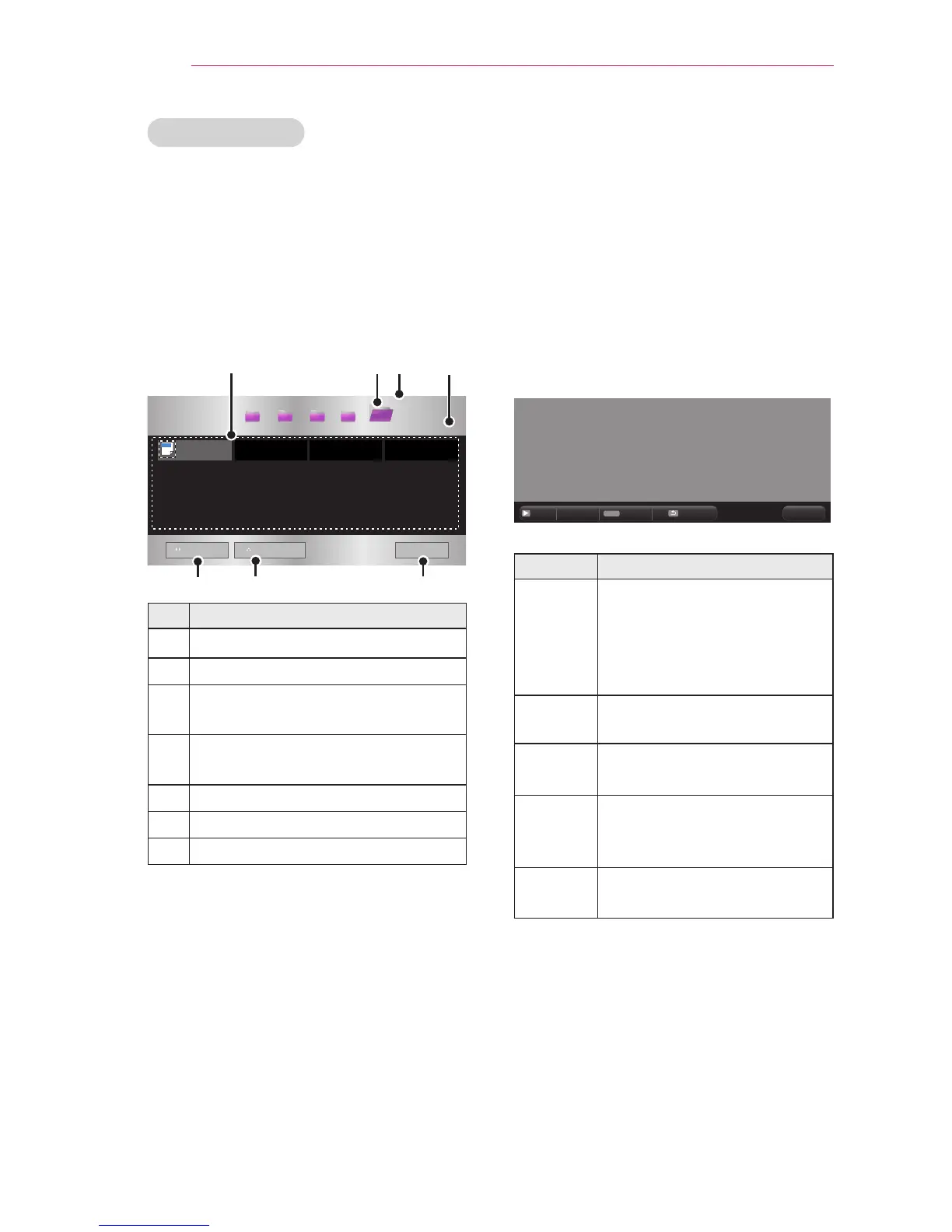
File List Screen
1 Connect a USB storage device.
2 Press the USB button.
3 Use the , , , or button to
select File List, then press the OK
button.
4 Use the , , , or button to se-
lect a le, then press the OK button.
File List
USB STORAGE DEVICE
Buttery_...
d
01:34:33
page 1/1
page 1/1
DOC
ꔅ
Go to root folder
ꔅ
Go to upper folder
Exit
All Media File ListMovie List Photo List Music List
Description
File list
Moves to the upper-level folder.
Current page/Total no. of folder
pages
Current page/Total no. of le
pages
Moves to the top-level folder.
Moves to the upper-level folder.
Shutdown
5 Use the following buttons to control
playback:
y
When you press the Go to Page
button, a window where you can
enter a page number appears. Enter
a page number
to go to that page.
y
Press the volume button to Zoom in
or Zoom out.
1.
Press the OK button.
2. Press the Up/Down/Left/Right
buttons to move to Go to Page or
Zoom.
Q.MENU
ꔦ
Go Page
Zoom
Option Hide
Exit
Item Description
Go Page Moves to the page you
want.
Use the Up/Down/Left/Right
buttons to select a page,
then press the OK button.
Zoom
Enlarges or reduces the
image.
Option Sets Options for File Viewer.
Hide Hides the menu.
y
Press the SETTINGS
button to show it again.
Exit Returns to the File List
screen.



 To Next Page