Accounts and Messaging 101
The Google Talk online status will appear next to the name of the sender of each message if the
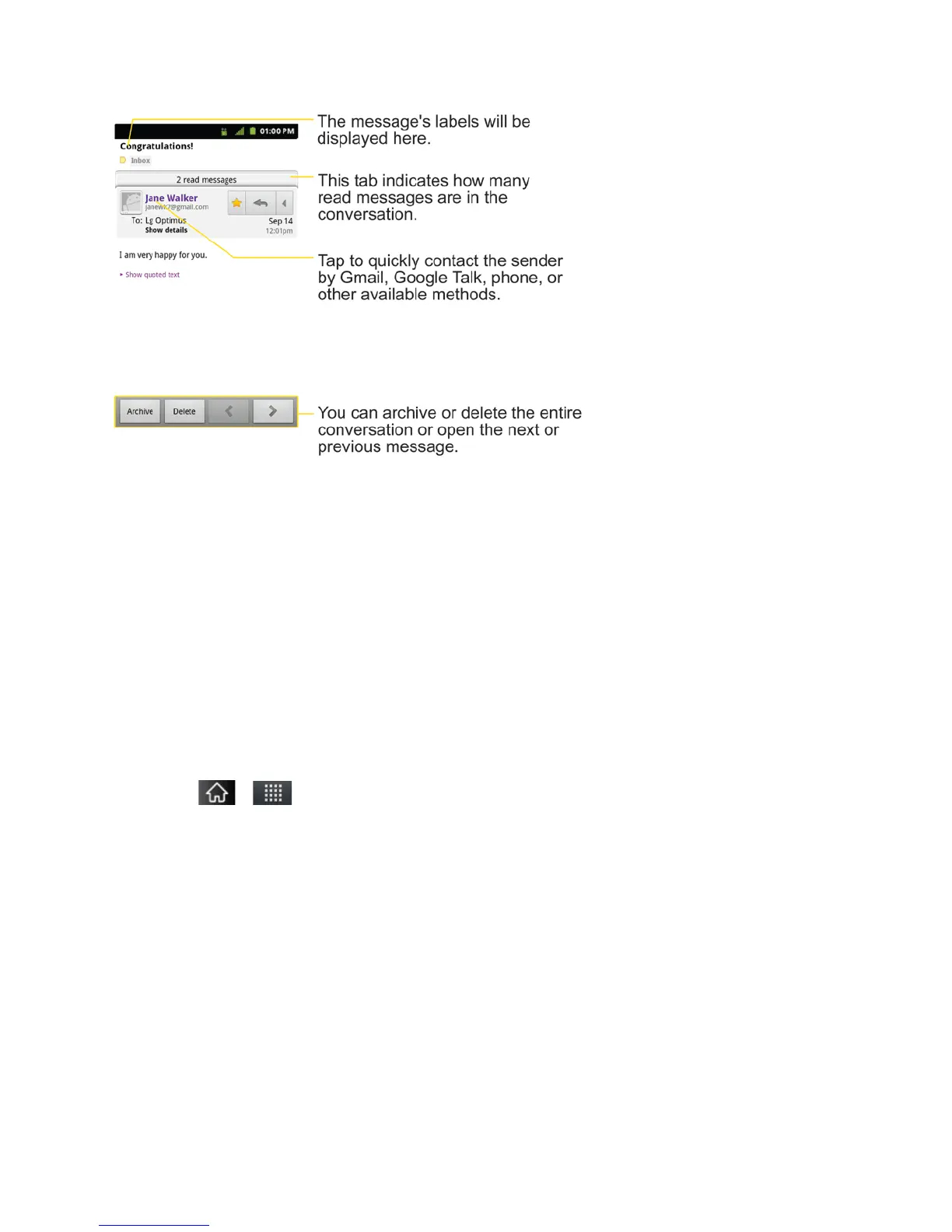
sender has a Google account. If you want to contact the sender, touch the Contact's picture ID
to open Quick Contact. (See Communicating with Your Contacts.) When reading messages in a
conversation, you can use the buttons at the bottom of the screen to archive the entire
conversation (see Archiving Conversations) or delete it. After you delete a conversation, you
can touch Undo in the green bar that appears at the top of the Inbox screen to return the
message to the Inbox. You can scroll to the bottom of a message to access buttons for replying
to or forwarding the message, as described in Replying to or Forwarding a Message.
To reread a message:
When you open a conversation, messages that you’ve already read are minimized into a tab
that indicates the number of hidden messages.
1. Tap > > Gmail.
2. Tap the conversation you want to view, then touch the tab indicating minimized
messages.



 To Next Page