Tools and Calendar 163
3. Enter the new folder name and tap OK.
To organize items on the Home screen in a folder:
► Just drag a shortcut, an icon, or a folder and drop in a folder.
Clock
You can use Clock application to monitor several types of information at once, in addition to the
current date and time.
To open the Clock application:
► Tap > > Clock.
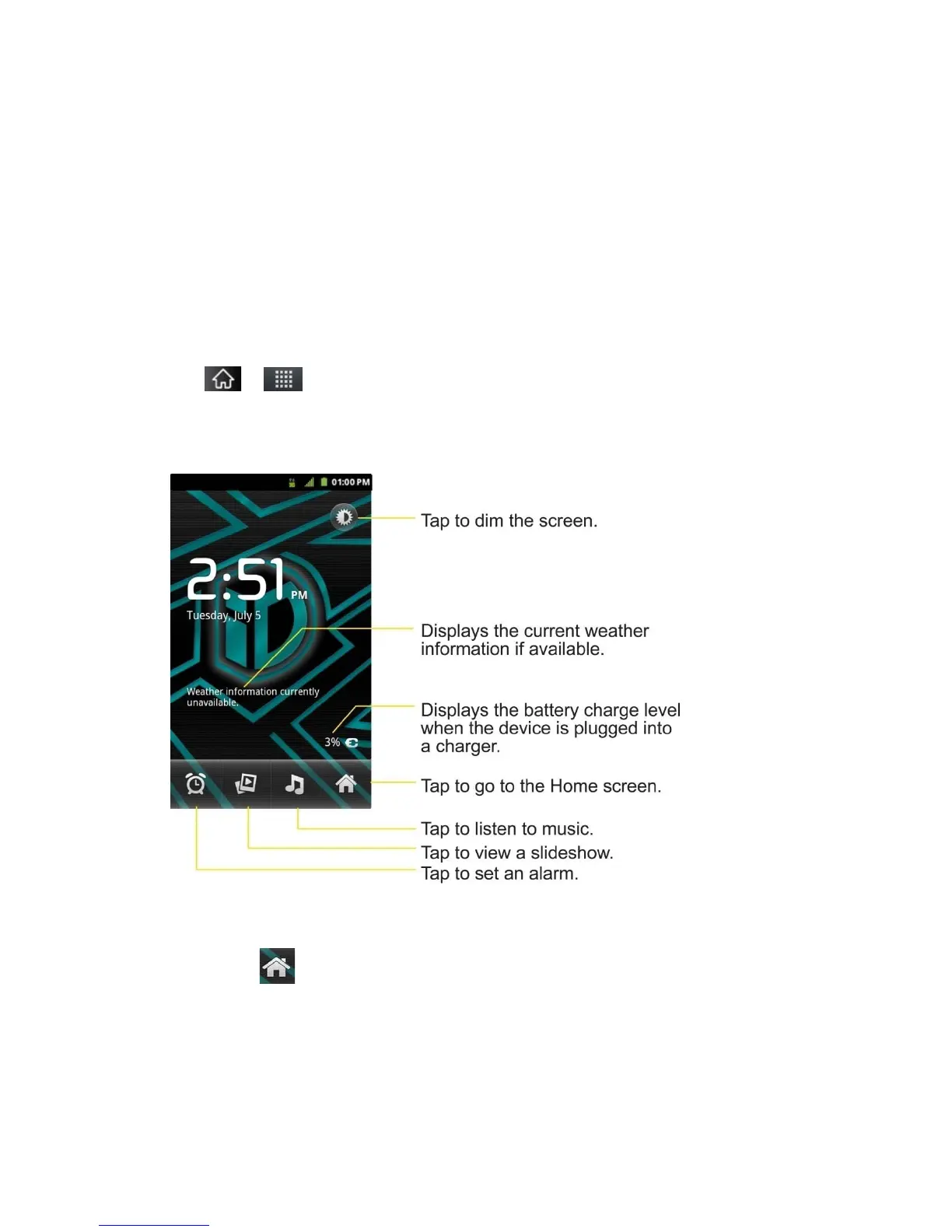
The Clock application opens with the date and time displayed on your Home screen wallpaper,
along with your local weather and other useful information.
► When the Clock application is running, it switches to screensaver mode after a few
minutes. Simply press a device key to wake the phone up again. To return to the Home
screen, tap at the bottom of the Clock screen.
To play a slideshow:
You can play a slideshow of the pictures in your Gallery albums from the Clock application.



 To Next Page