Get Started 1
Get Started
This section gives you all the information you need to set up your device and Sprint service for
the first time.
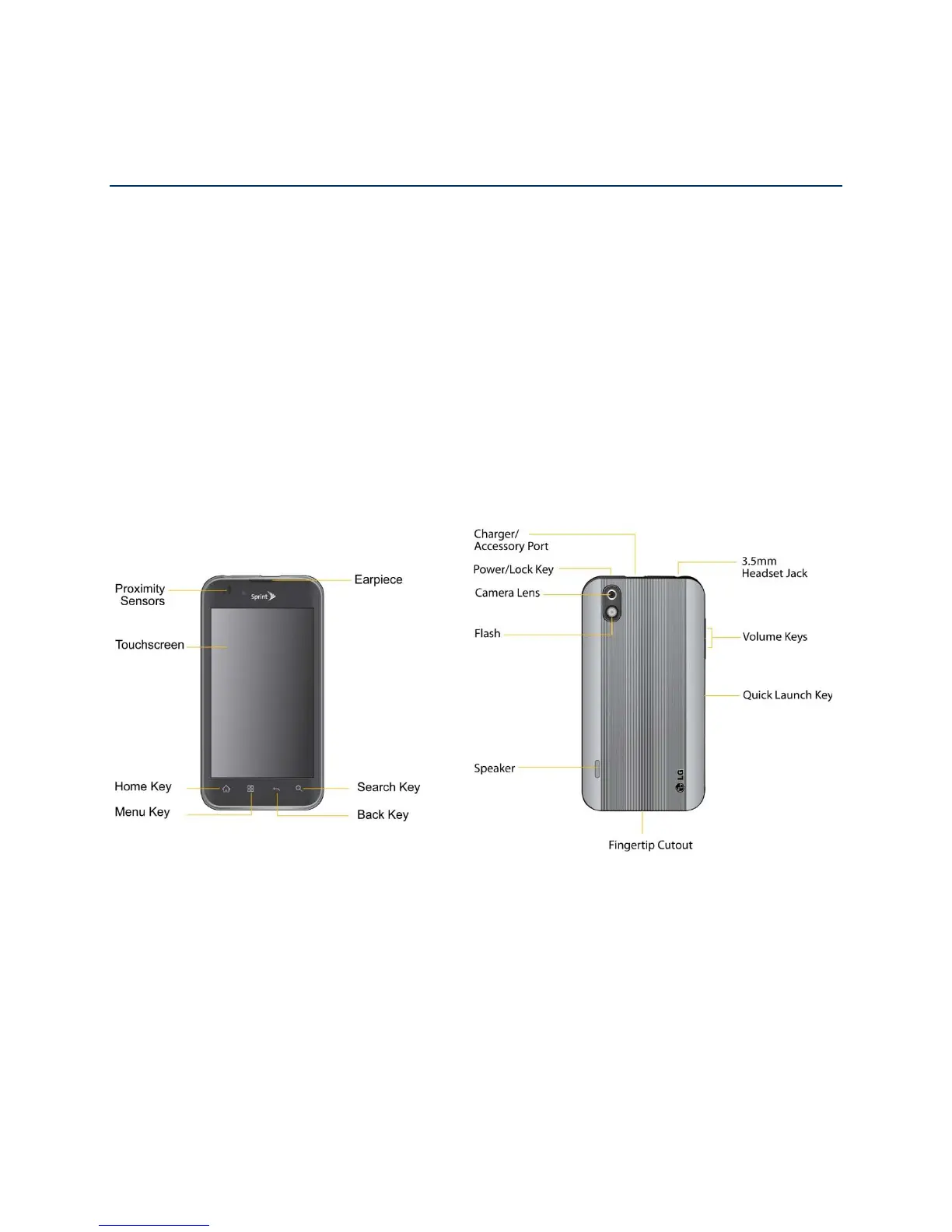
Your Device at a Glance
Setting Up Your Device
Activate Your Device
Complete the Setup Application
Set Up Voicemail
Sprint Account Information and Help
Your Device at a Glance
Setting Up Your Device
You must first install and charge the battery to begin setting up your device.
1. Install the battery.
Remove the battery from its packaging.
Insert the battery into the opening in the back of the device, making sure the
connectors align (see step 1 in the following illustration). Gently press down to
secure the battery (see step 2 in the following illustration).



 To Next Page