Contacts 84
3. Tap Only contacts with phones. (A green checkmark will appear.)
4. Tap Done.
Communicating with Your Contacts
From the Contacts or Favorites tab, you can quickly call or send a text (SMS) or multimedia
message (MMS) to a contact's default phone number. You can also open a menu to access
different methods of communicating with that contact.
The Contacts application shares your contacts with many other applications, such as Gmail™
(see Gmail) and messaging (see Text Messaging and MMS).
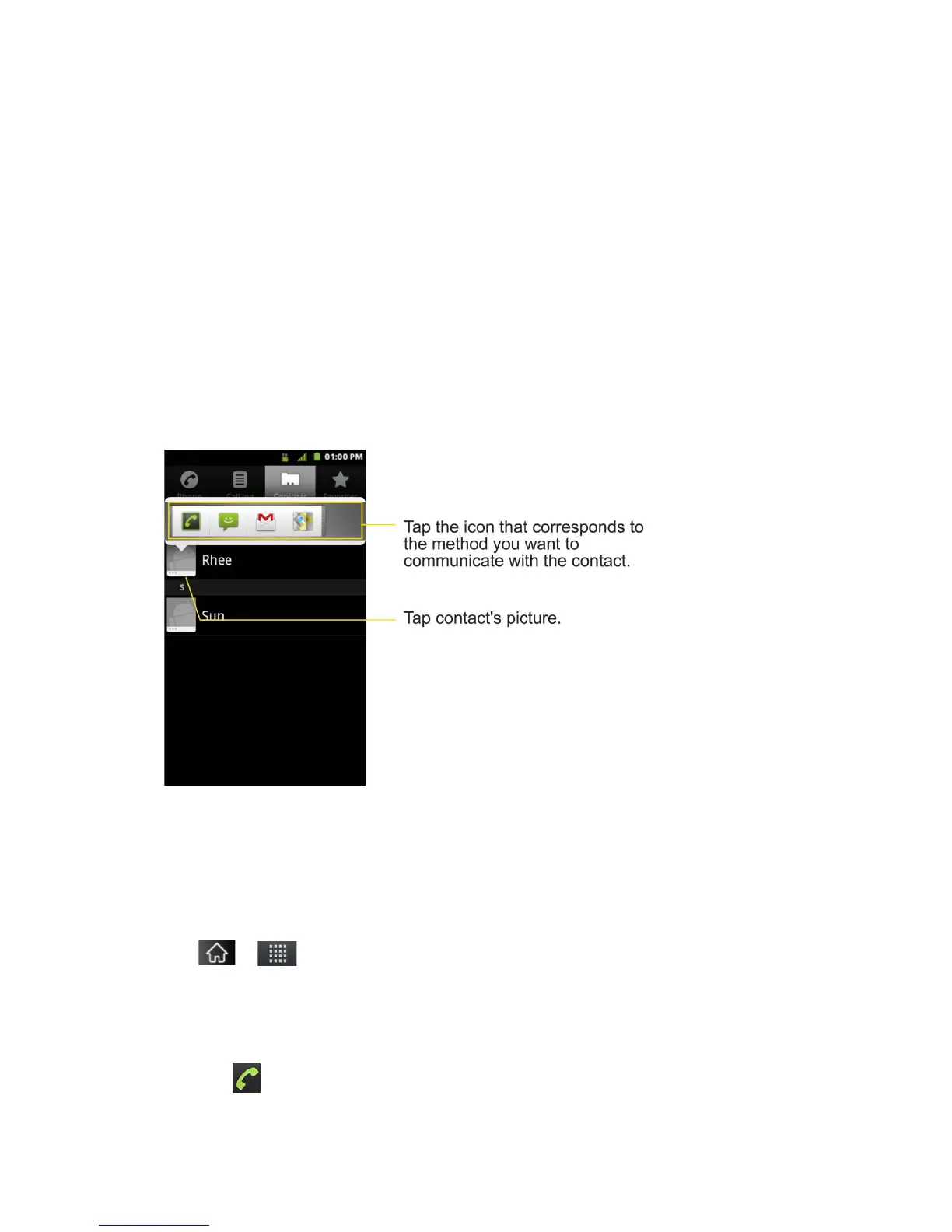
To connect by using Quick Contact for Android™:
1. Tap a contact's picture to open Quick Contact for Android.
2. Tap the icon corresponding to the type of communication you want to start.
Depending on the contact information saved, the available actions will be displayed above the
name. (For more information, see Communicating with Your Contacts.)
To communicate with a contact:
1. Tap > > Contacts.
2. Tap the contact's entry.
3. In the contact's details screen, tap the method you wish to communicate with the contact.
Tap next to the number you want to call to directly.



 To Next Page