Device Basics 28
Using the Application Key
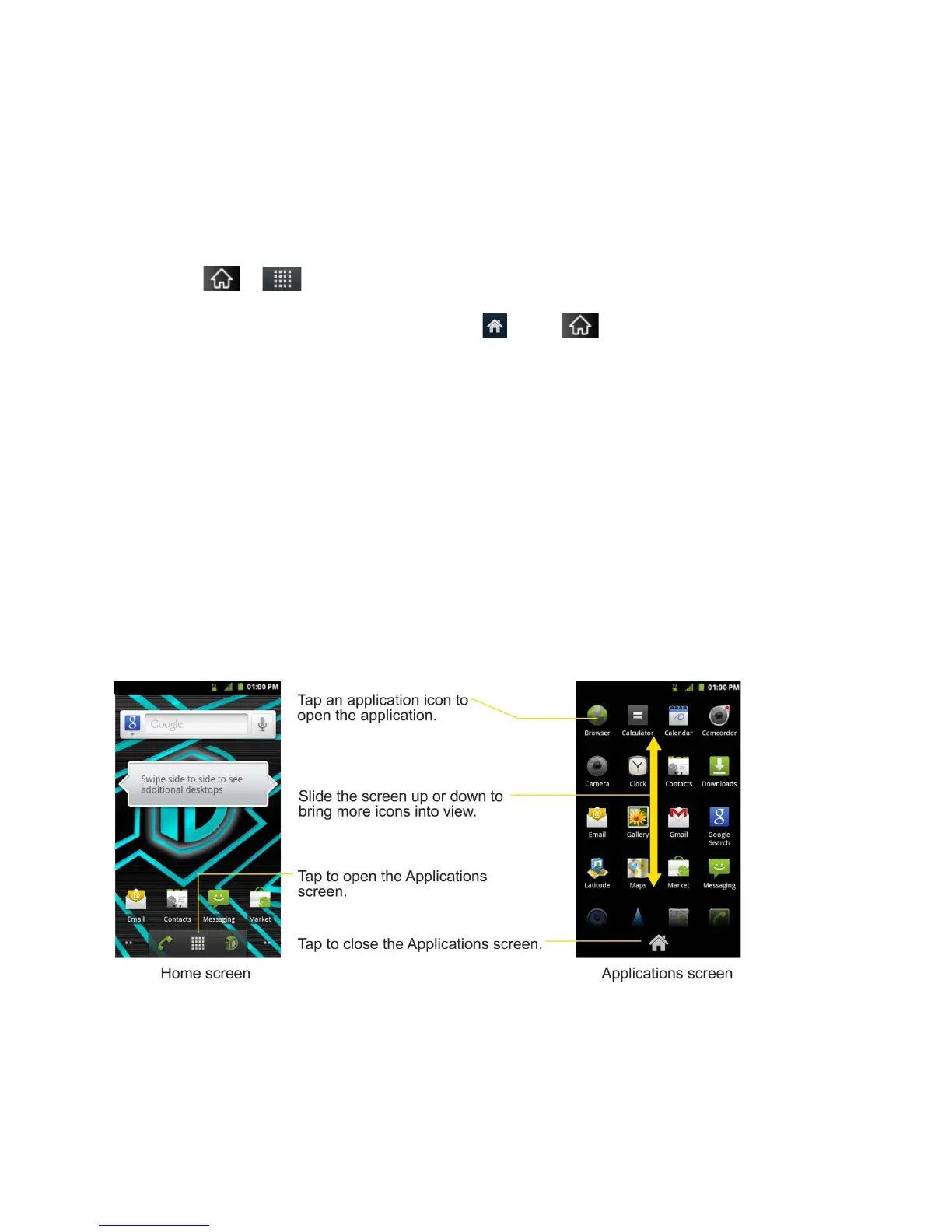
All of your device’s applications are located within the Applications screen. This key houses
shortcuts to your currently available applications.
Note: This screen houses all default and downloaded applications (installed from Android
Market).
1. Tap > to open the screen.
To close the Applications screen, tap or tap again.
2. Scroll though the list and tap an icon to launch the associated application.
Applications: How to View, Open and Switch
All of the applications on your device, including any applications that you downloaded and
installed from Android Market™ or other sources, are grouped together on one Applications
screen that you access from your Home screen. If you have more applications than you can
currently see on the Applications screen, slide the screen up or down to view more.
The Applications screen contains all of the device's applications (though not downloaded
widgets and other downloaded material that isn't an application), including the Clock, Browser,
Calculator, Camera, Market, NASCAR Sprint Cup Mobile, Sprint Navigation, Sprint TV,
YouTube, Voice Search, and much more.
Overview



 To Next Page