Device Basics 37
Entering Text With the On-screen Keyboard
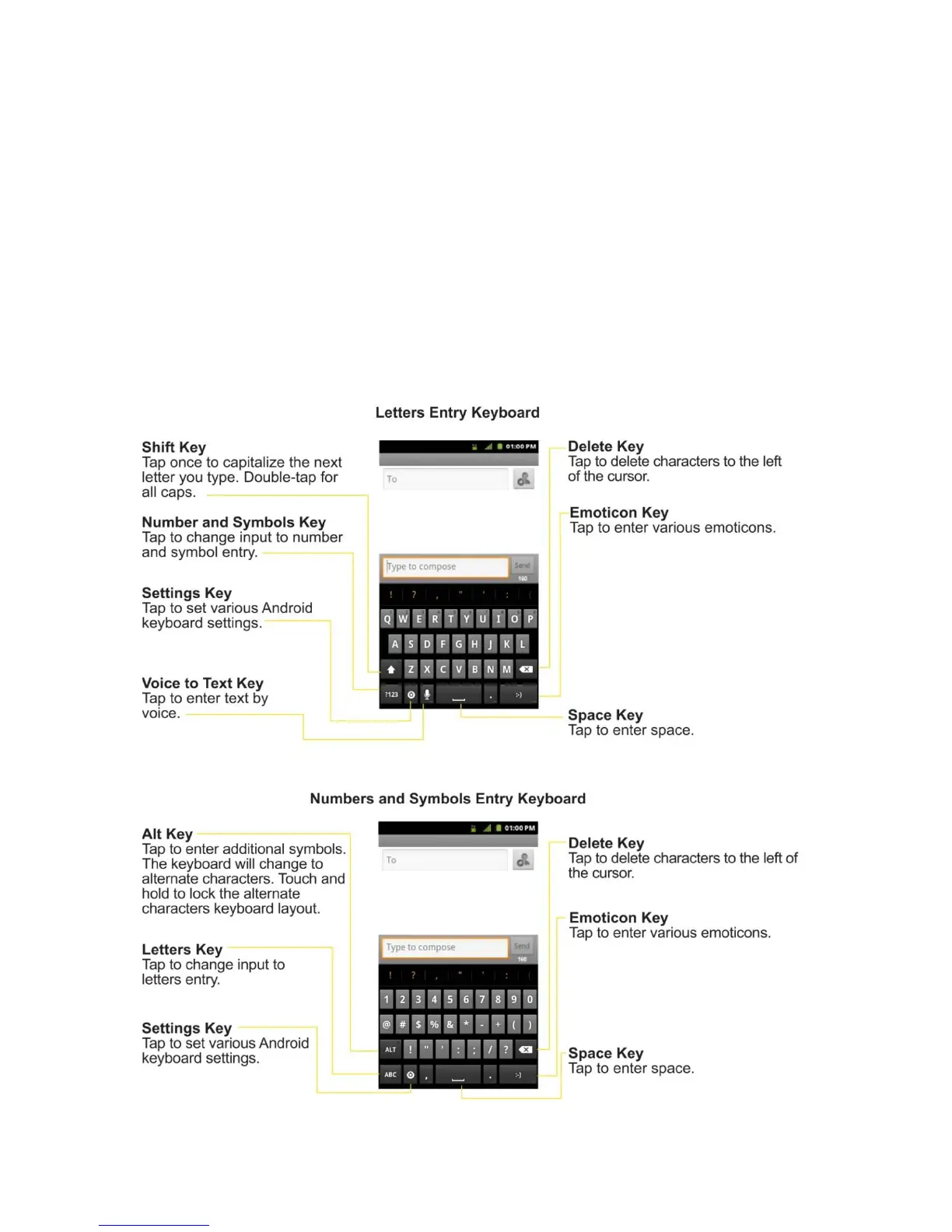
The on-screen keyboard displays automatically when you tap a text entry field. To manually
display the keyboard, simply touch a text field where you want to enter text.
There are two types of methods that you can use: Android keyboard and Swype.
To select the keyboard:
1. Touch and hold the text entry field and tap Input method.
2. Tap the method you want to use: Android keyboard or Swype.
Using Android keyboard



 To Next Page