Get Started 2
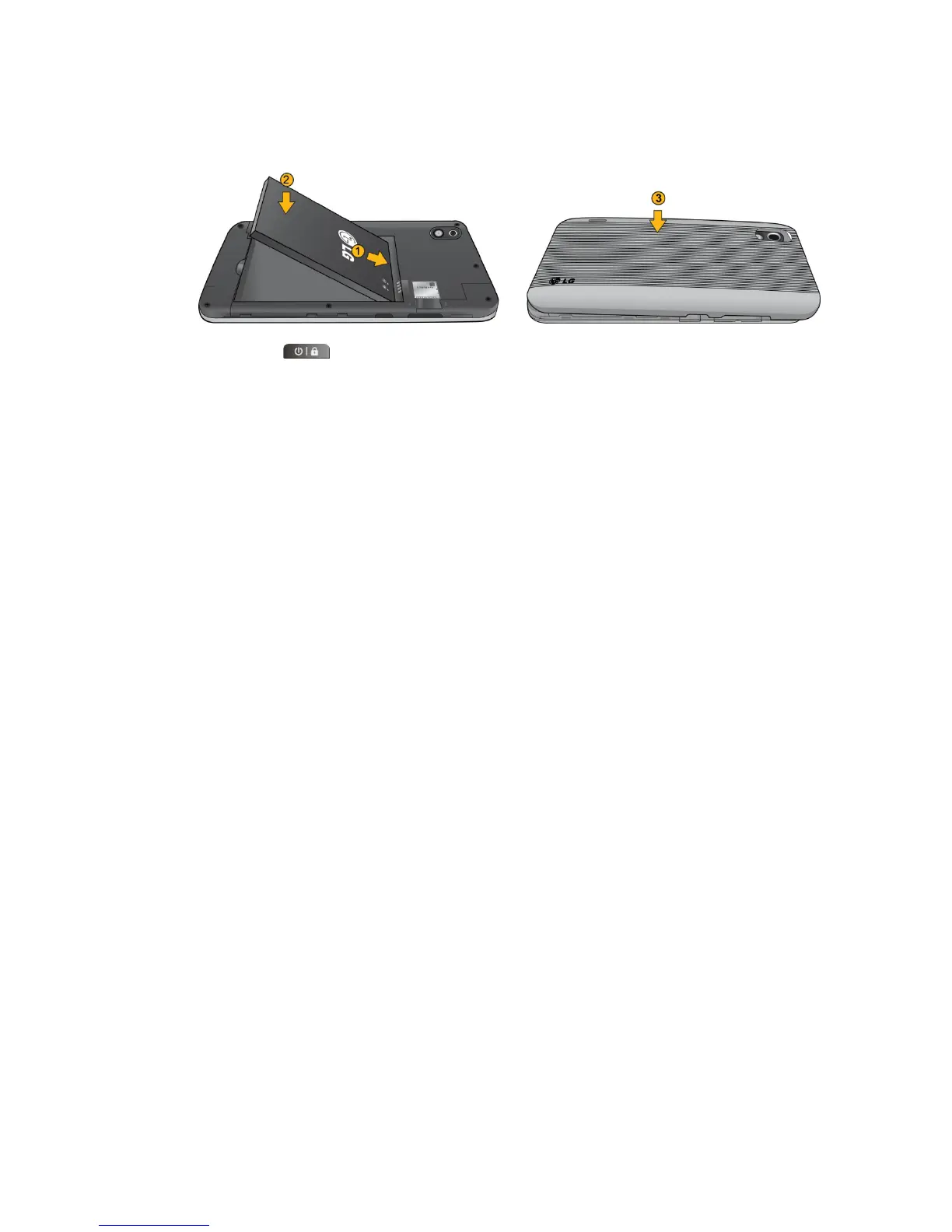
Position the back cover over the battery compartment and press down until you hear
a click (see step 3 in the following illustration).
2. Press and hold located on the top right to turn the device on.
Activating Your Device
Depending on your account or how and where you purchased your device, it may be ready to
use or you may need to activate it on your Sprint account.
● If you purchased your device at a Sprint Store, it is probably activated and ready to
use.
● If you received your device in the mail and it is for a new Sprint account or a new
line of service, it is designed to activate automatically. To confirm your activation, make
a phone call.
● If you received your device in the mail and you are activating a new phone for an
existing number on your account, (you're swapping phones), you can activate on your
computer online or directly on your phone.
Activate on your computer:
Go to sprint.com/activate and follow the instructions.
Activate on your phone:
Note: For security reasons, you will need your Sprint phone number and PIN to use this
activation method.
1. Turn on your new phone. (Make sure the old one is turned off.) Your device will
automatically attempt Hands-Free Activation.
2. Tap Activate to override auto-activation and start the manual activation wizard.
Note: If you don't override Hands-Free Activation, your device will attempt to auto activate five
times. Wait for Retry to appear on your screen. Tap Retry and then tap Activate.
3. Follow the on-screen prompts to complete the activation process.
4. After you have completed the wizard, make a phone call to confirm your activation.



 To Next Page