Device Basics 26
Your Home Screen
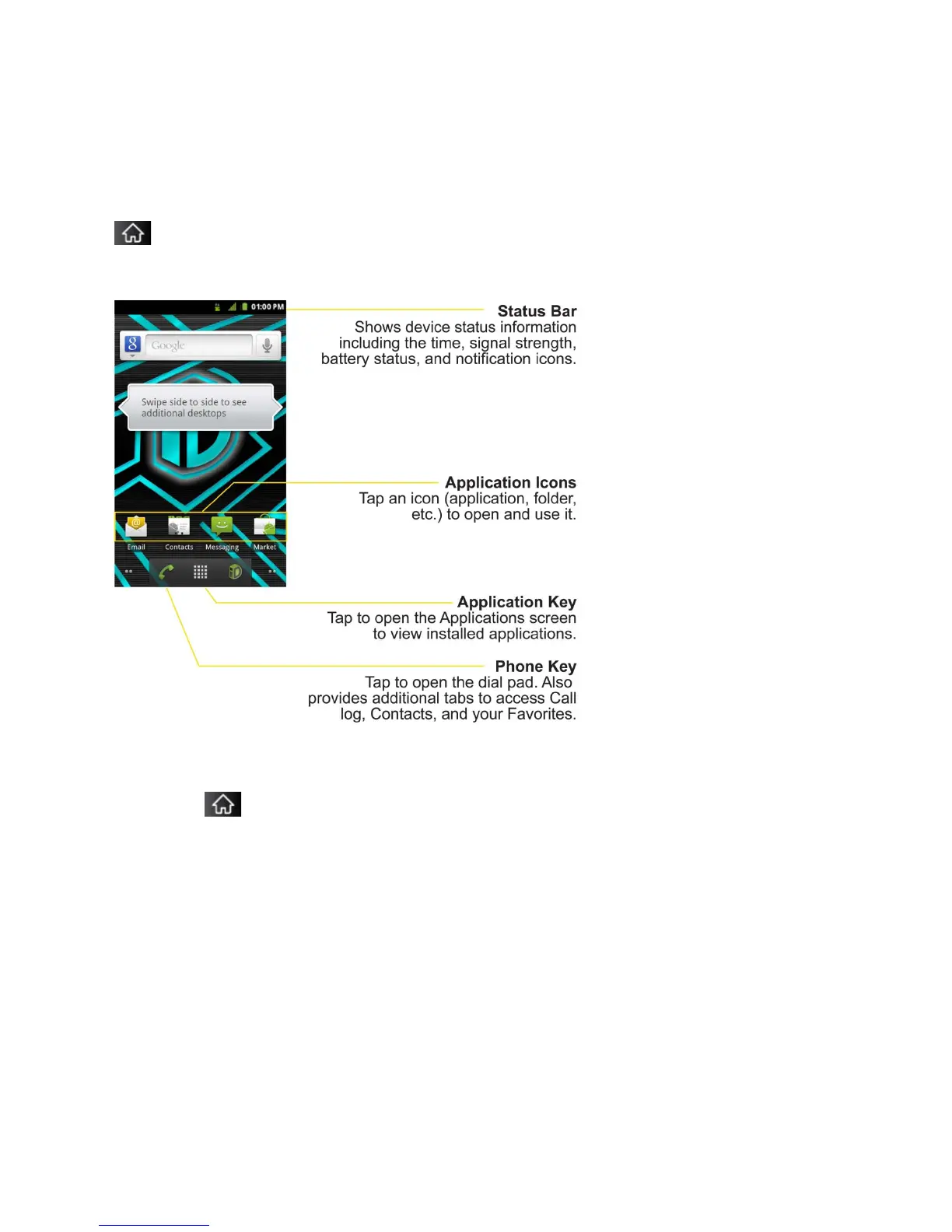
The Home screen is the starting point for many applications and functions, and it allows you to
add items like application shortcuts, folders, or Google widgets to give you instant access to
information and applications. This is the default page and accessible from any menu by tapping
.
Home Screen
To return to the Home screen:
► Tap at any time, from any application.



 To Next Page