Applications and Entertainment 127
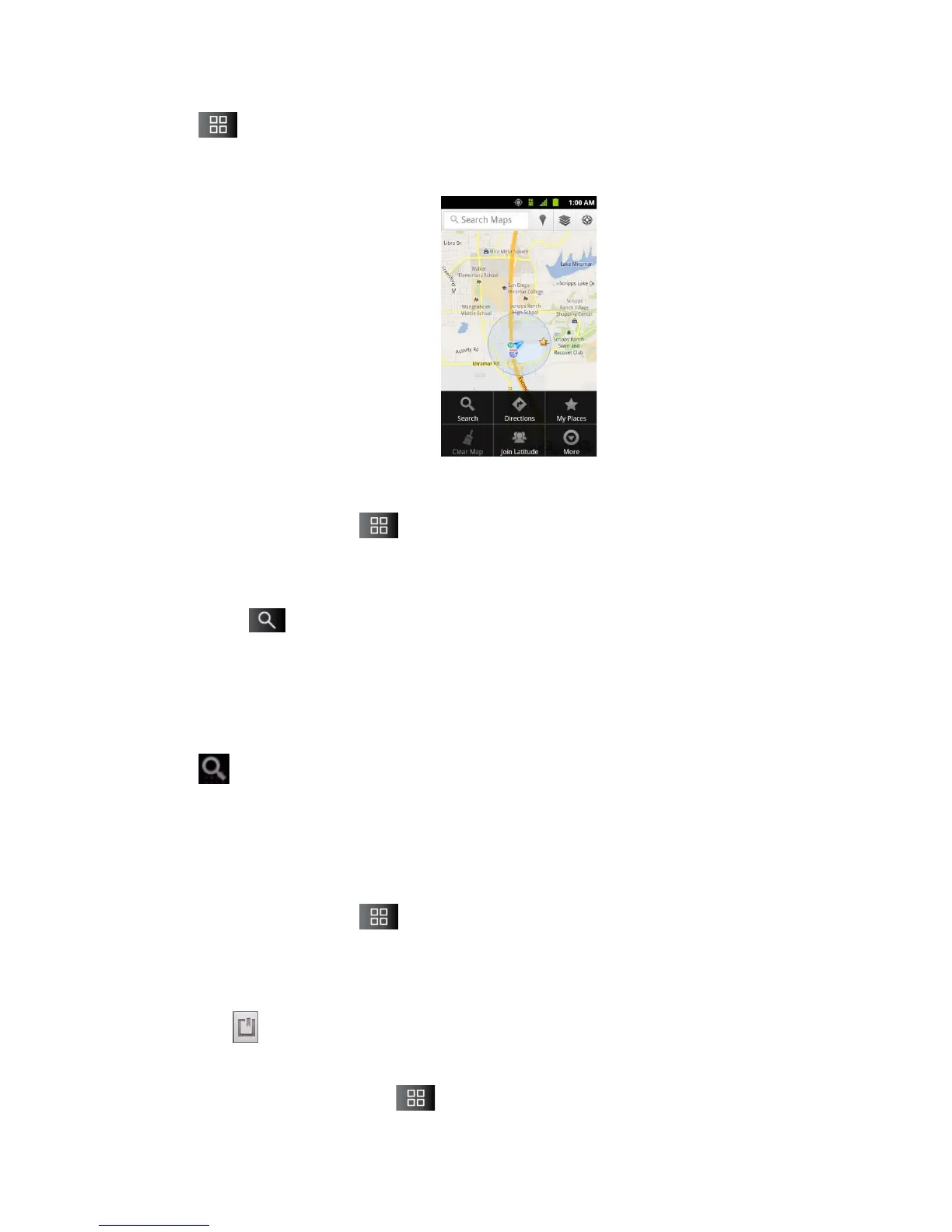
Tap to utilize other Google Map features.
Choose from: Search, Directions, My Places, Clear Map, Join Latitude, and More.
To search for a location:
1. While viewing a map, tap > Search.
– or –
Simply tap .
2. In the search box, enter the place you're looking for.
You can enter an address, a city, or a type of business or establishment. For
example, “theater in New York”.
3. Tap . Markers with letter labels indicate search matches on the map.
4. Tap a marker to open a balloon that contains a label. Tap the balloon to open a screen
with more information about the location, as well as options for obtaining directions.
To get directions:
1. While viewing a map, tap > Directions.
2. Enter a starting point in the My Location field, or leave as is to allow GPS to find your
location, and your destination in the End point field.
Tap to open a menu with options for selecting an address from your Contacts or
a point that you touch on a map.
To reverse directions, tap > Reverse Start & End.



 To Next Page