Applications and Entertainment 130
2. Manually enter the new address and receive driving directions from the GPS network.
– or –
Tap Say It to place a call to the TeleNav™ operator where you will speak the desired
address. This is similar to calling 411 for directory assistance. (A fee may be incurred.)
3. Tap Address and then enter information (Address, City, State/ZIP, and Country) into any
of the address fields.
4. Tap Submit to initiate your search. If prompted to select from a list of matches, tap the
correct address.
5. Follow both the on-screen and audio directions.
To receive turn-by-turn directions (2D):
1. Tap > > TeleNav GPS Navigator > Drive To > Address.
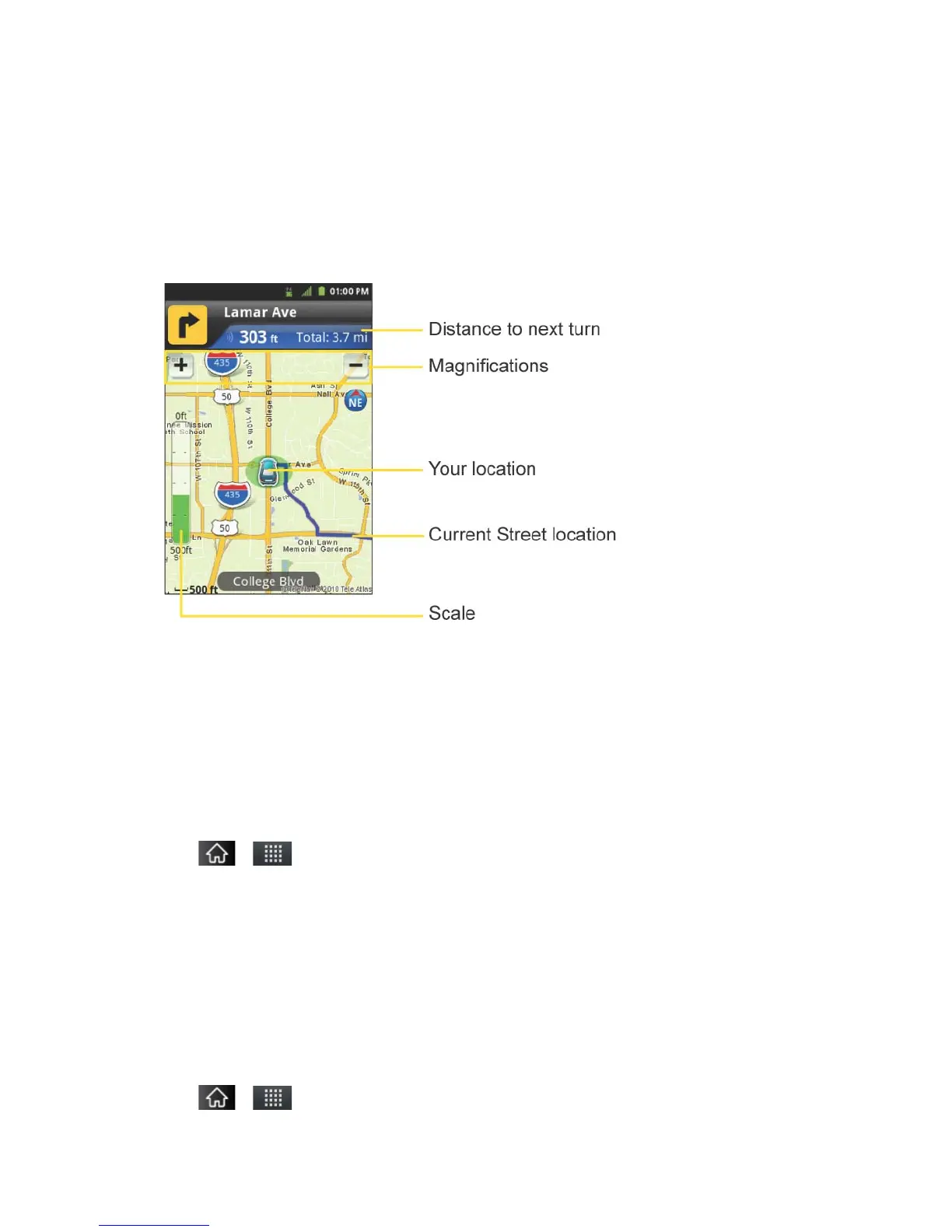
Note: A 2D map is a flat representation of your projected driving directions. A 3D map
represents the driving directions with a representation of depth.
2. Enter the physical address information, and tap Submit and tap Go.
3. Tap > Directions to receive a detailed turn-by-turn description for navigating to your
desired location. You can also select Map or Traffic views.
To search nearby locations based on type:
1. Tap > > TeleNav GPS Navigator > Drive To > Places.


 To Next Page
 Loading...










