Device Basics 12
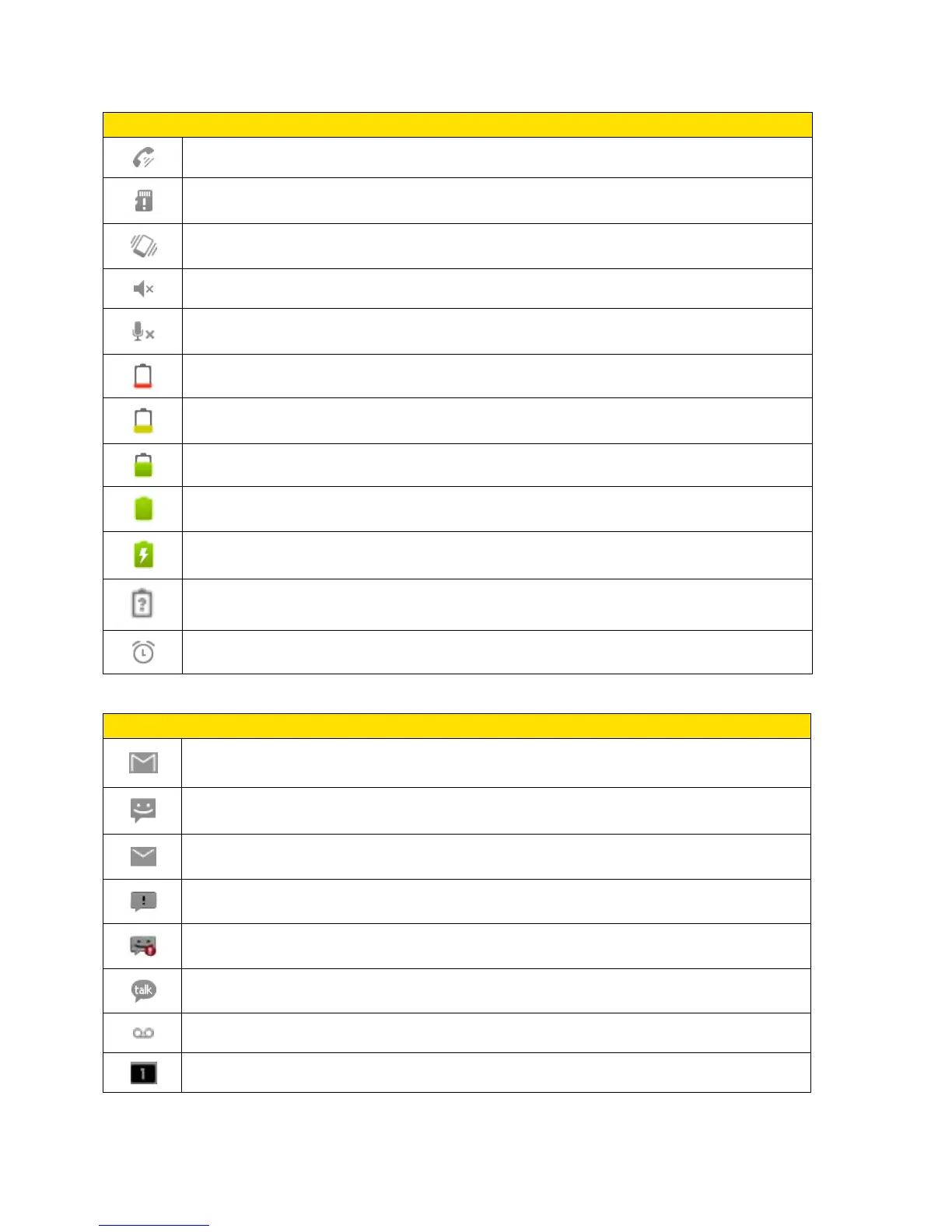
Status Bar – Status Icons
Speakerphone On – Indicates that Speakerphone is on.
No microSD – Indicates that no microSD card is installed.
Vibrate Mode – Indicates that the ringer volume is set to vibrate and any sounds
are silenced.
Ringer Silenced – Indicates that all sounds are turned off.
Muted – Indicates that phone microphone is muted.
Very Low Battery – Indicates that battery is very low.
Low Battery – Indicates that battery is low.
Battery Drained (40%) – Indicates that battery is partially drained.
Battery Full – Shows your current battery charge level. (Icon shown is fully
charged.)
Battery Charging – Indicates that battery is charging.
Unknown Battery – Indicates that an unknown battery is inserted.
Alarm Clock – Indicates that an alarm is set.
Status Bar – Notification Icons
New Gmail Message – Indicates a new Gmail message.
New Text or Multimedia Message – Indicates you have received a new text or
multimedia message.
New Email – Indicates a new Email message.
Problem With Text Or Multimedia Message Delivery – Indicates a text or
multimedia message is undeliverable.
Urgent Text or Multimedia Message - Indicates you have received an urgent
text or multimedia message.
New Google Talk Message – Indicates you have received a new Google Talk
message.
New Voicemail – Indicates you have received a new voicemail message.
Upcoming Event – Alerts you to an upcoming event.



 To Next Page