20
ENGLISH
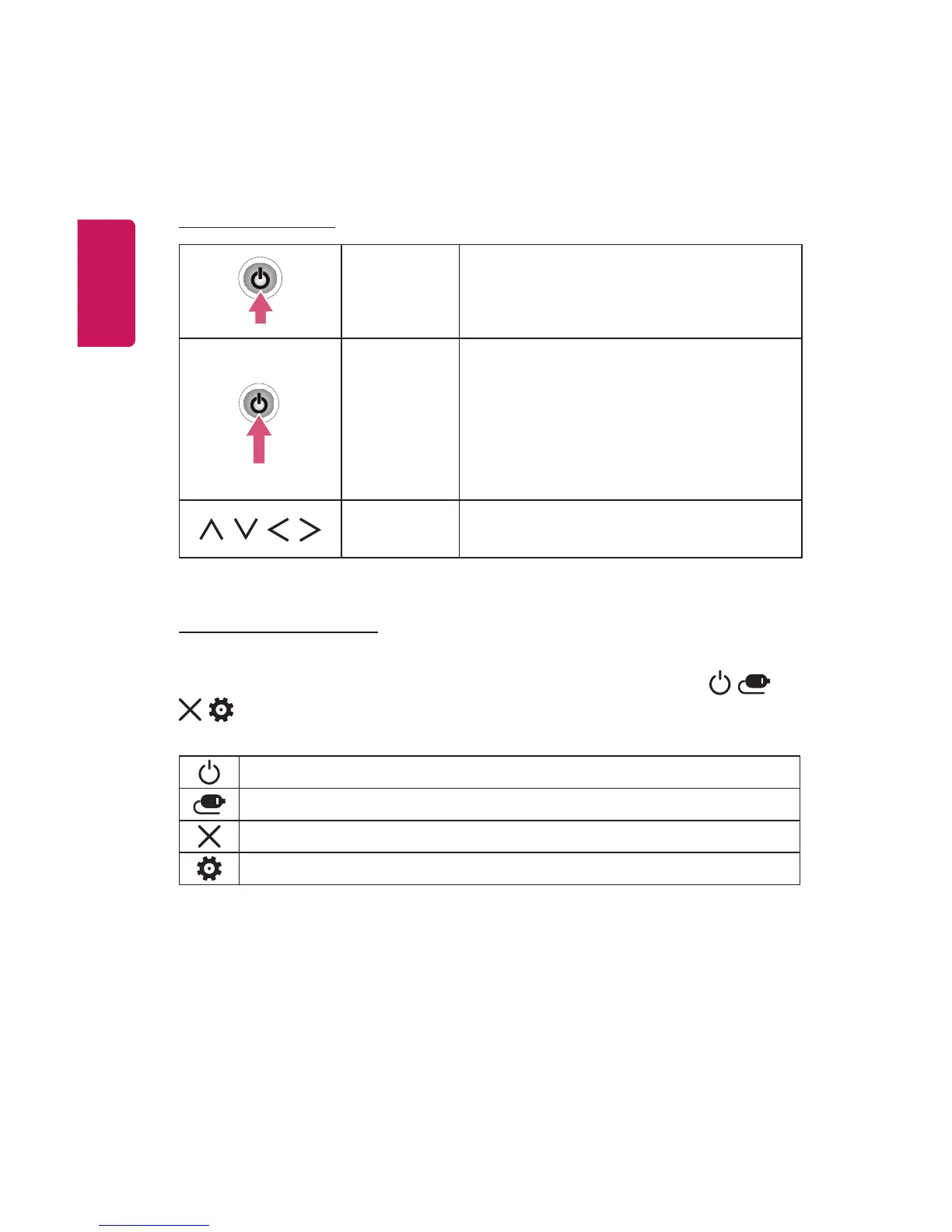
Using the Buttons
You can operate the projector by pressing the button.
Basic functions
Power On Press the Power button once while the
projector is off.
Power Off
(Press and
Hold)
Press and hold the Power button for a few
seconds while the projector is on.
(However, if the Menu button is shown on
the screen during button use, pressing and
holding the Power button will let you exit
the menu.)
,
,
,
Up/Down/
Left/Right
Sets functions or moves the cursor.
Adjusting the menu
Press the Power button once while the projector is on.
Press the top, bottom, left, and right buttons to move to a menu item ( , ,
, ). After moving to the desired menu item, press the Power button once to
select it.
Turns the power off.
Changes the input source.
Clears on-screen displays and returns to projector viewing.
Displays the Settings menu.



 To Next Page