16
ENGLISH
To Use My Media
1 Press the button on the remote control.
2 Select MY MEDIA.
Select desired le from the list. Watch the chosen le.
Sets play related settings by checking option during disk playback.
My Media supporting file
• Maximum data transmission rate: 20 Mbps (Mega bit per second)
• External supported subtitle formats: *.smi, *.srt, *.sub (MicroDVD, SubViewer
1.0/2.0), *.ass, *.ssa, *.txt (TMPlayer), *.psb (PowerDivX)
• Internal supported subtitle formats: SRT/ASS/SSA (Supports internal subtitles
generated from DivX6)
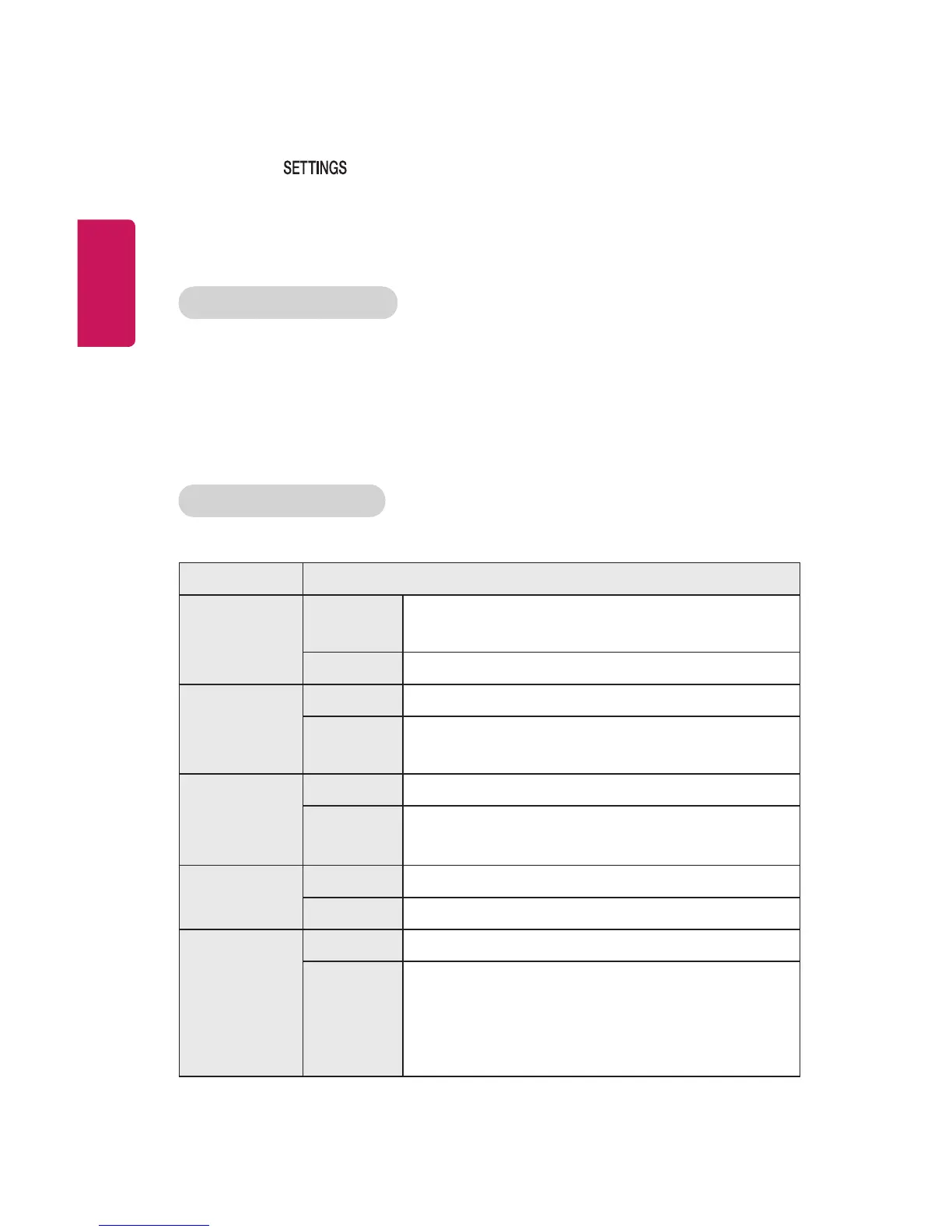
Video Supported Codec
Maximum: 1920 x 1080 @ 30p (only Motion JPEG 640 x 480 @ 30p)
Extension Codec
.asf
.wmv
Video
VC-1 Advanced Prole, VC-1 Simple and Main
Proles
Audio WMA Standard, WMA 9 Professional
.divx
.avi
Video DivX3.11, DivX4, DivX5, DivX6, XViD, H.264/AVC
Audio
MPEG-1 Layer I, II, MPEG-1 Layer III (MP3), Dolby
Digital
.mp4
.m4v
.mov
Video H.264 / AVC, MPEG-4 Part 2
Audio AAC
.mkv
Video H.264 / AVC
Audio HE-AAC, Dolby Digital
.ts
.trp
.tp
.mts
.m2ts
Video H.264 / AVC, MPEG-2, VC-1
Audio
MPEG-1 Layer I, II, MPEG-1 Layer III (MP3), Dolby
Digital, Dolby Digital Plus, AAC



 To Next Page