27
ENGLISH
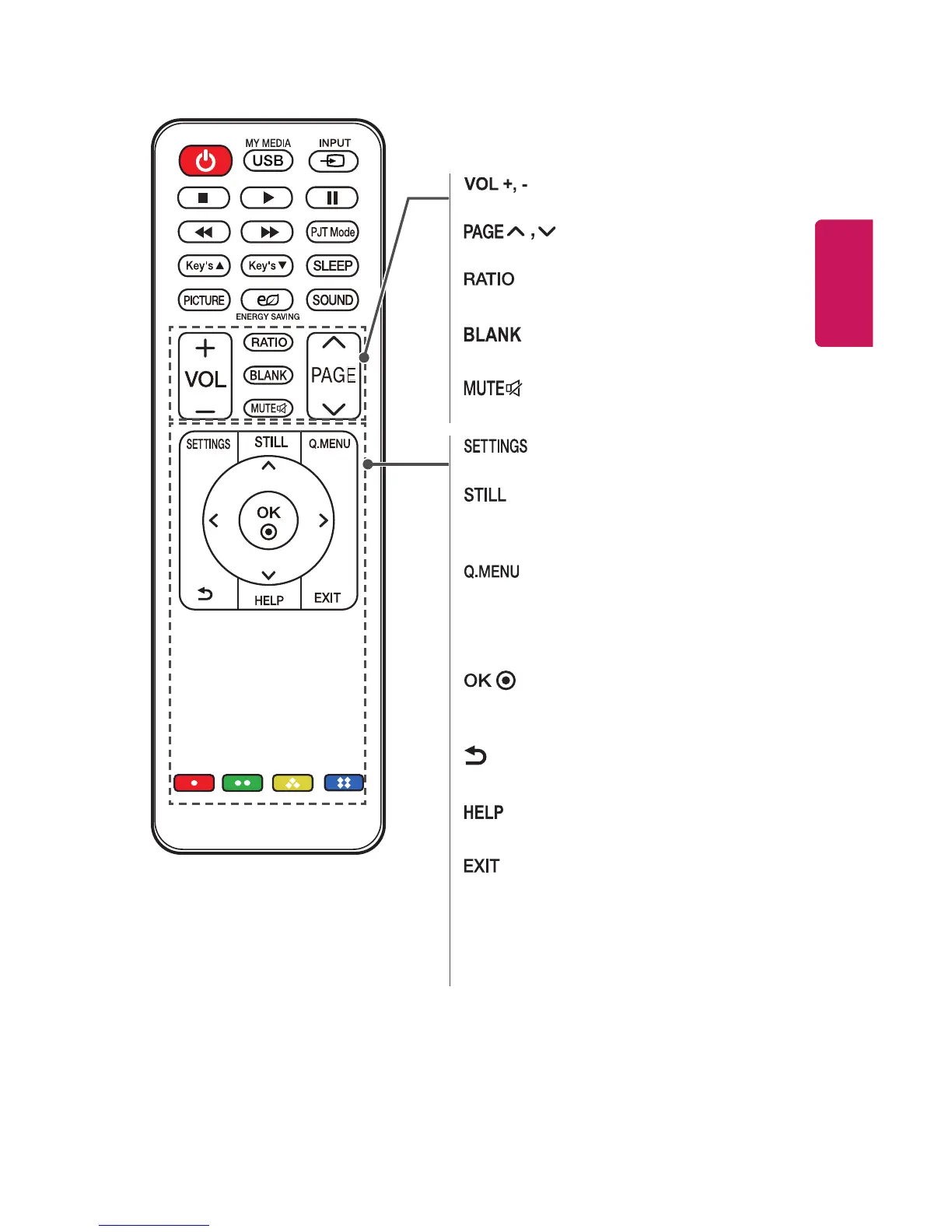
Adjusts the volume level.
Moves to the previous/next page.
Resizes an image.
Displays a blank screen.
Mutes the sound of the projector.
Displays or closes the Settings menu.
Freezes the moving image.
(Available in any mode other than USB mode.)
Enters the quick menu.
Up/Down/Left/Right buttons
Sets the function or moves the cursor.
Shows the current mode and saves changes
to the settings.
(BACK)
Returns to the previous screen.
Enables the self-diagnosis.
Exits the menu.
Color buttons
Sets detailed settings or gesture for each
menu.



 To Next Page