20
ENGLISH
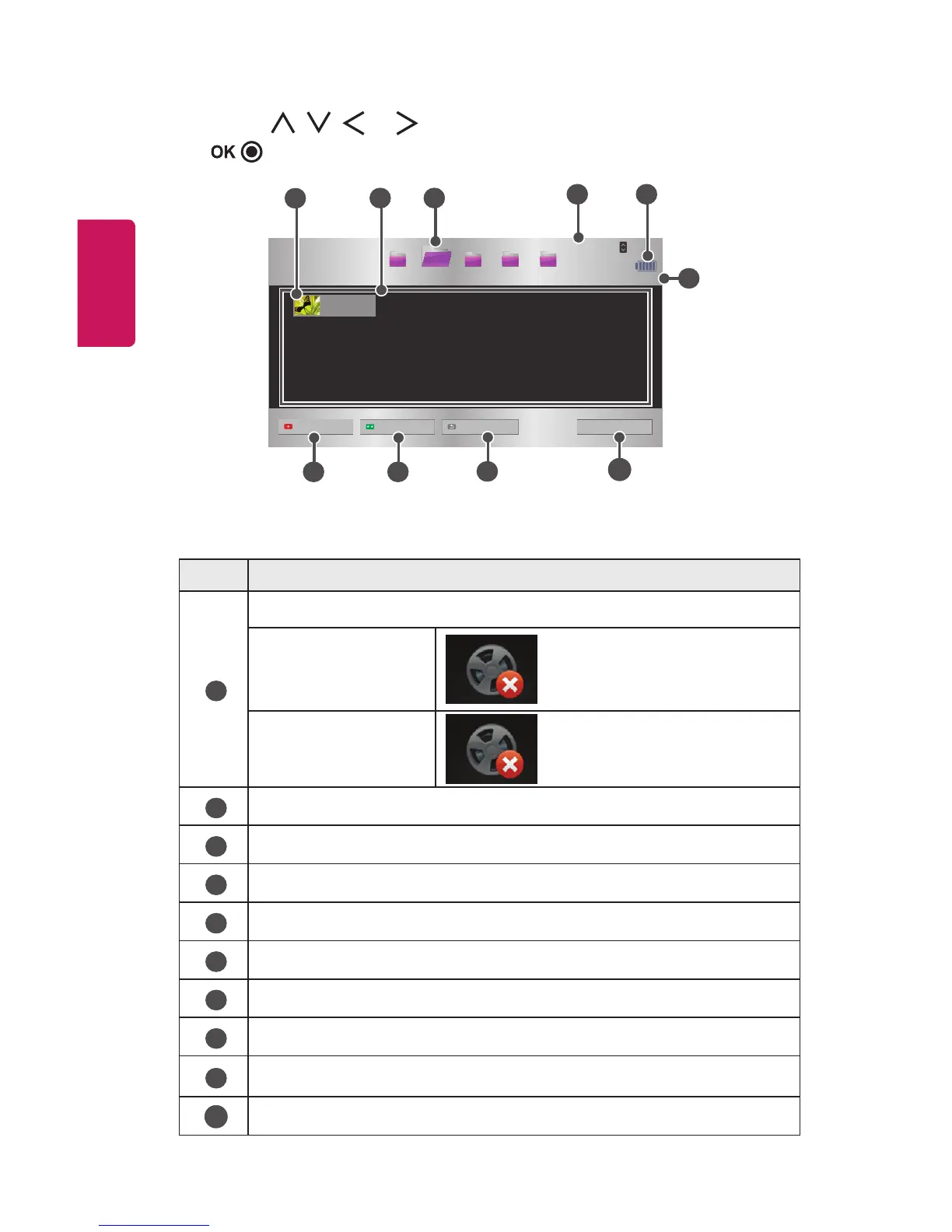
4 Use the , , , or button to select the le you want and press the
button.
USB STORAGE DEVICE
Page 1/1
Page 1/1
Drive1 Drive5Drive3 Drive4
Drive2
PAGE
Page Change
Movie List
Butterfly_...
01:34:33
Change device Go to root folder
1
2
4
6
7 8
3
5
9
10
Go to upper folder
Exit
No. Description
1
Thumbnails
Abnormal le
File not supported
2
File List
3
Moves to the upper level folder.
4
Current page/Total no. of folder pages
5
Displays the remaining battery life.
6
Current page/Total no. of le pages
7
Changes the device.
8
Moves to the top level folder.
9
Moves to the upper level folder.
10
Exit Movie List.



 To Next Page