ENGLISH
31
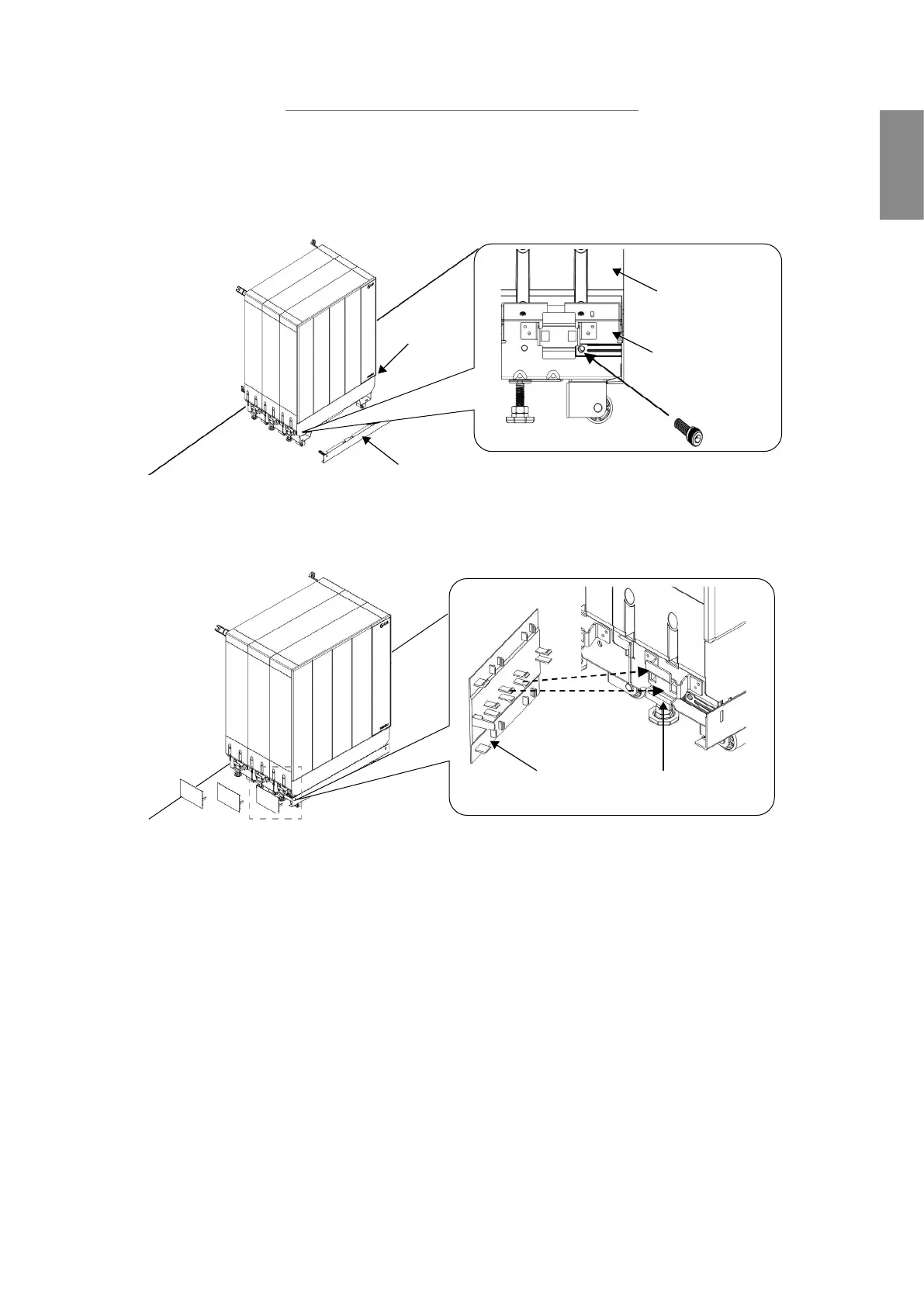
When adding Optional Standing Bracket
1) Apply the Wire Harness along the attachable path as the below
image and connect it to the Bottom Terminal Block of the second
BMA.
Wall
Direction
Option Standing Bracket Cover
Basic Standing
Bracket
Option Standing
Bracket Cover
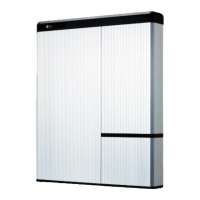
2) Assemble Double Corner covers into Optional Standing Bracket
Double
corner cover
Option Standing
Bracket Cover
Wall
3.7 Wall-mounting Installation
For Wall-mounting installation, the BMA and BPU can be placed in various
layouts. Please select a layout for installation in advance and check for
the mounting and cabling order in the following ‘Wall-mounting Layout’
section


 To Next Page