17
HOW TO START AND STOP CLEANING
Forbestresults:
• Briefly scan the area to be cleaned for big and small objects that will cause difficulty for the
Robot Cleaner.
• If cleaning is started when the Robot Cleaner is at the home station, the device can rapidly be
returned to the home station as the current home position has been accurately read.
• When the mop plate is installed, to prevent a 2
nd
contamination from the contaminated mop, it
will not go over door sills of 5 mm or higher.
Tip
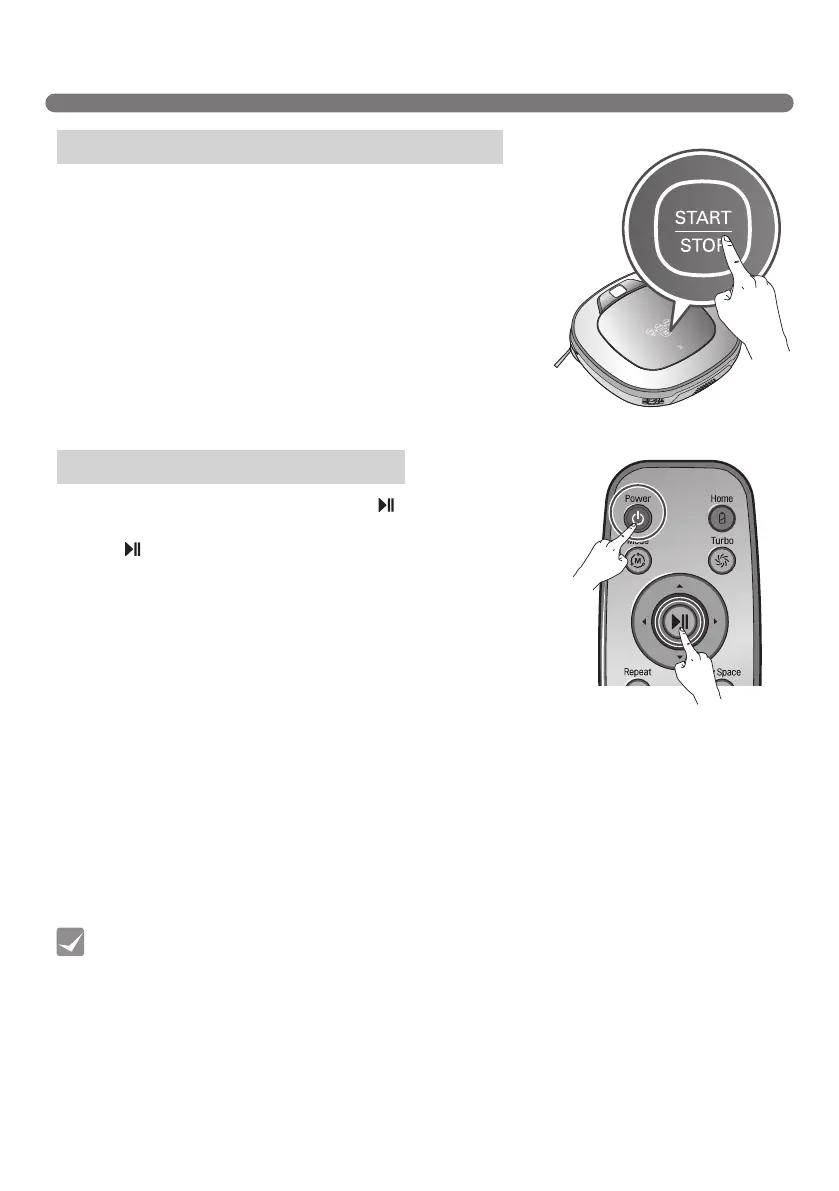
After the Robot Cleaner main power switch is turned on, press the
START/STOP button to begin cleaning. A melody will sound and
cleaning will begin.
Press the START/STOP button during the cleaning cycle to stop
cleaning.
※
When the ‘START/STOP’ button is pressed while the power supply
of the Robot Cleaner is in Standby, the power will be turned on.
Press the ‘START/STOP’ button one more time to start cleaning.
After the Robot Cleaner is turned on press the ‘
’ button on the
remote controller. A melody will sound and cleaning will begin.
Press the
button during the cleaning cycle to stop cleaning.
※
When the power is off, press the ‘Power’ button on the remote
controller to turn the power on.
※
During cleaning, collisions can happen when the sensor cannot detect objects because of their shape
(Thin chairs and table legs, furniture corner). When this happens, the internal impact detecting sensor will
react by using a backward motion.
※
If the Robot Cleaner is set to start cleaning at a location away from the home station, put the Robot
Cleaner on a flat floor in order to prevent a malfunction of the obstacle detecting sensor. In addition, start
cleaning from a location where there are no obstacles . For example, curtains or walls must be 30cm from
the Robot Cleaner.
Using the buttons on the Robot Cleaner
Using the remote controller



 To Next Page