22
AUXILIARY CLEANING MODES
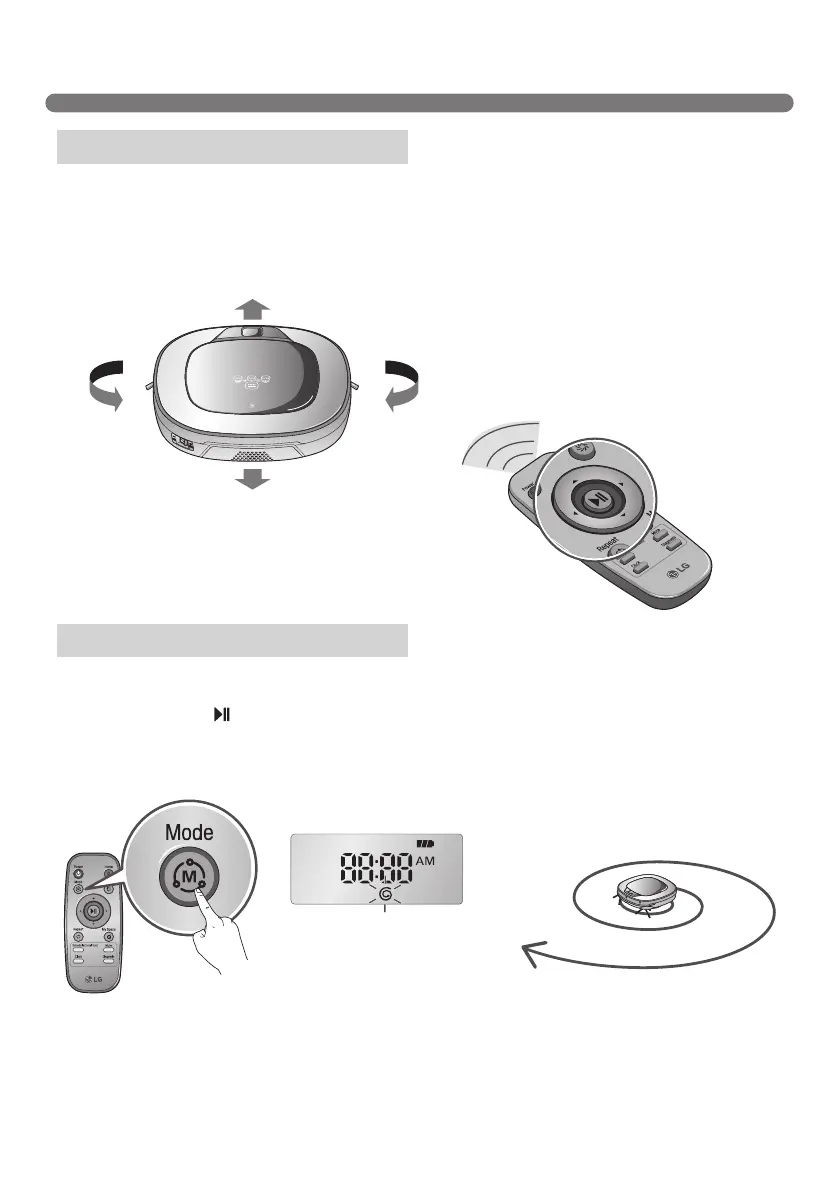
By pressing a direction key on the Remote Controller, you can move the Robot Cleaner manually.
Robot Cleaner will clean the area, by pressing the forward/backward/left/right buttons accordingly on the
keypad of the remote control.
While in 'Manual' mode, the robot cleaner will run into obstacles placed behind it if the backward key on the
remote is pressed or held down.
Is best used to clean certain parts of the house.
Press 'Mode’ button on the Remote Controller to select 'Spot' mode, which will then indicate on the Status
Display, then press the button, then Robot Cleaner will start Spot cleaning an area of
1.5 m in diameter around it.
※
While recharging, 'Spot' cannot be selected.
Manual Cleaning
Spot Cleaning
It stops at the started position after
completing the cleaning(takes 4~5 min.).



 To Next Page