59
TROUBLESHOOTING
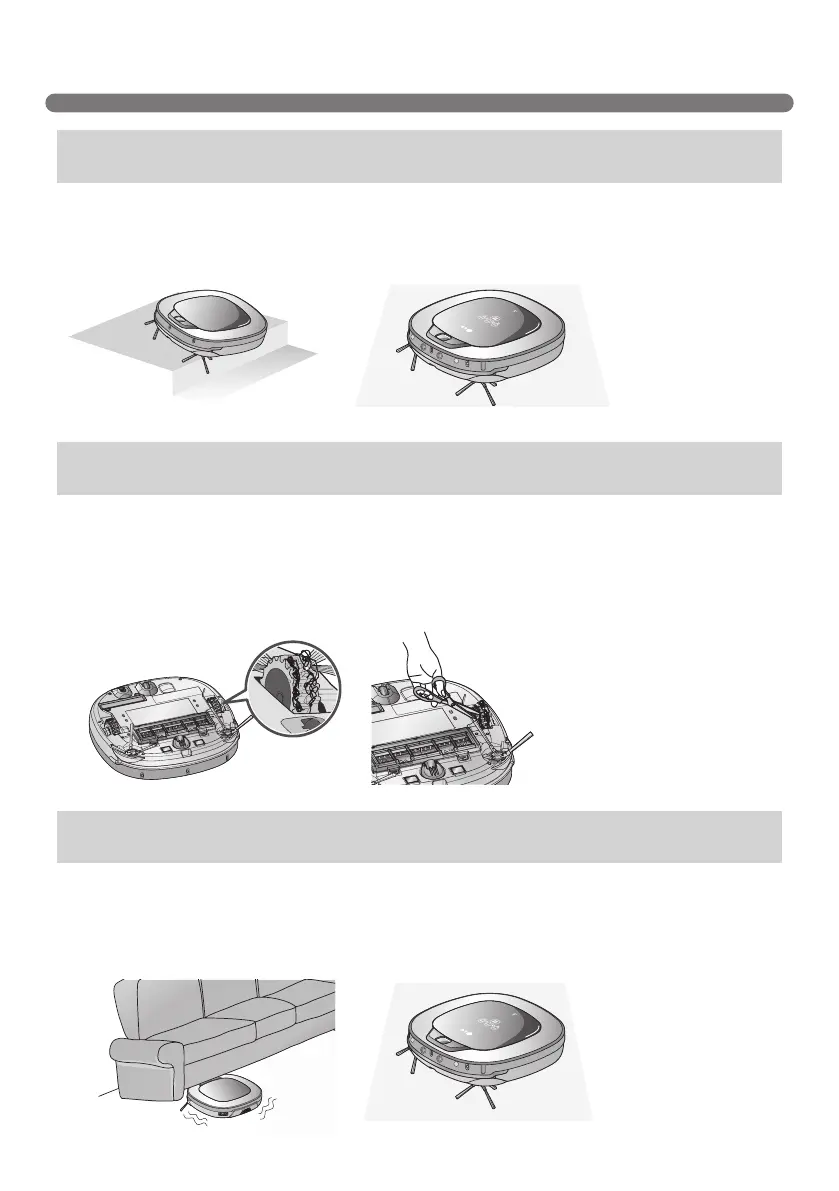
A warning message will be given if a wheel does not contact the floor surface for any reason.
• Is a wheel trapped in the front door, balcony, stairway, etc?
►MovetheRobotCleanerontotheatoor.
• Is any foreign material wound around the wheel?
►Turn off the main power switch on the rear side of the Robot cleaner. Then lay a soft cloth on the
oor,turnovertheRobotCleaner,andputitonthecloth.
Remove foreign material after observing the wheels.
※
Please make sure to remove the dust bin before turning over the main body.
Otherwise, the dust in the dust bin may fall out.
A warning message will be given if Robot Cleaner cannot go on cleaning due to any unfavourable condition.
• Is the Robot Cleaner stuck?
►Afterremovingitfromtheobstacle,placetheRobotCleanerbackontotheatoor.
Upon a voice message, "The wheels are not touching the oor.
Please move Roboking onto at oor."
Upon a voice message, "Please remove foreign material on the
left/right wheel."
Upon a voice message, "Roboking cannot continue cleaning.
Please check the area around Roboking."



 To Next Page