52
PRODUCT INFO INITIALIZATION
If you happen to sell a used Robot Cleaner, or if would like to initialize information set up on the product, run
Initialization.
※
Any dispute between seller and buyer is an issue between the two parties. LG Electronics provides a
product initialization function for smooth transaction.
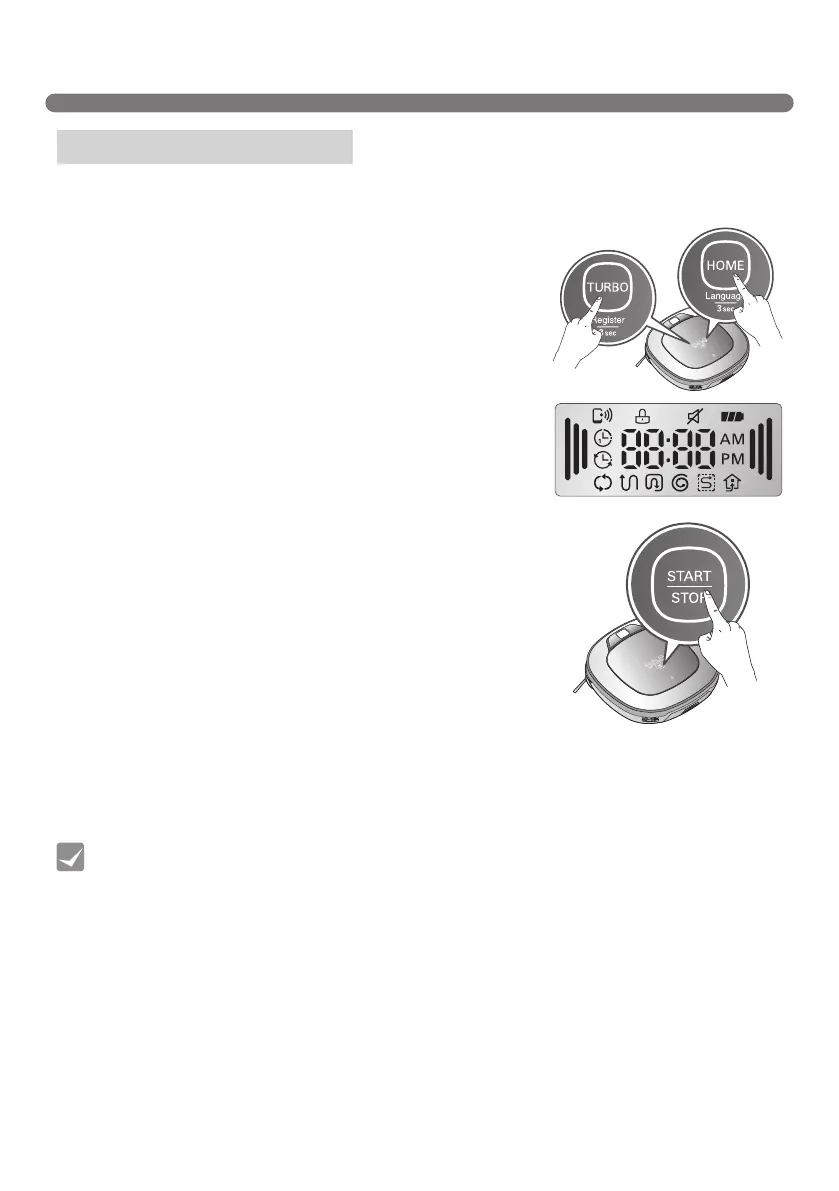
1. Press and hold down the "Turbo" and "Charge" buttons for 3
seconds with the power on; all displays will then be lit with a
"ding" sound.
2. Press "Start/Stop" to initialize the product; power will be turned
off.
3. Pressing "Start/Stop" again will turn Robot Cleaner on with a
melody.
Product info initialization
• Initialization returns the following information as factory default setting.
- Home Guard image - Cleaning Diary
- Home Guard location - Smart Diagnosis record
- Front camera (Back to on) - Nickname
- Learned cleaning information
Tip



 To Next Page