60
TROUBLESHOOTING
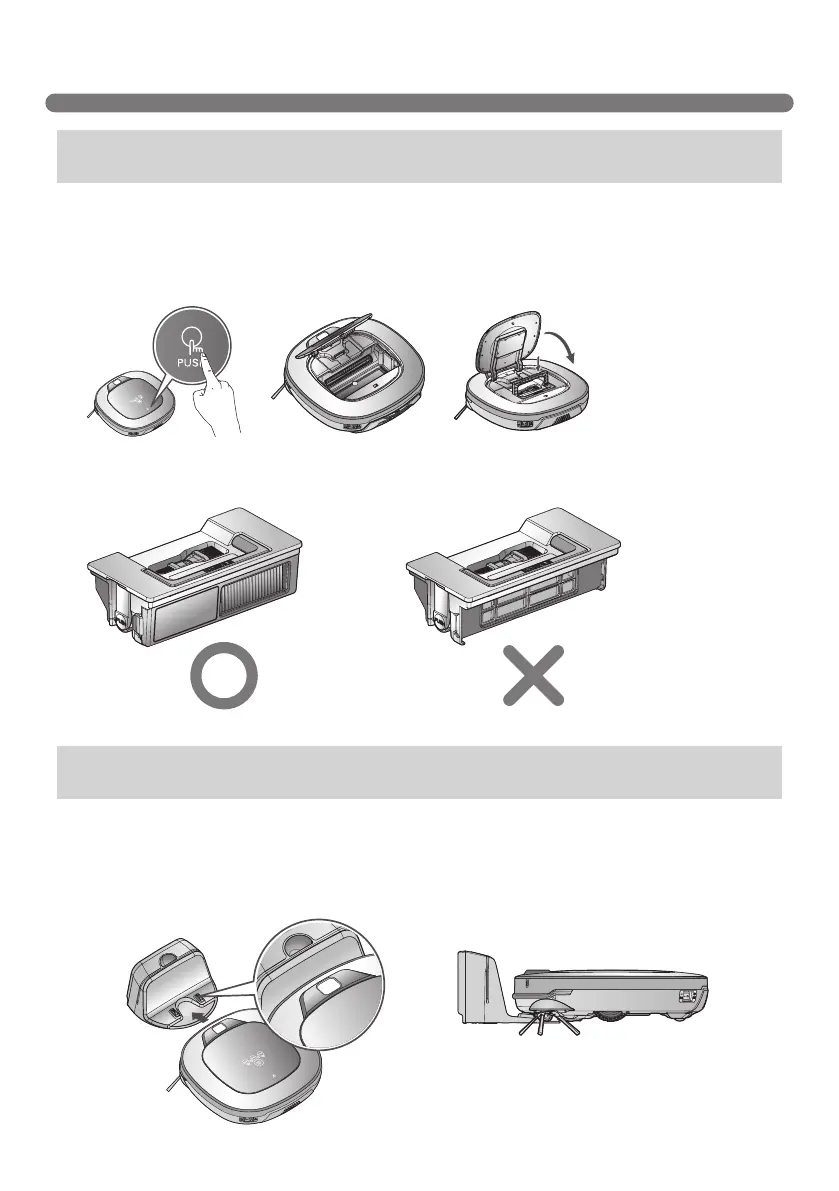
A warning message will be given if there is no Dust Bin or Filter housing fitted.
• Is the Dust Bin fitted to the Robot Cleaner?
►Open the Dust Bin compartment cover and check to ensure the Dust Bin is in place.
►Do NOT leave the Dust Bin Cover open.
When the remaining amount of battery power is almost nil, the voice, “Battery is low”, is generated.
• Initiate battery charging of the Robot Cleaner by moving it to the home station.
►When the Robot Cleaner is attached to the docking station successfully, it will start the recharging
with the recharging start melody.
Upon a voice message, "Please check if the dust bin is installed
with the lter."
Upon a voice message, "Battery is low. Please move Roboking
onto the home station to charge."
• Make sure the Filter housing is assembled onto the Dust Bin.



 To Next Page