39
SMART APPLICATION FUNCTION
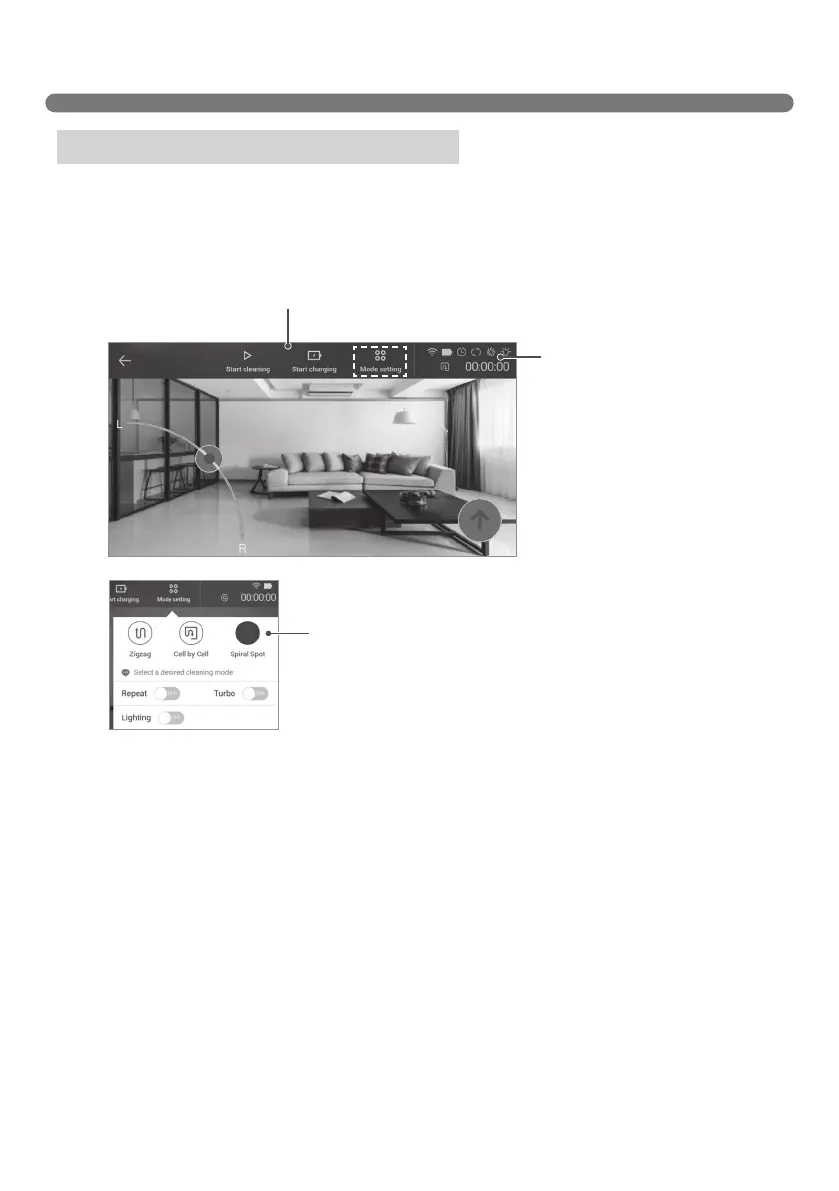
OpenHomeView;thefollowingcontrolscreeniconswillappear:
HomeView (interface conguration)
HomeView main menu
Each button provides the corresponding function.
Status icons
Wi-Fi, battery, Reserve
Cleaning, cleaning mode,
Turbo mode, repeat mode,
lighting mode, and cleaning
time are displayed here.
Mode setting
Click each icon to toggle
Cleaning modes, Repeat
mode, Turbo mode, and
Lighting.



 To Next Page