EasyManua.ls Logo

Liebert DM Series - User Manual

Liebert DM Series
56 pages
Print Icon
To Next Page IconTo Next Page
Loading...
User Manual
Liebert
®
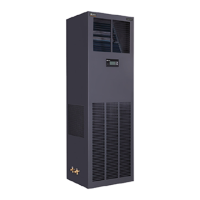
DM Series Air Conditioner
Precision Cooling
For Business-Critical Continuity

Table of Contents

Questions and Answers

  • D
    danielbaileyAug 16, 2025
    What to do if my Liebert DM Air Conditioner shows a high pressure alarm?
    • A
      Andrew BarberAug 17, 2025
      If your Liebert Air Conditioner displays a high-pressure alarm, start by ensuring sufficient airflow across the condenser by removing any debris from the coil surface and air inlet. Also, check the control board for the fan speed regulation performance. Check that the cable connection from the control board to the terminal block of the outdoor unit is tight; check that the outdoor unit connections are tight; check that the condensate pressure sensor works normally.
  • G
    goodmanjessicaAug 19, 2025
    Why is my Liebert Air Conditioner not cooling?
    • T
      Tammy SalasAug 19, 2025
      If your Liebert Air Conditioner isn't cooling, first check for 24Vac ± 2Vac at the compressor contactor winding. If the voltage is correct, inspect the contactor itself. Also, the high compressor discharge pressure, plugged strainer, and low refrigerant charge can be the causes. Clean or replace the strainer, and use a suction and discharge pressure gauge to check the pressure, looking for bubbles through the sight glass if the refrigerant charge is low.
  • M
    mandersonAug 22, 2025
    How to troubleshoot a Liebert DM that does not start?
    • N
      Nancy PadillaAug 22, 2025
      If your Liebert Air Conditioner unit fails to start, begin by verifying that the unit is receiving power via input voltage. Then, check the circuit breaker at the transformer to ensure it hasn't tripped due to a short circuit; if it has, locate and fix the short before resetting the breaker. Also, check that drain pipes and pipelines are clogged or that the condensate pump is damaged. Finally, confirm that all jumping cables on the control board are correctly connected.
  • A
    amolinaAug 25, 2025
    Why Liebert Air Conditioner has no display and no output?
    • A
      acookAug 25, 2025
      If your Liebert Air Conditioner displays no output, and the control buttons are unresponsive, the issue could stem from low power voltage. Check for power voltage. Additionally, there might be an interruption in communication between the control board and the display board; inspect the connection between these two components.
  • K
    kleinadamAug 27, 2025
    How to fix a Liebert DM Air Conditioner heater that does not operate?
    • K
      Kevin ParkAug 28, 2025
      If your Liebert Air Conditioner heater isn't working, first ensure that the heat function is enabled in the Select Options menu. If it's already on, check if there's a heat demand output from the control system by adjusting the temperature setpoint and sensitivity within the required range. If these steps don't resolve the issue, turn off the power and use a multimeter to check the resistance of the heating elements, as they may be burned out.
  • R
    Rachel MartinezAug 30, 2025
    Why is the display on my Liebert Air Conditioner abnormal?
    • D
      Dominique JohnsonAug 30, 2025
      If your Liebert Air Conditioner display appears abnormal, try disconnecting the system power and restarting it to resolve potential static discharge issues. If the problem persists, power off the unit, then check and tighten the connection between the display board and the control board before restarting.
  • J
    Jerry HolmesSep 2, 2025
    Liebert DM has no display but operates normally, why?
    • J
      Jacob TranSep 2, 2025
      If the Liebert Air Conditioner display is not working, but the equipment operates normally, check the connection between the display board and the control board. If the connection is secure, the display board may be faulty and require replacement.
  • S
    Sara JensenSep 4, 2025
    What should I do if my Liebert Air Conditioner shows a high temperature alarm?
    • I
      inguyenSep 5, 2025
      If your Liebert Air Conditioner is showing a high-temperature alarm, first reset the temperature setpoint to a reasonable level. If the alarm persists, check for room seal or consider capacity expansion, as the room load may be exceeding the unit's design ability.
  • R
    rmillerSep 7, 2025
    What to check if my Liebert Air Conditioner displays a high humidity alarm?
    • J
      jamesdawsonSep 7, 2025
      If your Liebert Air Conditioner is showing a high humidity alarm, try resetting the setpoint to a more appropriate level. Also, check for the vapor barrier in the room.
  • L
    Lauren PerrySep 12, 2025
    Why does my Liebert DM display a low temperature alarm?
    • D
      Debra SolisSep 12, 2025
      If your Liebert Air Conditioner is showing a low temperature alarm, the setpoint may be set unreasonably low; try resetting it. Also, check the heater working operation.

Summary

Chapter 1 Overview

Model Description

Describes the naming convention and components of the Liebert_DM AC model series.

Product Introduction

Introduces the Liebert_DM AC as a precise environment control system for equipment rooms.

Performance Parameters

Lists key performance metrics like cooling capacity, power, efficiency, and heating/humidification specs.

Main Components

Details the primary parts of the indoor and outdoor units, including their features and materials.

Optional Features

Explains optional add-ons such as humidifiers, heaters, and power surge protectors.

Ambient Requirements

Specifies the environmental conditions necessary for proper operation and storage.

Refrigerant Charging

Details approved refrigerant brands and warranty implications for system charging.

Chapter 2 Mechanical Installation

Unpacking and Inspection

Provides instructions for safely unpacking the unit and checking for any damage or missing parts.

Installation Notes

Offers general guidelines and prerequisites before commencing the installation process.

System Arrangement

Covers diagrams and parameters for positioning and arranging the indoor and outdoor units.

Indoor Unit Installation

Details the requirements and procedures for installing the indoor unit, including room and location specifics.

Outdoor Unit Installation

Outlines the necessary steps and considerations for installing the outdoor unit securely.

Piping Connections

Explains the principles and procedures for connecting refrigerant and drain pipes between units.

Remove Protective Parts

Guides on removing shipping fasteners and vibration absorbers before operation.

Add Refrigerant for Long Pipes

Instructions on calculating and adding refrigerant for extended pipe lengths.

Pre-Electrical Installation Check

A checklist of essential items to confirm before starting electrical installation.

Chapter 3 Electrical Installation

Electrical Task Overview

Introduces the key electrical connection tasks required during installation.

Electrical Installation Notes

Provides crucial safety, regulatory, and general notes for electrical installation.

Indoor Unit Power Wiring

Details the procedure for connecting the power cable to the indoor unit.

Outdoor Unit Power Wiring

Explains how to connect the power cable to the outdoor unit.

Control Cable Connections

Guides on connecting control, monitoring, and remote shutdown cables.

Energy-Saving Card Installation

Steps for connecting the energy-saving card for enhanced efficiency monitoring.

Post-Electrical Check

Final verification steps for all electrical connections after installation.

Chapter 4 System Testing

Start-Up Inspection

Lists essential checks to perform before powering on the unit for the first time.

Function Testing Procedures

Details the methods for testing the unit's cooling, heating, humidifying, and dehumidifying functions.

Chapter 5 Micro-Processing Controller

Controller Features

Outlines the key capabilities and functionalities of the micro-processing controller.

Controller Appearance

Describes the physical layout and components of the controller panel.

LCD Screen Information

Explains the data displayed on the controller's LCD screen during operation.

Controller Buttons

Details the function of each button on the micro-processing controller interface.

Control Screen Displays

Describes the different screen states: ON, Normal, and Password entry.

Controller Menu Structure

Provides an overview of the hierarchical menu system for navigating controller settings.

Chapter 6 System Maintenance

Electrical Inspection

Guidelines for periodic inspection of electrical components for safety and function.

Indoor Unit Maintenance

Procedures for maintaining the indoor unit's filters, fans, and other components.

Outdoor Unit Maintenance

Maintenance procedures for the outdoor unit, including the refrigeration system and condenser.

Maintenance Checklist

A structured checklist for performing regular system maintenance inspections.

Liebert DM Series Specifications

General IconGeneral
RefrigerantR410A
Compressor TypeScroll
AirflowVaries by model
PowerVaries by model
Sound Pressure LevelVaries by model
Dimensions (HxWxD)Varies by model
WeightVaries by model

Related product manuals