Setting up the Counter
248083389-1 Rev 4-11
2. Select and double-click the XPort for the RS485 Ethernet Adapter
to open the Device Details tab.
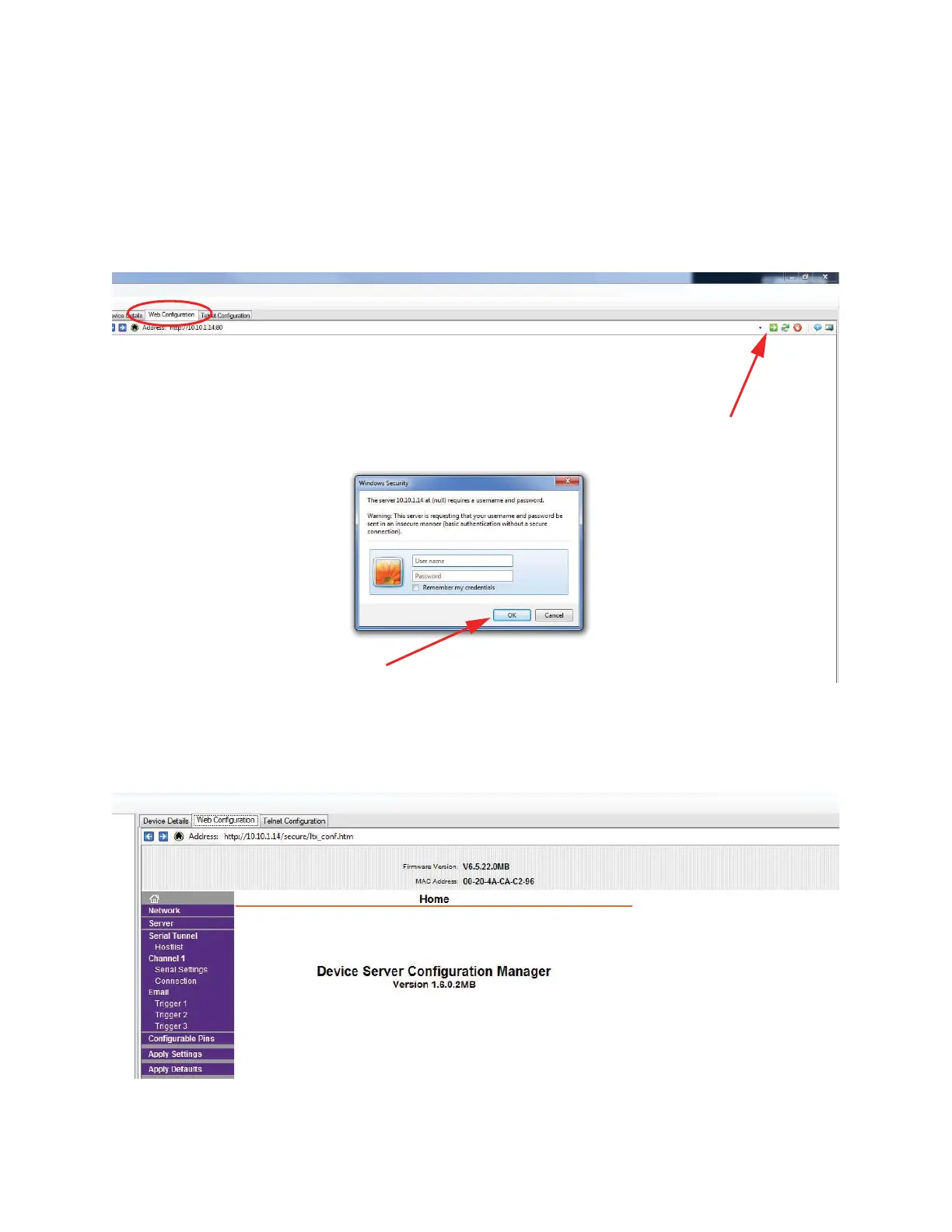
• Select the Web Configuration tab and then press the green arrow.
The Windows Security Login window will open.
• Select OK without entering a username or password. See
Figure 4-7.
Figure 4-7 Web Configuration Tab
3. The Device Server Configuration Manager will open as shown in
Figure 4-8.
Figure 4-8 Device Server Configuration Manager
Web Configuration Tab
Green Arrow
OK










 To Next Page