Operating Counter
248083389-1 Rev 6-17
Analog Channels
Analog channels are set up in the CONFIG menu from Analog screen.
Note: Changes to the
analog configuration will
change historical
environmental values in
the data buffer.
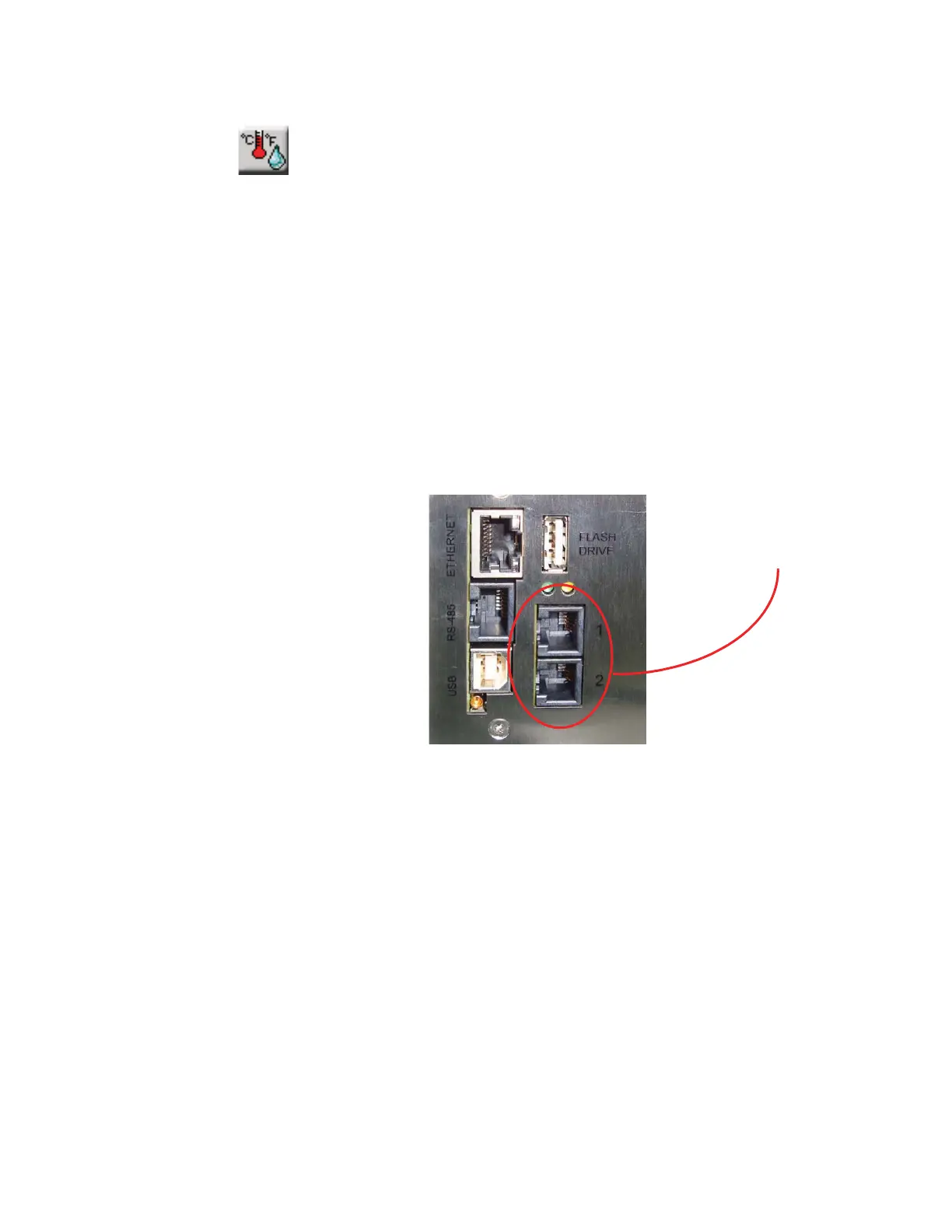
The SOLAIR has two analog ports on the rear of the chassis as shown
in Figure 6-20. Each port can be used for one dual-channel or two
single-channel 4-20mA sensors (when wired correctly), two devices
total per port.
When each port is connected to two single-channel analog sensors, a
total of four analog sensors may be connected to the SOLAIR.
Otherwise, only one single-channel or one dual-channel device may be
used at a time on each port.
Please contact Lighthouse at 800-945-5905 (USA Toll Free) or 541-
770-5905 (Outside of USA) for additional information about
converters and wiring.
Figure 6-20 Analog Port Connectors
Analog channels are labeled in the settings as A1 through A4. A1 and
A2 correspond to Analog port 1 on the chassis and A3, A4 correspond
to port 2. A1 and A3 are the first channel and A2 and A4 are the second
channel of these ports. So, if a single-channel sensor is attached to port
1 and is wired to connect to channel one, its data will be displayed on
A1. If it is wired to operate on the second channel, its data will be
displayed on A2.
If a dual-channel sensor, such as the Lighthouse TRH (temperature,
relative humidity) probe, is connected to port 1, its temperature data
will show up on A1 and its relative humidity data will be displayed on
A2.










 To Next Page