Lighthouse S3100/S5100/Boulder Counter Operating Manual
4-20 248083389-1 Rev
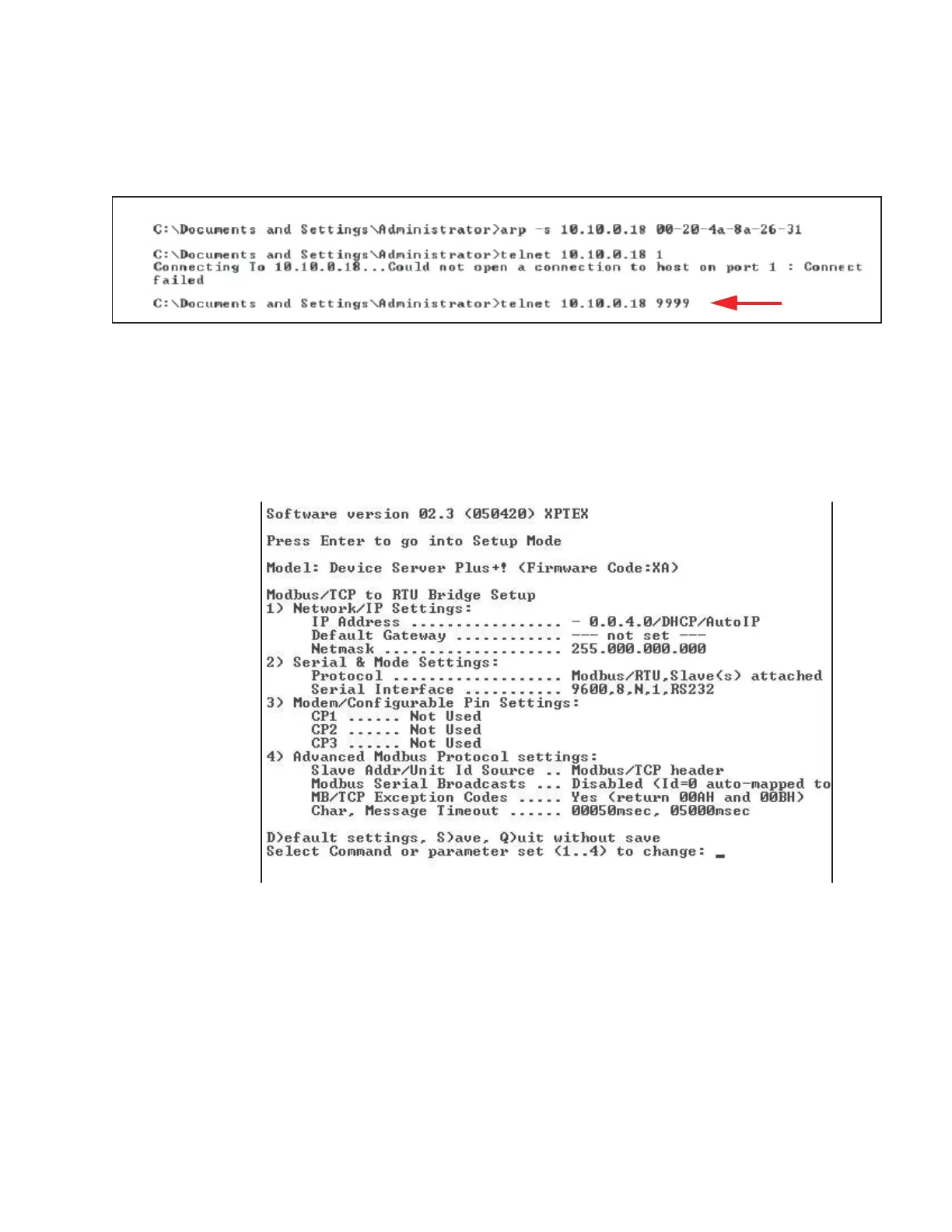
10. Type telnet xx.xx.xx.xx 9999 and press Enter. This command
accesses the telnet port of the instrument. The expected error
message from Step 9. is shown in Figure 4-18.
Figure 4-18 Telnet 9999
The user will have 4 seconds to respond in the next step. If the user
responds too slowly, they will have to repeat step 10.
11. Press Enter to start the SOLAIR Ethernet interface setup
program. Figure 4-19 displays some of the default settings - make
no changes to these settings except as instructed.
Figure 4-19 Starting the Set Up Program










 To Next Page