EasyManua.ls Logo

Lightware MMX4x2-HDMI - User Manual

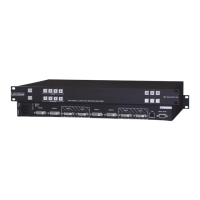
Lightware MMX4x2-HDMI
172 pages
Print Icon
To Next Page IconTo Next Page
Loading...
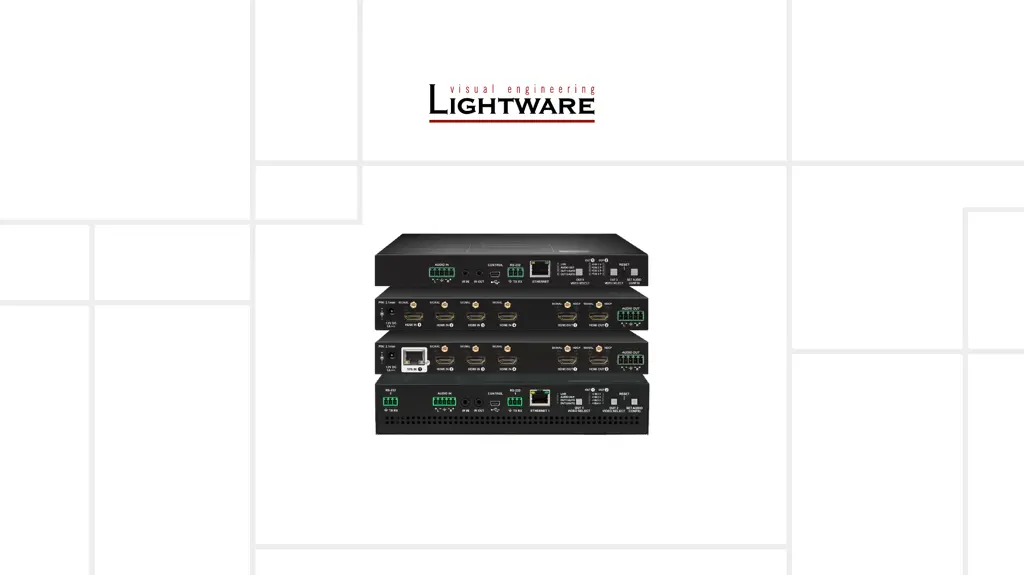
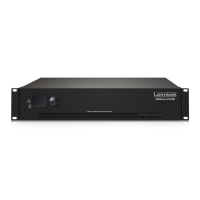
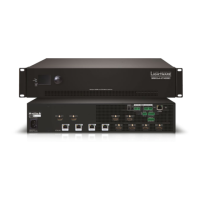
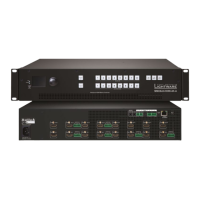
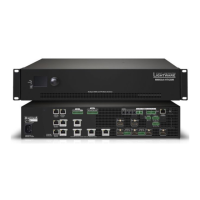
MMX4x2-HDMI
MMX4x2-HT200
MMX4x2-HDMI-USB20-L
User’s Manual
Standalone Multimedia Matrix Switcher
v3.2 22-03-2022

Table of Contents

Other manuals for Lightware MMX4x2-HDMI

Questions and Answers

  • O
    otuckerAug 14, 2025
    How to fix no picture on Lightware Matrix Switcher video output?
    • P
      Patricia PatelAug 15, 2025
      If there's no picture on the video output of your Lightware Matrix Switcher, here are a few things to check: * Ensure all devices, including the matrix, are properly powered. Try unplugging and reconnecting them. * Verify all cable connections (video and TPS cables) are secure and fit well. * Check if the SIGNAL LED of the input port is lit. If not, there may be no incoming signal. Inspect the source device(s) and HDMI/CATx cable(s). * Confirm the correct video port is active by checking the video crosspoint settings. * Examine the TPS mode and ensure it matches the selected modes of the devices. * Check the mute state of the output port. Also, verify the emulated EDID; try selecting another one (for example, emulate the EDID of the display on the input port).
  • C
    Corey MartinAug 18, 2025
    Why is there no audio output from my Lightware MMX4x2-HDMI Matrix Switcher?
    • J
      Jeremy OrtizAug 18, 2025
      If you're not getting any audio from your Lightware Matrix Switcher, consider these potential causes and solutions: * Ensure the source audio volume isn't too low or muted. Check the audio settings of the source. * Verify the correct audio port is active by checking the input port properties and the audio crosspoint settings. * Confirm that neither the input nor the output port is muted by checking their respective properties. * If using analog audio, check the Analog audio output port settings (volume). * If HDMI mode was set to DVI, check the properties of the output port and set to HDMI or Auto.
  • M
    Matthew SchwartzAug 21, 2025
    What to do if Lightware MMX4x2-HDMI Matrix Switcher cannot establish LAN connection?
    • J
      Joseph AdamsAug 21, 2025
      If you're having trouble establishing a LAN connection with your Lightware Matrix Switcher, here are some troubleshooting steps: * Ensure that an incorrect IP address is not set. Try using a dynamic IP address by enabling the DHCP option or restore the factory default settings (with fix IP). * Check for IP address conflicts with other devices on the network. * If TCP/IP or UDP messaging via LAN port isn't working, verify the TCP/IP / UDP messaging rules.
  • S
    shillAug 25, 2025
    Why Lightware Matrix Switcher displays wrong picture on the video output?
    • M
      Marco HillAug 25, 2025
      If the video output on your Lightware Matrix Switcher is not displaying the desired picture, it might be due to: * The video output being statically set to a test pattern (resulting in a no sync screen). Check the Test Pattern settings in the HDMI output properties. * The video output being set to a test pattern because there is no picture on the video source. Check the video settings of the source.
  • G
    greenedeborahAug 27, 2025
    How to troubleshoot a non-responding serial device connected to Lightware MMX4x2-HDMI Matrix Switcher?
    • G
      glenda27Aug 28, 2025
      If a serial device connected to your Lightware Matrix Switcher isn't responding, try these steps: * Check the cable connections to ensure they fit well, and verify the wiring of the plugs. Also, check the port settings of the transmitter, the matrix, and the connected serial device(s), paying attention to Link and/or Local ports. * Confirm that the RS-232 mode settings are correct (control, command injection, or disconnected). * If messaging via the serial port isn't working, check the serial messaging rules and/or apply escaping in the message.
  • A
    Andrew BaileyAug 31, 2025
    Why are the front panel buttons not working on my Lightware MMX4x2-HDMI?
    • Z
      zloweAug 31, 2025
      If the front panel buttons on your Lightware Matrix Switcher are not working, it is possible that the buttons are locked. To solve this, disable control lock.
  • J
    Jennifer CarterSep 3, 2025
    What does it mean if I'm constantly receiving error messages from Lightware Matrix Switcher?
    • S
      Steven SuarezSep 4, 2025
      If you're constantly receiving error messages from your Lightware Matrix Switcher, it might be due to a different protocol being set. Check the protocol settings (LW2 / LW3) and use the proper protocol commands.
  • D
    dfrazierSep 6, 2025
    Why is CEC message sending not working on my Lightware MMX4x2-HDMI?
    • B
      Brian ReedSep 7, 2025
      If CEC message sending isn't working on your Lightware Matrix Switcher, the CEC feature may not be enabled in the connected (third-party) device. Check the device and/or its documentation to enable the feature.
  • A
    alvaradomichaelSep 10, 2025
    What to do if Lightware Matrix Switcher DVI EDID is emulated?
    • J
      John MonroeSep 12, 2025
      Check the EDID and select and HDMI EDID to emulate.

Summary

Important Safety Instructions

Class II apparatus construction

Details regarding the construction of the apparatus and power source requirements.

Common Safety Symbols

1. Introduction

Description

Provides a detailed overview of the MMX4x2 series matrix switcher.

Features

Lists and describes the various features of the MMX4x2 series matrix switcher.

2. Product Overview

3. Installation

4. Device Concept

The Event Manager Feature

Details on how to create and manage events for device automation.

5. Software Control - Lightware Device Controller

Install and Update

Guide on installing and updating the Lightware Device Controller software.

Event Manager

Detailed guide on creating and managing events for device automation.

Configuration Cloning (Backup Tab)

Process for backing up and restoring device configurations.

6. LW2 Programmers Reference

7. LW3 Programmers Reference

8. Firmware Update

Updating via GUI

Step-by-step guide for updating firmware using the Graphical User Interface.

If the Update is not successful

Troubleshooting steps for failed firmware update procedures.

9. Troubleshooting

10. Technologies

EDID Management

Explanation of Extended Display Identification Data and its management.

HDCP Management

Information on High-bandwidth Digital Content Protection and its management.

Pixel Accurate Reclocking

Explanation of the Pixel Accurate Reclocking technology for signal integrity.

Lightware MMX4x2-HDMI Specifications

General IconGeneral
CategoryMatrix Switcher
ModelMMX4x2-HDMI
Input Ports4
Output Ports2
HDMI ComplianceHDMI 2.0
HDCP ComplianceHDCP 2.2
Audio SupportPCM, Dolby Digital, DTS
EDID ManagementYes
Resolution SupportUp to 4K@60Hz
ControlRS-232, Ethernet, IR
Power Supply100-240V AC

Related product manuals